Top 10 features of construction scheduling software you need

By
Marketing Team
@Onetrace
Construction scheduling software is a tool used to plan, sequence, and manage work across a project, so all relevant stakeholders know what needs to happen, when, and in what order.
When it’s set up and used properly, it brings tangible benefits to construction firms.
For example, better construction scheduling can help teams spot issues early, control costs, and use their workforce more effectively—all critical in an industry where delays are affecting over 85% of projects, 72% of SMEs are facing labour shortages, and margins are as low as 2–4%.
But these advantageous outcomes don’t come from just any tool. The software needs to be built for the way construction projects run.
With that in mind, here are the top 10 features of construction scheduling software that support better planning, coordination, and delivery.
Key takeaways
Focus on features that actually control the schedule
The most important capabilities are those that build, adjust, and keep the schedule accurate, such as drag-and-drop planning, real-time updates, and clear visibility across teams.Keep the schedule aligned with what’s happening on site
Real-time syncing, on-site access, and offline functionality ensure the plan reflects real progress, not outdated assumptions.Plan resources and changes alongside the schedule
Managing labour, equipment, materials, and variations within the same system helps avoid delays, reduce waste, and stay in control as projects shift.Make the schedule easy to use and understand
Multiple views, centralised documents, and built-in communication help teams follow the plan without confusion or constant follow-ups.Choose software that works in practice, not just on paper
Tools like Onetrace combine strong scheduling features with usability, flexibility, and support, giving subcontractors a reliable way to plan, track, and deliver work from start to finish.
Top features of construction scheduling software: 10 core scheduling capabilities
When talking about the top features of construction scheduling software, the most important ones are those that help build, control, adjust, and give access to the schedule.
These 10 core capabilities do just that:
1. Drag-and-drop scheduling
Most construction firms don’t need—or have time for—overly complex scheduling tools built for planners rather than people on site. What they need is a simple way to schedule operatives and move work around as things change.
Drag-and-drop scheduling delivers exactly that.
It lets you adjust tasks, crews, or timelines directly on a visual calendar by dragging them into place, helping you find the right balance between manual scheduling methods and over-engineered systems.
2. Field-to-office schedule sync
One of the main advantages of construction scheduling software over manual methods like spreadsheets and phone calls is the ability to keep the schedule aligned with what’s actually happening on site.
To do that, you need a tool that keeps field and office teams working from the same, up-to-date schedule at all times.
In practice, you start by having access to a single shared schedule, then get instant updates when progress is recorded on site or when plans shift.
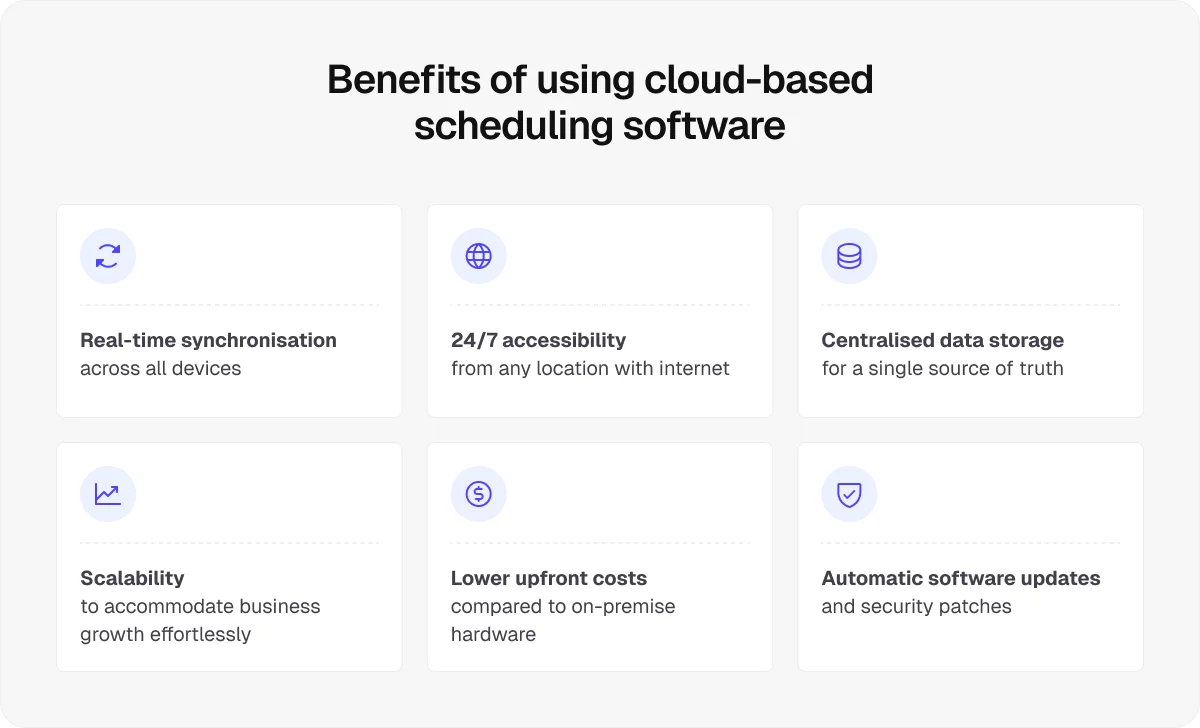
For this dynamic to work reliably, your software needs to be cloud-based, with real-time syncing across all users, so every update feeds straight into the live schedule without delays or version gaps.
3. On-site access
Mobile access to the schedule goes hand in hand with real-time schedule visibility.
However, the question shouldn’t be whether your software offers on-site access, as that should be a given. What matters is how well this feature works in practice.
A well-built construction management mobile app will let teams:
Work quickly with minimal training, even for non-technical users
Capture updates, timesheets, and evidence directly on site, not just in ideal conditions
Keep working without disruption, even when connectivity is poor
This last capability is especially important, considering how often teams work in areas with weak or no signal, such as basements, new builds without infrastructure, remote sites, or large structures where reception drops out.
In these locations, using software like Onetrace with dependable offline access makes all the difference.
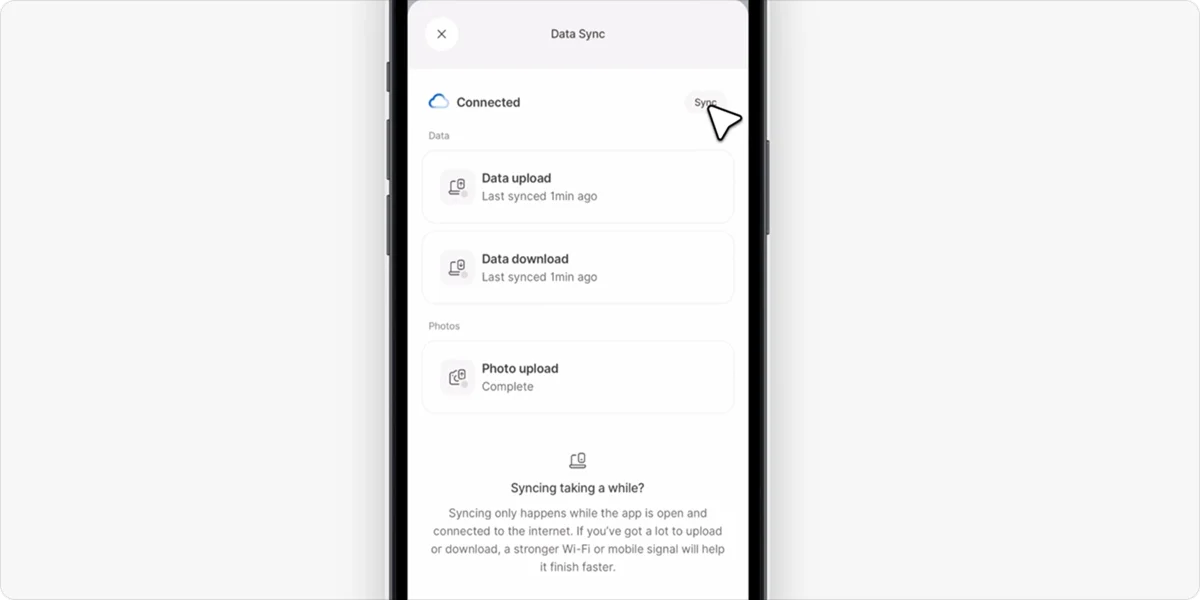
Operatives can pre-download drawings and job data before the work starts, so everything needed for the task is already on the device.
Then, they can continue working as normal—viewing plans, completing job sheets, and capturing evidence—without relying on a live connection.
Once the signal returns, all updates sync back to the office automatically, keeping the schedule and records accurate without extra admin or rework.
4. Resource planning and allocation
A well-rounded tool should also help you plan and manage equipment and materials alongside your workforce.
In practice, this means:
Assigning crews and equipment to tasks so work can start without delays
Tracking who and what is allocated where across jobs to avoid clashes or gaps
Spotting resource conflicts early, before they impact the schedule
Balancing workloads to keep teams productive without overloading them
Linking materials and deliveries to the schedule, so everything arrives when needed
Monitoring labour time and site activity to keep plans aligned with reality
When resources are planned alongside the schedule, you can avoid downtime, reduce waste, and keep work moving as expected.
5. Change and variation tracking
Changes are part of every construction project. Scope shifts, extra work is added, and plans evolve once work is underway.
Change and variation tracking is about recording those updates consistently and tying them back to the schedule.
This matters because even small changes can have a knock-on effect. If they aren’t tracked properly, timelines drift, costs creep up, and it becomes harder to explain what happened and why.
A good scheduling tool should let you:
Record variations against specific tasks or locations, not as separate notes
Track changes to scope, time, and cost in one place
Keep a clear history of schedule revisions, so nothing gets lost
Having these capabilities within your construction management software gives you control over changes instead of forcing you to deal with them after they’ve already caused issues.
6. Multiple schedule views
A single, fixed view of the schedule rarely works in practice.
Different roles need different levels of detail, and if everyone is forced to work from the same layout, people are more likely to miss key information or ignore the schedule altogether.
Multiple schedule views let you organise the same plan in ways that mirror day-to-day site work.
For example, Onetrace’s Planner lets you switch between:
Operative view to see individual workloads and availability, and avoid double-booking
Project view to track progress across a job and adjust timelines when plans change
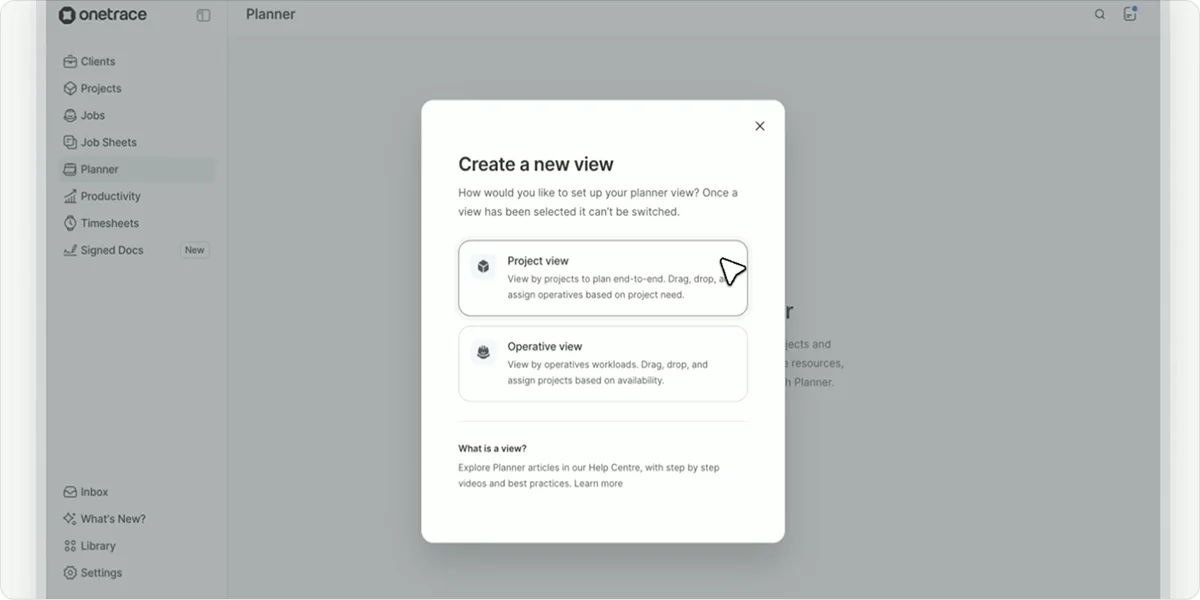
Project managers can also use the custom search to quickly pull up the exact information they need, allowing them to focus on specific teams, sites, or jobs without extra noise.
These options make the schedule easier to read and manage and far more useful on a live project.
7. Centralised document management
Construction schedules rely on having the right information at the right time.
When drawings, specs, or approvals are hard to find or out of date, work slows down or gets done wrong, which leads to delays and disrupts the schedule.
Centralised document management helps avoid this by keeping all project information in one place and linking it directly to the work being planned and carried out.
The table below shows the key documents involved in construction scheduling and why they matter:
Document type | Why it matters for scheduling |
Drawings | Show where and what work needs to be done, helping teams plan tasks correctly |
Specifications | Define how work should be carried out, avoiding delays from rework or confusion |
Materials data | Ensure the right products are available when scheduled work begins |
Change records | Keep the schedule aligned with the updated scope or requirements |
Approvals | Prevent work from starting before key decisions are confirmed |
8. Schedule-based collaboration and communication
The whole point of a centralised schedule is to avoid constant back-and-forth just to confirm what’s happening next.
When everyone works from the same plan, a lot of that disappears.
Beyond that, good scheduling software should support communication within the schedule itself, not alongside it. This means having updates, progress, and status visible in context, so teams don’t have to piece things together.
A strong example of this is the custom statuses feature in Onetrace.
Custom location statuses let you define clear stages of work—using your own labels, colours, and icons—and apply them to locations or tasks.
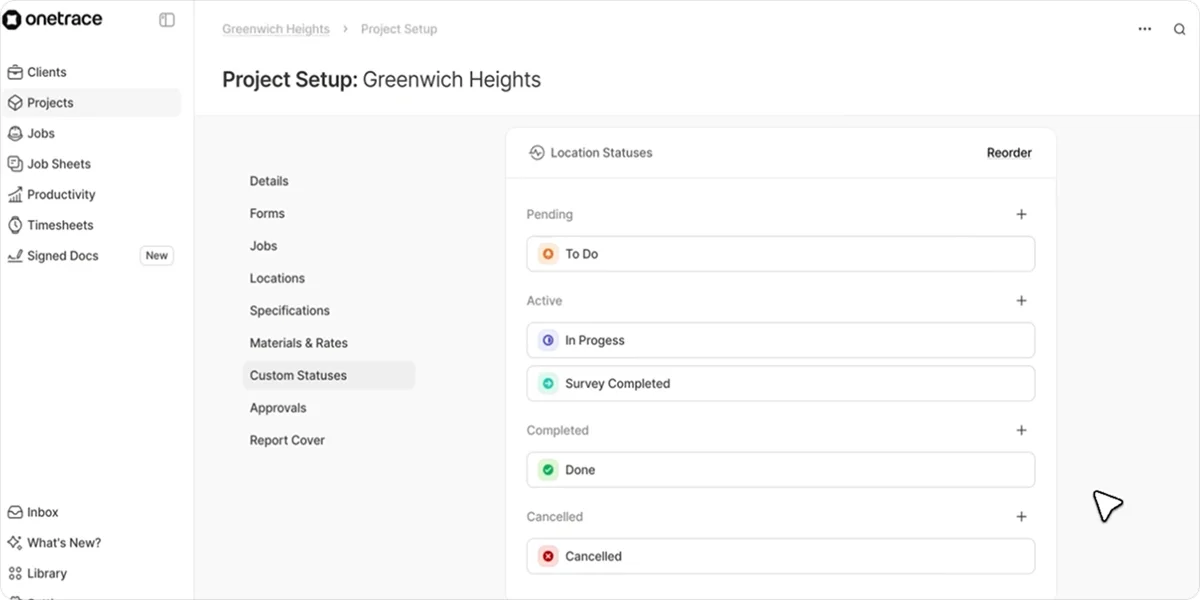
These statuses are tied directly to the schedule and to-do lists, so teams can instantly see what’s ready, what’s underway, and what’s complete.
As updates are made on site, statuses change automatically, keeping everyone aligned without extra messages.
9. Schedule tracking and reporting
A schedule is only useful if you can see what’s actually following it.
Schedule tracking and reporting give you that visibility, showing where work is on track and where it’s slipping.
Besides allowing you to track progress against planned work and highlighting risks early, a good scheduling tool should let you:
View clear summaries of schedule performance
Generate reports for different timeframes or projects
Share updates easily with teams or clients
10. Guest access
Giving clients controlled access to the schedule keeps communication simple and transparent, without adding extra admin.
A good setup should allow clients to:
View progress, without needing explanations or follow-ups
Access key documents and updates linked to specific tasks
Review and approve work, where required
Run or receive reports for structured updates
Top features of construction scheduling software: Key platform capabilities
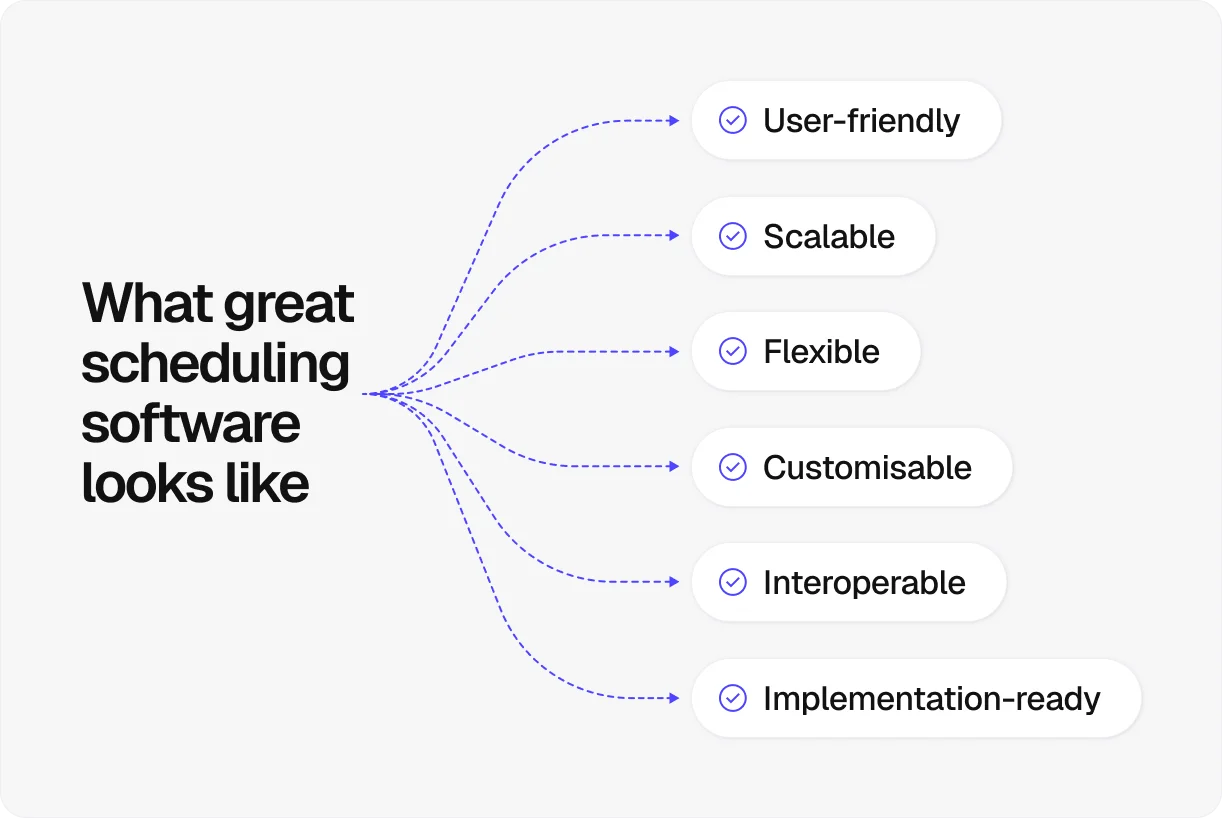
Core scheduling features do the heavy lifting, but they don’t exist in isolation. The software behind them needs to be reliable, easy to use, and fit into your day-to-day work.
If it doesn’t, schedules become harder to maintain and easier to ignore.
That’s why you should also look for the following platform features:
User-friendly interface: If the software is difficult to use, teams won’t adopt it properly, which can lead to poor data and unreliable schedules.
Scalability and flexibility: Your scheduling tool should handle both simple and complex jobs and allow you to adjust plans quickly without having to rebuild everything.
Integration with other systems: Scheduling works best when connected to tools like accounting, document management, and project tracking, so information stays consistent across the business.
Customisation options: The ability to tailor views, fields, and workflows ensures the software fits your processes, rather than forcing you to adapt your work to the tool.
Support and training: Responsive support helps your team get up to speed quickly and use the software efficiently, which directly affects how accurate and useful your schedules are.
Get a complete construction scheduling setup with Onetrace
Onetrace brings together the core scheduling features covered in this guide, along with the platform capabilities needed to make them work in practice.
On the scheduling side, the standout product is the Planner, which offers key scheduling capabilities, such as:
Visual, drag-and-drop scheduling: Move operatives and adjust plans in seconds without reworking the whole schedule.
Operative and project views: See workloads, availability, and project timelines in a way that’s easy to act on.
Custom views: Filter by team, site, or project to focus on what matters.
Real-time updates: See changes made in the office or on site instantly.
Mobile access for operatives: Show work, updates, and job details directly on mobile devices.
To learn more about these features—and other capabilities that support day-to-day site operations and project delivery—schedule a personalised walkthrough with the Onetrace team.
FAQ
What are the key features of scheduling software?
The key features of scheduling software include task planning, real-time updates, resource allocation, and progress tracking, supported by mobile access, reporting, and document management.
What are the different software in construction scheduling?
Software in construction scheduling includes enterprise-grade platforms like Procore, as well as specialised tools built for subcontractors, such as Onetrace.
What are the four basic principles of software project scheduling?
The four basic principles of software project scheduling are defining the work, sequencing tasks, allocating resources, and tracking progress against a baseline.
Marketing Team
@Onetrace
The Onetrace marketing team is passionate about sharing insights, ideas, and innovations that help construction businesses stay connected, compliant, and efficient. Combining industry expertise with a love for clear communication, we aim to deliver content that empowers professionals to work smarter and safer.