8 best Procore alternatives for construction teams [2026]

By
Marketing Team
@Onetrace
Procore is one of the most well-known names in construction management software. Many teams value having one central platform with a wide set of tools to keep projects, documents, and people in line.
However, after using the platform for a while, that early appreciation can sometimes shift to frustration.
Some users complain about poor customer service that “basically ignores” client concerns and feedback. Others report a lack of transparency and consistency in the pricing structure, which can leave you unsure of what you’re paying for or how costs might change as you grow.
If these problems sound familiar, the eight Procore alternatives in this guide are worth a closer look.
Key takeaways
Procore is powerful, but its cost and complexity push many teams to look elsewhere
Procore offers a deep set of tools for managing complex projects, but users frequently report unclear pricing, steep onboarding, and slow support. These pain points make alternatives more appealing, especially for smaller contractors and teams who want simpler workflows.Each Procore alternative serves a different type of contractor
Onetrace focuses on subcontractors. Autodesk Construction Cloud is strongest for design-heavy, BIM-driven teams. Fieldwire is ideal for site crews. RedTeam Flex and Jonas cater to commercial contractors with deeper financial needs. Contractor Foreman targets small to mid-size teams with budget-friendly pricing.Ease of use and support matter as much as features
Several alternatives outperform Procore in day-to-day usability and support responsiveness. Fieldwire and Buildertrend earn high marks for simple interfaces. Contractor Foreman and RedTeam Flex stand out for accessible customer support, addressing one of Procore’s biggest user complaints.Pricing varies widely, and transparency is not guaranteed
Many platforms still hide pricing behind quotes, while others offer predictable per-user pricing or affordable tiers. Cost-conscious teams often prefer options like Onetrace, Contractor Foreman, or any platform with upfront pricing that avoids Procore’s volume-based surprises.
Procore overview
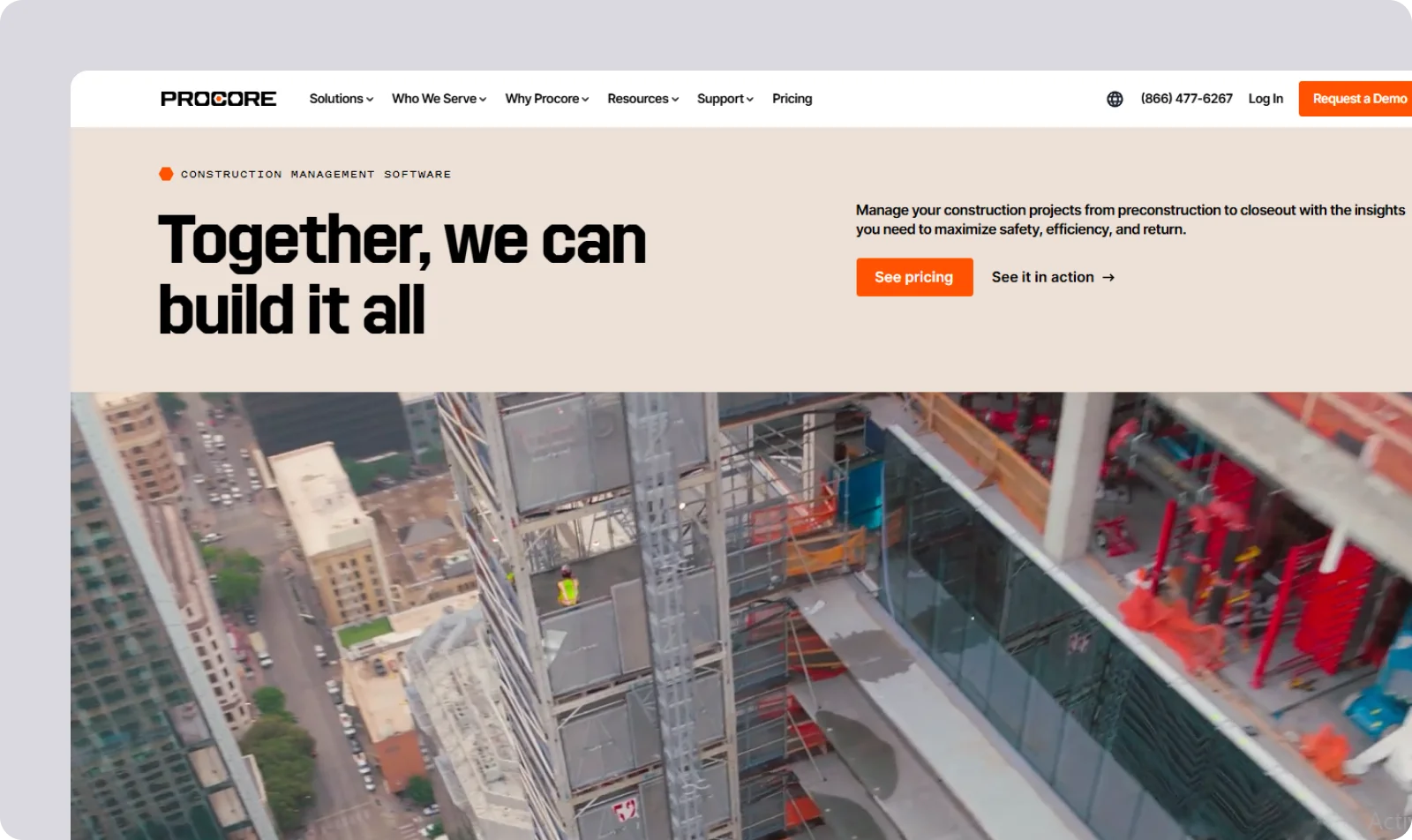
Procore is a cloud-based construction management platform built to improve collaboration and streamline work across every stage of a project.
It brings together project management, financials, field productivity, quality and safety, and site communication in one modular system.
Procore features
Procore takes a broad, all-in-one approach to construction management, offering a wide set of specialised tools, such as:
Custom workflow builder: Create workflows that match your approval steps, document routes, and project standards.
Project financials: Use detailed forecasting, Work-in-Progress reporting, and multi-company tracking to stay ahead of cost changes.
BIM model viewer: Review and coordinate complex project details without leaving the platform.
Extensive integration library: Use connections to design tools, accounting platforms, and cloud storage to keep the data flowing across your systems.
Procore benefits
Procore's biggest strengths lie in its ability to bring every part of a project into one place and keep the teams working from the same information. Its depth, scale, and integrations make it a strong fit for complex projects with many moving parts.
Procore shortcomings
If you’re reading this guide, you probably already know that Procore isn’t a fit for every team. The most common user complaints include:
High cost and unclear pricing: Some users point to “absolutely no transparency” in Procore’s pricing structure, which can lead to unexpected increases tied to annual construction volume.
Complexity and steep learning curve: Some contractors note that Procore’s learning curve is “somewhat steep” for new users who are less tech-savvy. The onboarding process is also challenging, with one Senior Estimator even calling it the “most difficult onboarding experience [he’s] ever seen or heard of.”
Poor customer service and support: A recurring theme is slow response time and limited help during setup, with a user noting that you might receive support from people who “have never even used Procore.”
Limited customisation and functionality: Although Procore offers a wide variety of features, some users feel there are important functionalities missing in tools like Timesheets. Others wish for more customisation options, describing the tool as “rigid” as-is.
Procore alternatives: An overview

Alternative #1: Onetrace
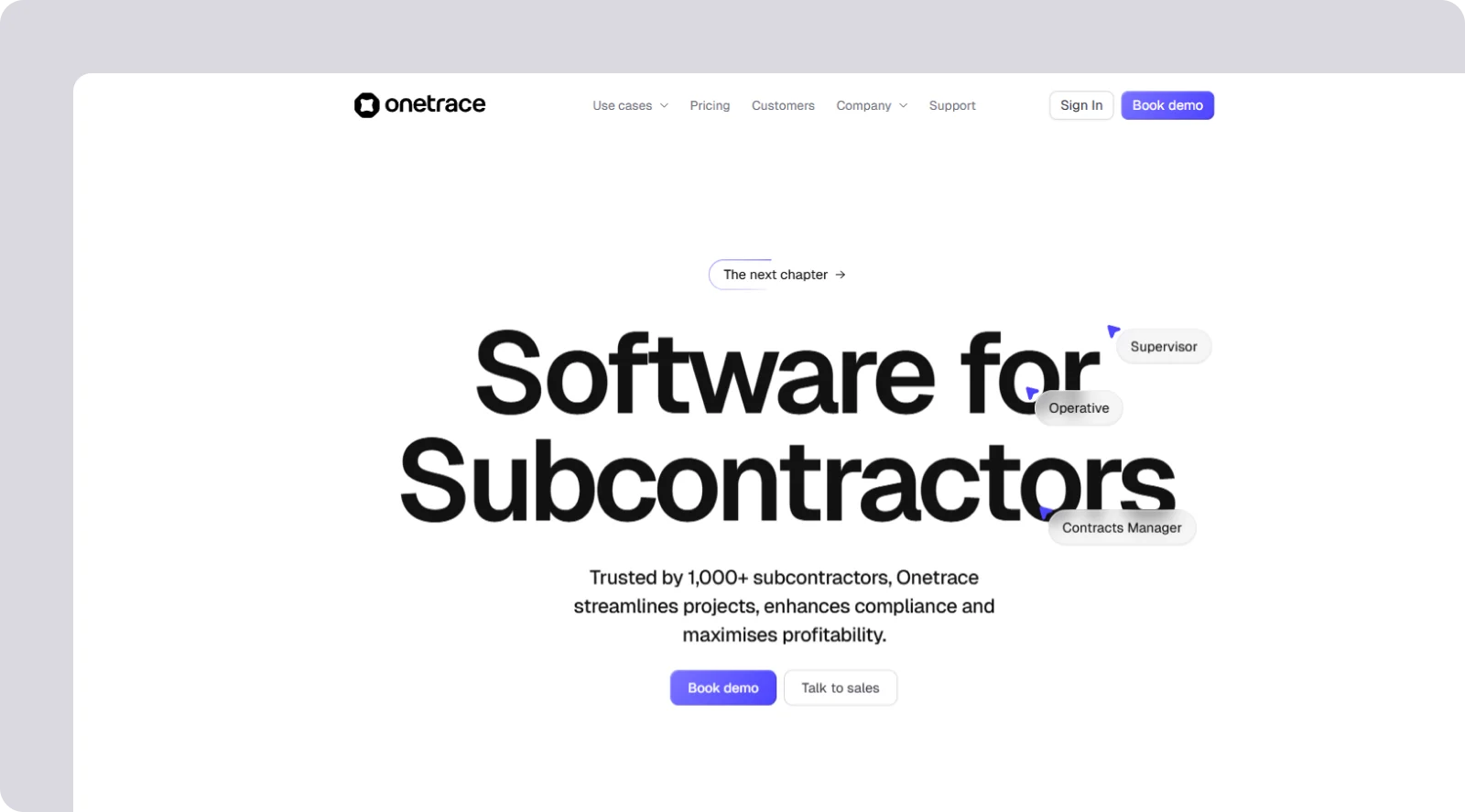
Onetrace is an all-in-one platform designed for subcontractors who need a simple, reliable way to organise projects, stay compliant, and prove the quality of their work.
It’s built for subcontractors of all sizes, from small teams running quick surveys to large crews delivering multi-site projects.
Typical use cases include managing installations and remedials, standardising surveys and inspections, and tracking and monitoring progress and operatives.
Onetrace features
Onetrace takes a straightforward, flexible approach to construction management, with features like:
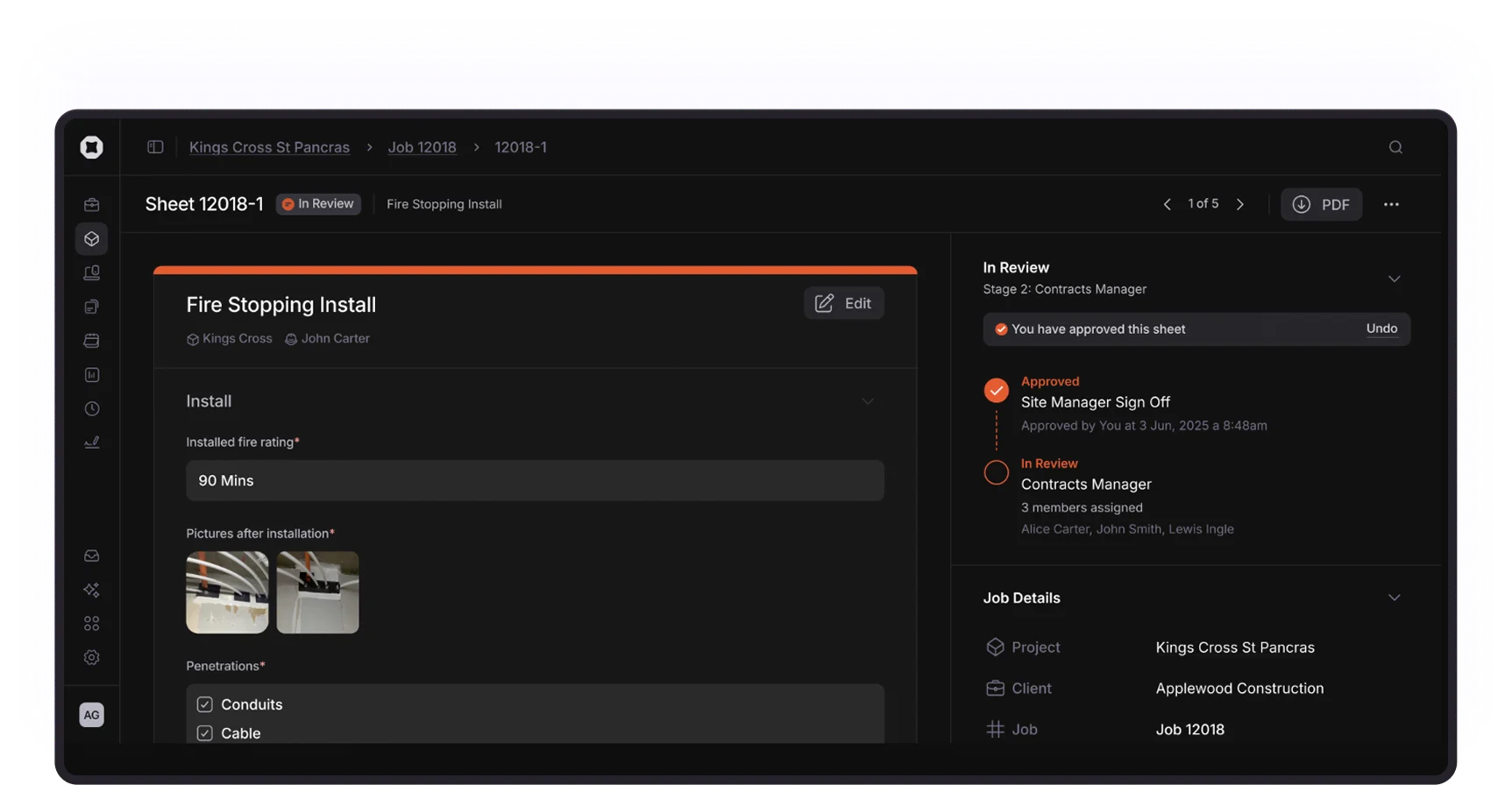
Custom forms: Create unlimited, fully tailored forms so operatives capture the right details every time, reducing errors and speeding up site work.
Approvals: Move job sheets through multi-stage approval flows to catch issues early, prevent late-stage snagging, and keep accountability clear across the project.
Real-time QA visibility: Track approvals, rejections, and feedback as they happen so teams can close out work faster and avoid repeat visits.
Signed Docs: Request and collect signatures for RAMs, Toolbox Talks, and compliance documents in a few clicks, with full audit trails and clear status tracking.
Digital Site and drawing markup: Drop pins on drawings, organise them by blocks, levels and zones, and give everyone exact location data to keep installs, remedials, and inspections aligned.
Mobile access: Capture photos, update forms, and complete job sheets on a fast, simple app that works offline, removing the friction field teams often face with heavier systems.
Instant reporting: Create branded PDF or Excel reports for clients and auditors to speed up handovers, reduce disputes, and help payments move faster.
Timesheets with GPS: Track attendance and working hours with GPS-verified clock-ins to keep accurate records and understand who’s on site, where, and when.
Planner: Schedule operatives with an easy drag-and-drop calendar so teams know where they need to be and managers can adjust plans within seconds.

Onetrace benefits
Since Onetrace is built by people who understand construction first-hand, it stays flexible, fast, and easy for teams to use day to day, thanks to:
High level of customisation and flexibility: Build workflows, forms, and approval processes around the way you work.
Excellent customer support: Get help from a team that knows both construction and the product inside out, so issues are resolved quickly and guidance is practical, not generic.
Transparent pricing from day one: Straightforward per-user pricing makes costs predictable and avoids surprise increases.
Simple onboarding and intuitive use: Clear language, smart defaults, and a clean interface mean teams, including less tech-savvy operatives, can get up to speed fast with minimal training.
Onetrace pricing
More info about the pricing is available upon request.
Alternative #2: Autodesk Construction Cloud

Autodesk Construction Cloud (ACC) is an end-to-end construction platform that connects design, office, and field teams through shared documents, models, and workflows.
Autodesk Construction Cloud features
ACC takes a broad, design-led approach to construction management, combining strong BIM tools with project and field workflows through:
Centralised document control: Keep drawings, models, versions, and permissions in one environment to ensure everyone works from the latest information.
RFI and submittal management: Manage RFIs, submittals, and daily reports in structured workflows to maintain project momentum.
Field issue tracking: Capture issues, forms, photos, and checklists on site to improve coordination and reduce rework.
Autodesk Construction Cloud pros and cons
ACC’s biggest advantage over Procore is its deep, native integration with design tools, which makes it far stronger for BIM-heavy teams. The platform also offers a more predictable subscription-based licensing model, which users prefer over Procore's volume-based pricing structure, especially during market slowdowns.
However, like Procore, ACC can also come with a steeper learning curve and feel heavy for smaller contractors who don’t need its full suite of design-driven features.
Autodesk Construction Cloud pricing
ACC offers subscription-based licensing across modules and bundles, but pricing isn’t published and varies depending on your choices.

Alternative #3: Buildertrend

Buildertrend is a cloud-based construction management platform built for residential builders, remodelers, and small- to mid-size contractors.
Buildertrend features
Buildertrend focuses on the full residential workflow with tools like:
Scheduling and daily logs: Use built-in calendars, to-dos, and daily logs to keep jobs moving and give teams a clear view of what needs to happen next.
Change orders and budgeting: Create estimates, track budgets, and manage change orders to stay on top of costs and reduce surprises for clients.
Client portal: Give homeowners a simple portal for selections, approvals, and messaging so you can cut down on phone calls and emails.
Buildertrend pros and cons
Compared to Procore, Buildertrend offers simpler tools, easier onboarding, and a more client-friendly approach to communication. It’s also viewed as one of the less intimidating Procore alternatives for small teams, with many users praising its customer support and help.
On the other hand, Buildertrend lacks the depth Procore offers in areas like quality control, templates, and advanced workflow management. Its update cycle can also be disruptive, with users reporting that frequent changes force teams to relearn tools. Plus, long-time customers have noted unexpected price increases over the years.
Buildertrend pricing
Buildertrend uses a subscription model, but pricing requires a custom quote.

Alternative #4: Fieldwire

Fieldwire is a mobile-first field management platform built for foremen, superintendents, and speciality trades who need fast, reliable coordination on the jobsite.
Fieldwire features
Fieldwire focuses on day-to-day site execution, giving field teams simple tools that keep work moving:
Task and punch-list management: Assign tasks, set priorities, and track progress to keep daily work organised and on schedule.
Drawing management: Mark up drawings, compare versions, and work offline so crews always have the latest information on hand.
Digital forms and RFIs: Capture photos, complete checklists, and submit RFIs in a few taps to speed up communication with the office.
Fieldwire pros and cons
Fieldwire is one of the most intuitive Procore alternatives: crews pick it up quickly, adoption is high, and the mobile app is far simpler for day-to-day site work. It also offers a more affordable entry point, with transparent per-user pricing that’s easier to manage for smaller contractors.
However, some of the more advanced tools sit behind higher-tier plans, so teams often need to upgrade to access features that Procore includes by default. And like with Procore, users find customisation limited, especially in forms and reporting, which can restrict how well the platform scales for complex projects.
Fieldwire pricing
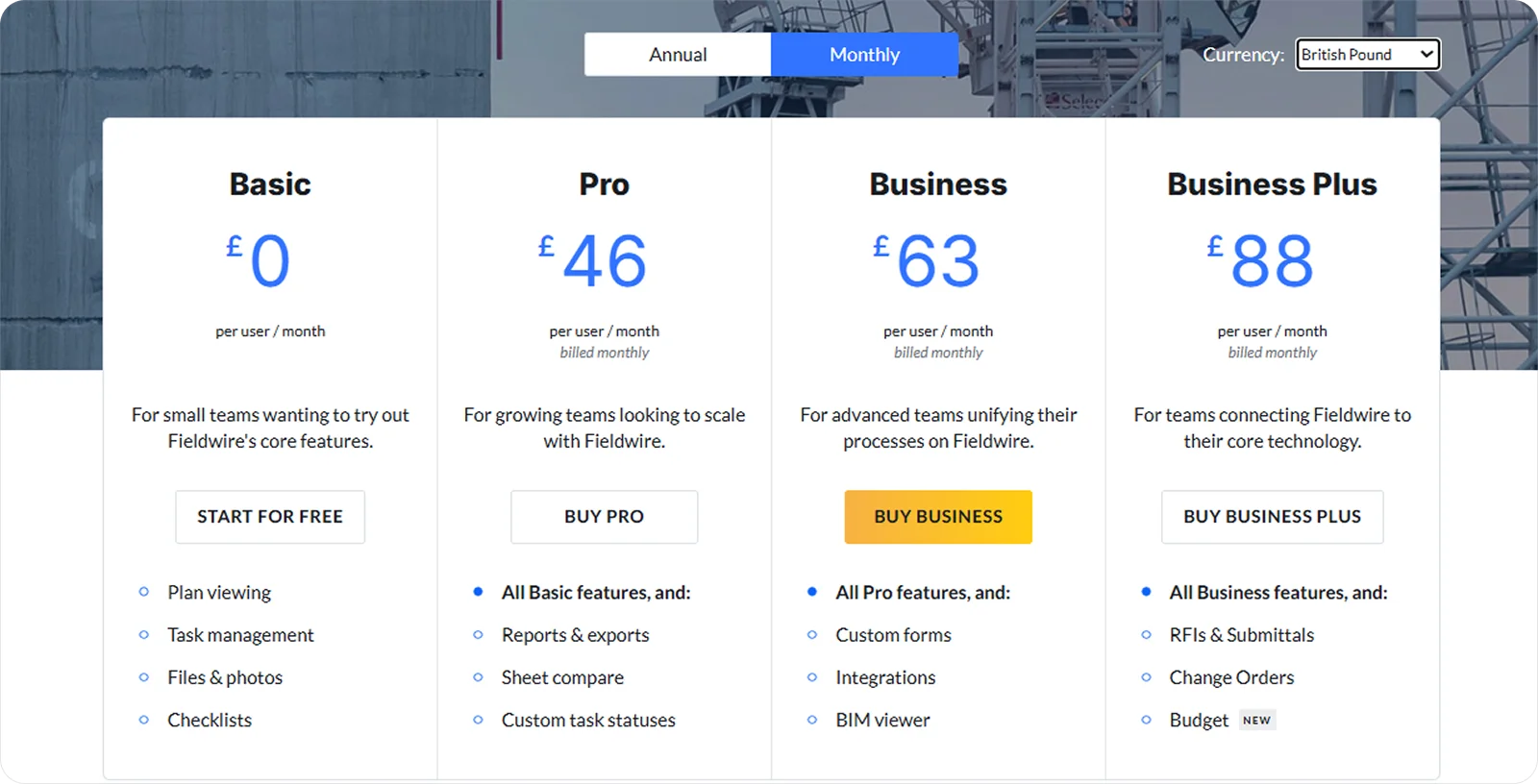
Fieldwire uses a per-user subscription model with a free basic plan.
Alternative #5: RedTeam Flex

RedTeam Flex is a cloud-based, all-in-one construction management platform built for commercial general contractors, covering everything from estimating and contracts to project delivery and financial control.
RedTeam Flex features
RedTeam combines preconstruction, project management, and job-costing tools in one system, with features like:
Estimating and bid management: Build estimates and manage bid invitations to streamline early-stage work and reduce manual effort.
Contract and change management: Create, track, and manage contracts and change events to keep financial control tight throughout the project.
Job cost tracking: Monitor budgets, costs, and commitments in real time to maintain clear visibility on project performance.
RedTeam Flex pros and cons
Like Procore, RedTeam Flex creates a true all-in-one experience. However, the main difference is in its customer support, which is widely praised.
Another aspect that Procore and RedTeam Flex share is a tricky learning curve. In addition, RedTeam Flex reportedly freezes frequently, which can make completing even routine tasks frustrating.
RedTeam Flex pricing
RedTeam Flex offers a transparent, usage-based pricing model, but you’ll need to request a custom quote to get exact details.

Alternative #6: Oracle Primavera Cloud

Oracle Primavera Cloud is an enterprise-grade scheduling and project portfolio management platform built for large, complex construction and engineering projects.
Oracle Primavera Cloud features
Primavera focuses on advanced planning, scheduling, and oversight for multi-year, multi-stakeholder projects, offering tools like:
Advanced CPM scheduling: Build detailed critical path schedules to plan work with precision and control project risk.
Resource and cost management: Allocate labour, equipment, and budgets across portfolios to understand capacity and forecast needs.
Portfolio dashboards: Track progress, risks, and performance across multiple projects to support high-level decision-making.
Oracle Primavera Cloud pros and cons
Primavera’s CPM engine is the industry standard, giving large contractors and owners far deeper control over programme planning than Procore can offer. Its suitability for complex, multi-project environments makes it one of the most comprehensive Procore alternatives.
However, like Procore, Primavera comes with a steep learning curve and significant training requirements, which makes it difficult for field teams or smaller contractors to adopt. Smaller contractors will probably have issues with its price, too, as Primavera is one of the most expensive options on the market.
Oracle Primavera Cloud pricing
Primavera doesn’t publish its pricing publicly, but third-party sources suggest the Scheduling Cloud Service starts at around £982 per year, with actual costs varying depending on the modules a team selects.
Alternative #7: Jonas Construction Software

Jonas Construction Software is a full construction ERP designed for contractors who need deep accounting, job costing, and service management alongside project delivery.
Jonas Construction Software features
Jonas focuses on financial control and back-office strength, offering features like:
Integrated accounting and payroll: Manage AP/AR, payroll, and general ledger in one system to keep financials accurate and up to date.
Job costing and project tracking: Track labour, materials, and commitments in real time to understand true project performance.
Service and field tools: Use built-in service management, dispatching, and mobile access to support contractors with both construction and service divisions.
Jonas Construction Software pros and cons
Jonas offers a wide range of modules that give growing contractors a broad, ERP-style environment under one roof.
However, that’s not its only similarity with Procore.
Jonas is also held back by an inconsistent customer support, which can be either hard to reach or unhelpful. In addition, the interface leaves something to be desired, with many users describing it as clunky, dated, and challenging to navigate.
Jonas Construction Software pricing
Jonas doesn’t publish pricing publicly, but all plans are quote-based depending on the modules and scale you need.

Alternative #8: Contractor Foreman

Contractor Foreman is an all-in-one construction management platform built for small to mid-size contractors who want a broad toolset at a relatively affordable price.
Contractor Foreman features
Contractor Foreman covers a wide range of day-to-day construction workflows in a single, easy-to-adopt system with features like:
Project tools: Use Gantt charts, scheduling, daily logs and RFIs to manage work and keep projects moving.
Financial management: Track job costs, build estimates, and create invoices to maintain visibility from bid to closeout.
People and safety tools: Use GPS timecards, crew scheduling, and safety documentation to keep teams organised and compliant.
Contractor Foreman pros and cons
Contractor Foreman is among the more affordable Procore alternatives, while still keeping the all-inclusive approach. Users also highlight its responsive, accessible customer support, which makes onboarding and troubleshooting much smoother.
However, Contractor Foreman doesn’t deliver the same performance on large, complex projects. Users report slowdowns and occasional glitches when handling heavy data volumes. And like Procore, it has limitations in customisation, with advanced users finding the options restrictive for detailed reports and layouts.
Contractor Foreman pricing
Contractor Foreman uses a tiered subscription model, where plans mainly differ based on the number of users and advanced features.

What is the best Procore alternative?
Before choosing your next platform, it’s worth seeing how the leading Procore alternatives compare across the areas that might’ve pushed you to look for new construction management software in the first place.

All ratings are relative to the scope of this analysis, meaning they measure how well each product performs in the specific context being evaluated, not in general.
Each score combines feature analysis, aggregated user feedback from major review platforms, and comparative AI-assisted evaluation to ensure internal consistency and eliminate outliers.
Ratings are synthesised from recurring performance patterns rather than raw averages, and minor decimal differences indicate subtle variations in relative strength within the same performance tier.
Onetrace: The clear choice for subcontractors
While platforms like Oracle Primavera Cloud and Autodesk Construction Cloud offer broader feature sets for highly specialised workflows, none of the Procore alternatives deliver the same balance of clarity, usability, and real-world practicality that Onetrace brings to subcontractors.
It gives you the power of an all-in-one system without the complexity, cost, or slow adoption that often comes with larger platforms.
If you want to see how Onetrace works in practice, book a personalised demo and explore how switching can make your projects simpler to run and easier to control.
FAQ
What's better than Procore?
That depends on your needs. Many subcontractors prefer simpler, more flexible Procore alternatives like Onetrace, while larger general contractor companies might look to Autodesk Construction Cloud or Buildertrend.
Why is Procore so expensive?
Procore is quite expensive because its pricing is tied to annual construction volume and enterprise-level features, which makes costs climb fast for growing teams.
Marketing Team
@Onetrace
The Onetrace marketing team is passionate about sharing insights, ideas, and innovations that help construction businesses stay connected, compliant, and efficient. Combining industry expertise with a love for clear communication, we aim to deliver content that empowers professionals to work smarter and safer.