10 construction scheduling methods to keep projects on track

By
Marketing Team
@Onetrace
Study after study points to the same truth: poor planning and weak scheduling are major causes of construction delays. It doesn’t matter how big the project is, what kind of work it involves, or where it takes place; the pattern is always the same. When schedules fall behind, the whole project pays for it.
All of these point to one simple need: a construction schedule that supports steady progress from start to finish.
To help you get there, this guide outlines 10 practical construction scheduling methods and where each one works best.
Key takeaways
Different scheduling methods suit different types of construction work
Each method has its place. Simple tools like Gantt charts or Excel are fine for small jobs. Larger, more complex projects benefit from structured methods that give deeper control over sequencing and risk.Understanding dependencies is essential for staying on track
Techniques that show which activities truly drive the end date help teams prioritise the right tasks, avoid bottlenecks, and make informed decisions when delays or changes appear.Collaboration and coordination matter as much as the method itself
Methods like the Last Planner System and Takt time planning prove that steady progress relies on clear commitments, reliable handoffs, and teams working in sync.Resource limits can shape the entire programme
When cranes, crews, or materials are scarce, resource-focused methods can highlight clashes before they derail progress. These approaches help planners map what can happen, when, and at what capacity.If traditional methods feel too complex, modern scheduling software fills the gap
Subcontractors often need clarity, not complexity. Onetrace gives teams a simple, central schedule with live updates, easy crew planning, and built-in progress tracking. It keeps day-to-day delivery efficient without the steep learning curve of advanced construction scheduling methods.
Your quick guide to 10 construction scheduling methods
1. Gantt charts: A clear, time-based view of the work
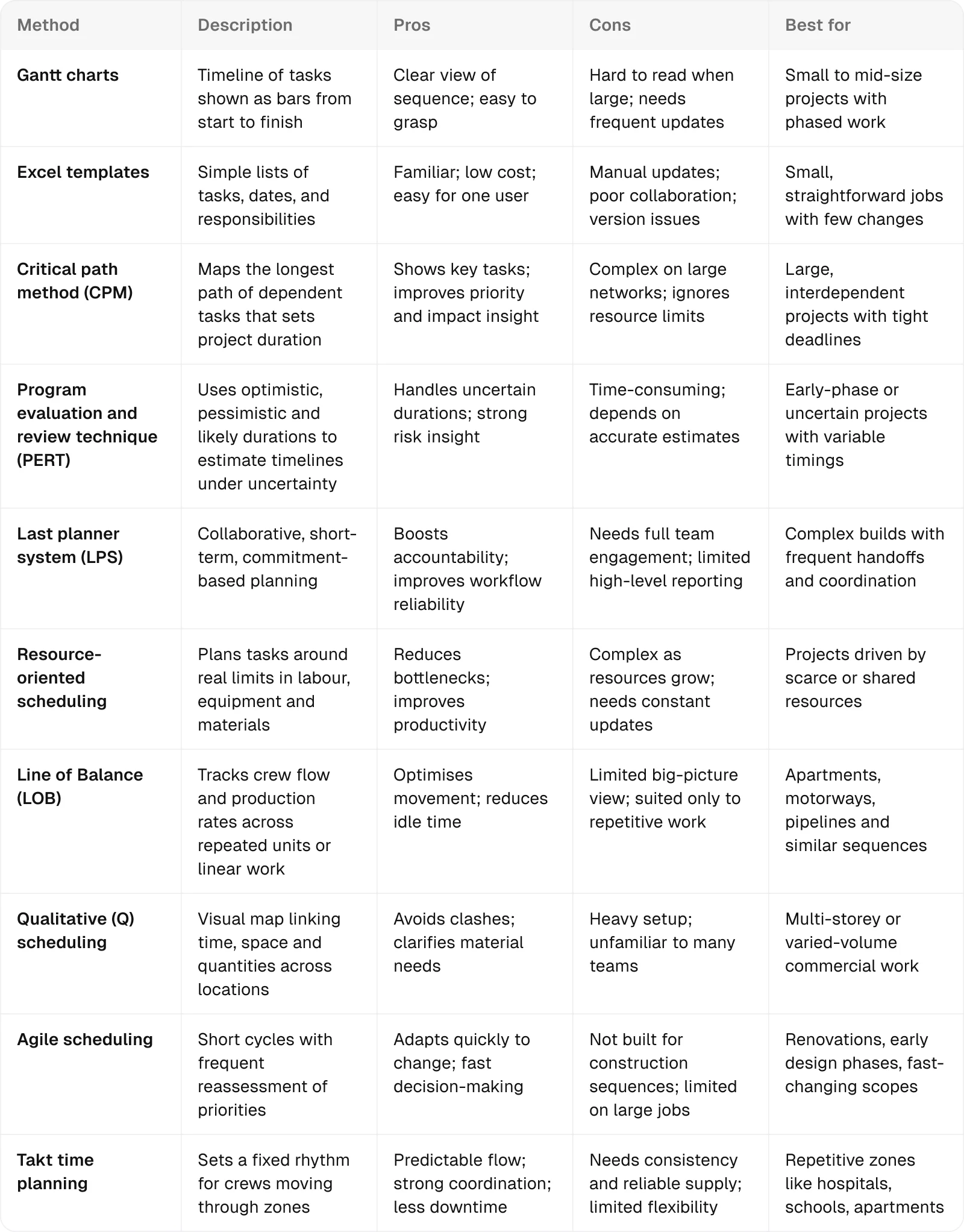
Gantt charts show the work laid out on a timeline, with each task shown as a bar from start to finish. They provide a clear view of sequence, duration, and dependencies, making it easier to see how the project fits together, track progress, and understand which tasks matter the most.
The pros of Gantt charts
Provide a clear view of tasks and timings
Show the whole plan at a glance
Support quick checks on progress against planned dates
Work well with simple tools and common construction management software
The cons of Gantt charts
Become hard to read as activity counts grow
Require frequent updates to stay accurate
Overlook the real resource demands behind each task
Where they work best
Gantt charts shine on projects where tasks run in sequence, but some can overlap. They’re ideal for house builds, small refurb jobs, or fit-outs, where you need a clear view of phases such as foundations, framing, services, and finishes.
2. Excel templates: A flexible, accessible way to build simple schedules
Excel templates let you build a simple construction schedule in a familiar spreadsheet format. They help you list tasks, dates, and responsibilities in one place, giving you a straightforward way to organise the work without specialised software.
The pros of Excel templates
Offer a familiar format most teams already know
Work well for small projects with limited tasks
Easy to manage when one person maintains them
The cons of Excel templates
Demand manual updates for every change
Create version-control issues when shared
Limit real collaboration or live visibility
Break down quickly as project complexity grows
Where they work best
Excel templates suit small, straightforward projects with limited tasks and few changes. They work best when one person maintains the schedule, and when the team needs a simple, low-cost way to track key dates.
3. Critical path method: A structured method for mapping the longest path and key tasks
The critical path method (CPM) maps the longest sequence of linked tasks that sets the minimum time needed to finish a project. It calculates task durations, dependencies, and float to show which activities would delay the whole project if postponed.
The pros of CPM
Provides a clear view of task priorities and dependencies
Shows which activities drive the project’s finish date
Helps teams shorten the duration by optimising the critical path
Supports better funding and resource decisions
Improves visibility of the overall programme and its stages
The cons of CPM
Becomes difficult to manage on very large networks
Overlooks resource limits unless paired with other methods
Feels complex to users new to scheduling software
Falls short as a standalone approach on heavily interdependent projects
Where it works best
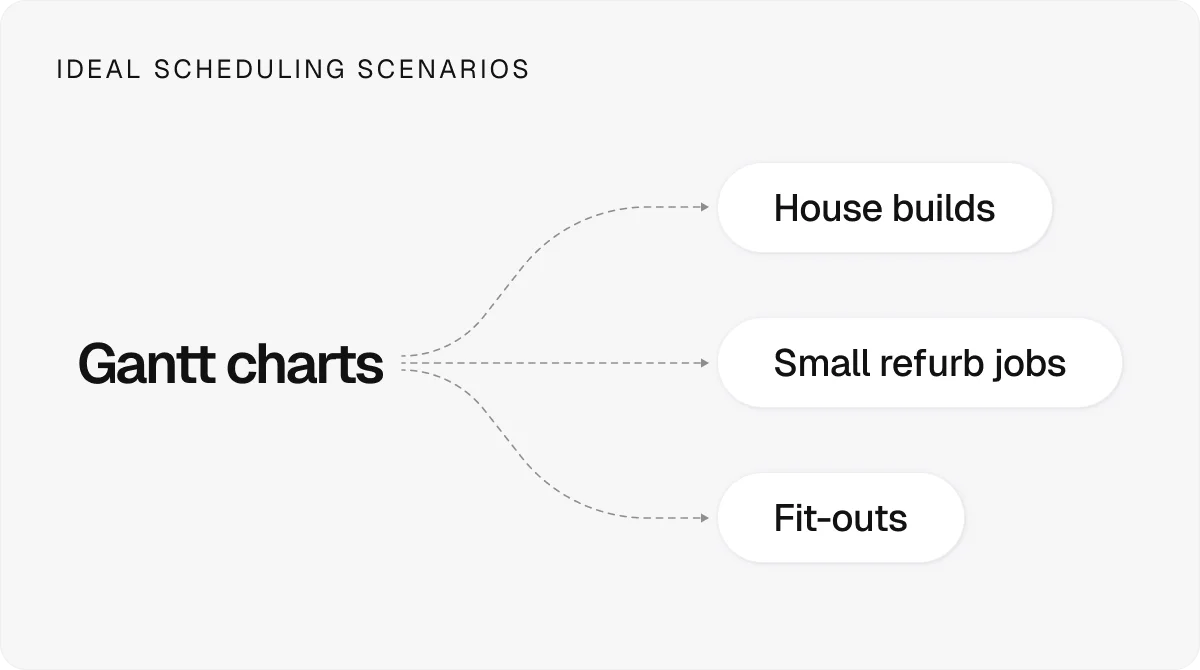
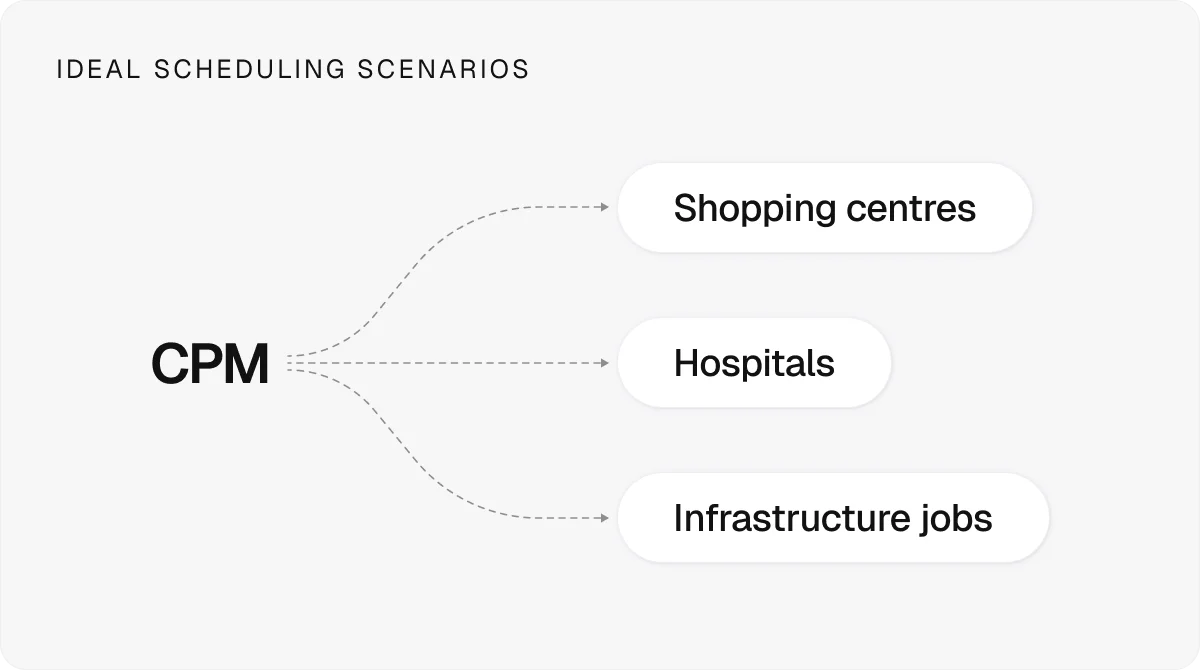
CPM works well on large or complex projects with clear activities and tight deadlines. It’s most valuable for projects where multiple tasks depend on one another, and where it’s important to know which activities affect project completion.
4. Program evaluation and review technique: A probabilistic way to handle uncertain durations
The program evaluation and review technique (PERT) is a scheduling method that estimates task durations when timings are uncertain. It uses optimistic, pessimistic, and most likely timeframes to calculate expected durations and map task dependencies in a simple network diagram. This probabilistic approach helps teams assess risk, compare scenarios, and plan projects where activity timings are hard to predict.
The pros of PERT
Accommodates uncertain task durations
Enables clearer risk assessments and scenario checks
Provides a statistical basis for scheduling decisions
Improves visibility of critical tasks under variable conditions
The cons of PERT
Becomes time-consuming on large networks
Depends heavily on accurate duration estimates
Offers limited insight when projects share resources
Struggles when task sequences change frequently
Where it works best
PERT works best in early-phase or complex projects where task durations are uncertain. It’s especially helpful for research, development, or large infrastructure assignments with limited historical data and tight coordination needs.
5. Last planner system: A collaborative method for improving workflow reliability
The last planner system (LPS) is a collaborative planning method where the people closest to the actual work build a reliable workflow rather than following top-down schedules. It uses short-term, commitment-based planning and pull techniques to map milestones, remove constraints early, and keep site activities aligned with real conditions.
The pros of LPS
Improves collaboration among teams and trades
Builds accountability through commitment-based planning
Increases schedule reliability by removing constraints early
Supports flexible, adaptive planning in changing site conditions
The cons of LPS
Relies on strong team engagement to work well
Struggles to scale across multiple projects or portfolios
Reveals gaps in team cohesion that can hinder progress
Offers limited high-level reporting compared with other methods
Where it works best
You can see the real value of LPS on projects with tight coordination needs and frequent handoffs. It supports lean delivery and suits complex work such as hospitals, labs, or large interiors, where team commitments drive reliable progress.
6. Resource-oriented scheduling: A method that plans work around real resource limits
Resource-oriented scheduling plans work around real limits in labour, equipment, and materials. It assigns scarce resources to tasks in an orderly way, reducing clashes and waiting time. By focusing on actual capacity, it creates a more realistic sequence for delivering the project.
The pros of resource-oriented scheduling
Clarifies when tasks can proceed based on real resource limits
Reduces bottlenecks by coordinating access to labour, equipment, and materials
Improves productivity by cutting idle time
Provides richer insight through resource-loaded schedules
The cons of resource-oriented scheduling
Becomes complex as resource counts and project size grow
Requires frequent updates to stay accurate
Struggles on projects with many competing resource demands
Demands careful calculation when multiple activities need the same resource
Where it works best
Resource-oriented scheduling is most useful when key resources are scarce and in high demand. It’s well-suited to projects like high-rises or heavy civil work where cranes, equipment, or specialist crews determine the pace of delivery.
7. Line of balance: A flow-based method for repeatable or linear work
Line of Balance (LOB) is a scheduling method for projects with repeatable units or linear work. It tracks production rates and crew movement to keep tasks flowing in sequence, highlight overlaps or delays, and maintain steady progress across floors, sections, or identical units.
The pros of LOB
Shows how work progresses across locations in real time
Optimises crew movement on repetitive tasks
Reduces idle time and highlights resource inefficiencies
Can be adjusted easily when production rates change
The cons of LOB
Provides limited visibility of the project’s overall critical path
Works poorly on non-repetitive or small projects
Requires specialist knowledge to build and interpret
Restricts planning to location-based breakdowns only
Where it works best
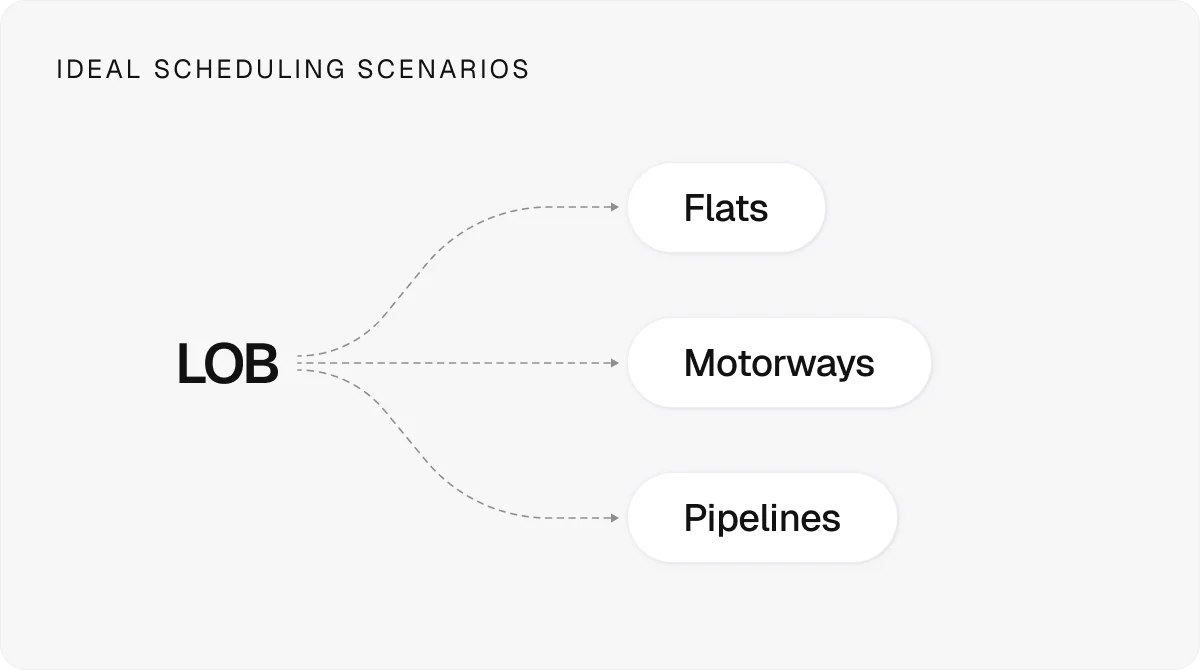
Line of Balance is most effective on projects with repeated units or linear sequences, where keeping crews moving in a steady flow reduces downtime and supports consistent productivity across locations.
8. Qualitative scheduling: A visual method for linking time, space, and sequence
Qualitative scheduling (Q scheduling) is a visual approach that maps activities, quantities, and locations together. It shows when and where materials and crews are needed, helping teams sequence tasks clearly, avoid spatial clashes, and assess risks across different areas of the project.
The pros of Q scheduling
Shows how the task sequence links to costs and quantities
Clarifies material and crew requirements across locations
Supports varied volumes of repetitive work
Helps avoid clashes by mapping time and space together
The cons of Q scheduling
Requires significant setup effort upfront
Remains unfamiliar to many teams
Adds explanation time when collaborators lack experience
Offers limited value on projects with heavy, uniform repetition
Where it works best
Q scheduling fits projects with repeated tasks and changing quantities, especially multi-storey commercial or mixed-use builds. It’s most helpful where teams must coordinate work across different areas while managing varying material needs.
9. Agile scheduling: An adaptive method suited to fast-changing scopes
Agile scheduling is an adaptive planning approach built around short work cycles and frequent reassessment. It uses techniques like scrums to set priorities, respond quickly to change, and keep teams aligned when project scopes shift or information evolves on site.
The pros of agile scheduling
Handles changing scopes and conditions with ease
Supports quick decision-making through short planning cycles
Keeps teams aligned through frequent check-ins
Helps adapt to design shifts, weather impacts, or supply issues
The cons of agile scheduling
Lacks construction-specific structure and conventions
Needs adjustment to fit sequential, contract-driven workflows
Sees limited use on large, tightly planned projects
Risks misalignment with cost and schedule commitments if applied loosely
Where it works best
Agile scheduling fits projects with evolving scopes or frequent design changes, such as renovations, early-phase development, or fast-paced interiors work, where teams need to reassess priorities often and respond quickly to new information.
10. Takt time planning: A rhythm-based method for creating a steady, predictable flow
Takt time planning sets a fixed pace for work across defined zones, creating a steady rhythm of activity. Teams move through areas in sequence, keeping production flow predictable and reducing idle time or congestion on site.
The pros of takt time planning
Creates a steady, predictable pace of work
Improves coordination as trades move in sequence
Reduces downtime and congestion between activities
Highlights workflow interruptions early
Supports efficient use of space across zones
The cons of takt time planning
Requires disciplined planning and crew consistency
Struggles when scopes change or durations vary widely
Demands reliable supply chains to hold the pace
Fits poorly on projects without repeatable zones or tasks
Where it works best
Takt is ideal for projects with repeatable zones—hospital wings, classrooms, or apartment floors—where crews can move through each area in sequence. It works best where crews can move floor-to-floor or room-to-room at a consistent pace.
Onetrace: A simpler way to stay on top of your schedule
If Excel no longer gives you the control you need, and the more advanced construction scheduling methods feel built for planners, not subcontractors, the most practical step is to move to scheduling software made for day-to-day delivery.
Onetrace gives you just that: a clear, central schedule without the complexity.
You can plan crews in minutes, reshuffle workloads with simple drag-and-drop tools, and keep everyone aligned with real-time updates. Operatives see exactly where they need to be and what needs to be done, supported by offline access and quick-start job sheets.
Alongside the schedule, Onetrace helps you track materials, log progress, and capture evidence as you go, creating a reliable picture of what’s happening on site.
If you want a smoother, more predictable way to manage your workload, book a focused session with our team to see how Onetrace improves project efficiency from day one.
Marketing Team
@Onetrace
The Onetrace marketing team is passionate about sharing insights, ideas, and innovations that help construction businesses stay connected, compliant, and efficient. Combining industry expertise with a love for clear communication, we aim to deliver content that empowers professionals to work smarter and safer.