Fire risk assessment software: What to look for [12 features]

By
Marketing Team
@Onetrace
The purpose of a fire risk assessment (FRA) is to identify potential fire hazards, assess the risks they pose, and establish measures to prevent fires and protect people.
Without these precautions, hazards can go unnoticed and increase the likelihood of a fire breaking out or spreading.
For example, electrical distribution was the leading source of ignition for building fires in the year ending March 2026, accounting for 17% of fires in England. Given that electrical safety is a major portion of an FRA, some of these fires may have been avoidable with proper risk assessment and control measures.
However, with how complex and fast-moving modern construction sites are, proper risk management isn’t possible without fire risk assessment software.
But what should this software look like?
This guide covers the 12 key features to consider.
Key takeaways
Choose software that fits your needs
Prioritise practical features that support fire risk assessments without adding unnecessary complexity to daily work.Customise forms and capture evidence on site
Mobile access, offline working, photographs, and site drawings help assessors record hazards and their locations.Track remedial actions through to completion
Work statuses, approval workflows, and sign-off records help teams follow up on issues and document the steps taken.Keep reports and supporting records organised
Centralised documents, reporting tools, and QR-linked records make it easier to retrieve evidence and share information with clients.Choose a platform that supports your wider construction work
Onetrace combines custom forms, site records, remedial work tracking, approvals, and reporting to help contractors and subcontractors manage fire protection work with less admin.
12 features to look for in fire risk assessment software
When researching different fire risk assessment software, you may be tempted to look for ultra-specialised platforms with features like automated fire risk scoring and dedicated hot work permit management.
However, these systems can deliver capabilities beyond what you need, thus adding complexity to your day-to-day processes.
Instead, consider focusing on the 12 features below, which cover the specific needs of digital fire risk assessments while remaining practical for everyday use across construction projects.
1. Customisable forms for fire risk assessments
Contractors and subcontractors often look for fire risk assessment templates to standardise inspections and save time on paperwork.
However, construction sites vary in layout, activities, and fire hazards, so a fixed template may not capture every detail a particular job requires.
That’s why you should look for fire risk assessment software that lets you customise forms to suit your work, with mandatory fields, conditional questions, and options for recording text, checklist responses, and photographs.
This flexible approach gives teams a consistent way to document findings while allowing forms to reflect the specific requirements of each project.
Pro tip:
While you shouldn’t rely entirely on off-the-shelf templates, they can still save time on recurring inspections and similar jobs.
That’s why you should look for fire risk assessment software like Onetrace that lets you customise forms to suit your requirements, then save them as templates to reuse whenever the same needs arise.
2. Mobile access and offline working
Fire risk assessments often take place across active construction sites, where hazards can vary from one area to another. Assessors need to inspect conditions, record findings, and photograph potential hazards as they move around the site. A mobile solution lets them capture this information on the spot, while the details are fresh and the location is clear.
When choosing a fire risk assessment app, look for mobile-friendly forms, photo capture, and access to site drawings.
Offline working is equally important, particularly in basements, enclosed spaces, and other areas with poor signal.
The app should let assessors access downloaded project information and record findings without an internet connection, then sync the data when connectivity returns.
Thanks to this capability, inspections can continue throughout the site without teams having to rely on paper notes or wait until they’re back in the office to enter their findings.
3. Photographic evidence and record-keeping
Photographs play a huge role in fire risk assessments, giving assessors a visual record of hazards, defects, and site conditions. Images can show issues like damaged fire doors, obstructed escape routes, or gaps in fire stopping, and thus make it easier for contractors to understand what needs attention and verify remedial work once it’s complete.
However, taking photographs is only part of the process.
If images sit in separate folders without links to the relevant findings, location, or inspection, teams may struggle to retrieve the right evidence when reviewing work or preparing reports.
So, prioritise fire risk assessment software that lets users attach photographs directly to inspection forms and job records.
Ideally, it should also support before-and-after images, with each photo linked to the relevant task or site location. This gives contractors a more organised record of what was found, what action followed, and what the finished work looks like.
4. Site drawings and location tracking
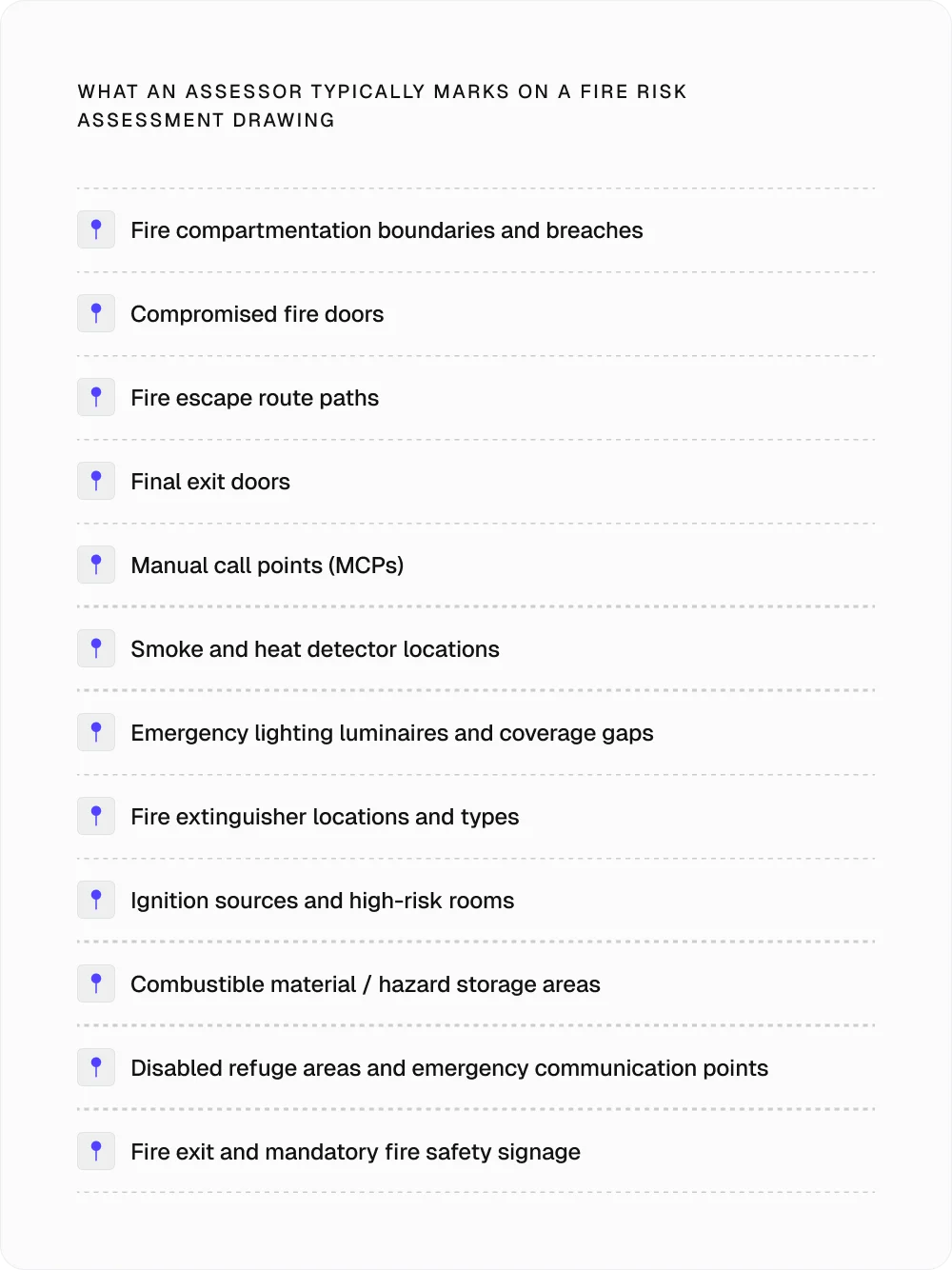
Accurate site drawings are crucial for fire risk assessments because they help assessors with tasks like:
Identifying where hazards are located
Understanding escape routes
Locating fire safety equipment (e.g., extinguishers and alarm call points)
On busy construction sites, where layouts change as work progresses, outdated drawings can lead to missed hazards or make it harder for teams to find the areas that need attention.
When choosing fire risk assessment software, check that it lets you upload site drawings and mark specific locations where hazards, defects, or required actions have been identified.
Organising drawings by floors, blocks, or zones also makes it easier to locate findings and direct the right people to the relevant area. Linking inspection records to these locations allows teams to follow up on issues and maintain an accurate record of site conditions.
5. Work statuses and remedial actions
Identifying fire hazards is only the first step.
Once an issue has been recorded, contractors need to track the required action, monitor progress, and ensure that the problem has been addressed.
Without a consistent way to manage remedial work, hazards like damaged electrical cables or exposed wiring can remain unresolved while other site activities move forward.
That’s why your chosen fire risk assessment software should let you assign work statuses so teams can see which issues are outstanding, in progress, or complete.
The ability to record feedback and return work for further action is also useful when a repair fails an inspection or needs correcting. This feature gives contractors a practical way to manage outstanding issues and keep a record of the steps taken to address them.
6. Approval workflows and sign-offs
Fire risk assessments may involve several people, including the assessors who record the findings and the site managers responsible for arranging remedial work.
A structured approval process helps each person review the relevant information and confirm that the required actions have been completed before the assessment or associated work is signed off.
Ideally, the software should let reviewers:
Approve or reject submissions
Leave feedback
Request further work where necessary
Keeping these decisions with the relevant assessment records also gives contractors a history of reviews and sign-offs, making it easier to establish who approved the work and whether any issues needed further attention.
7. Centralised health and safety documents
FRAs typically rely on supporting documents, including:
Risk assessment records
Method statements
Fire safety procedures
Inspection reports
Relevant certificates
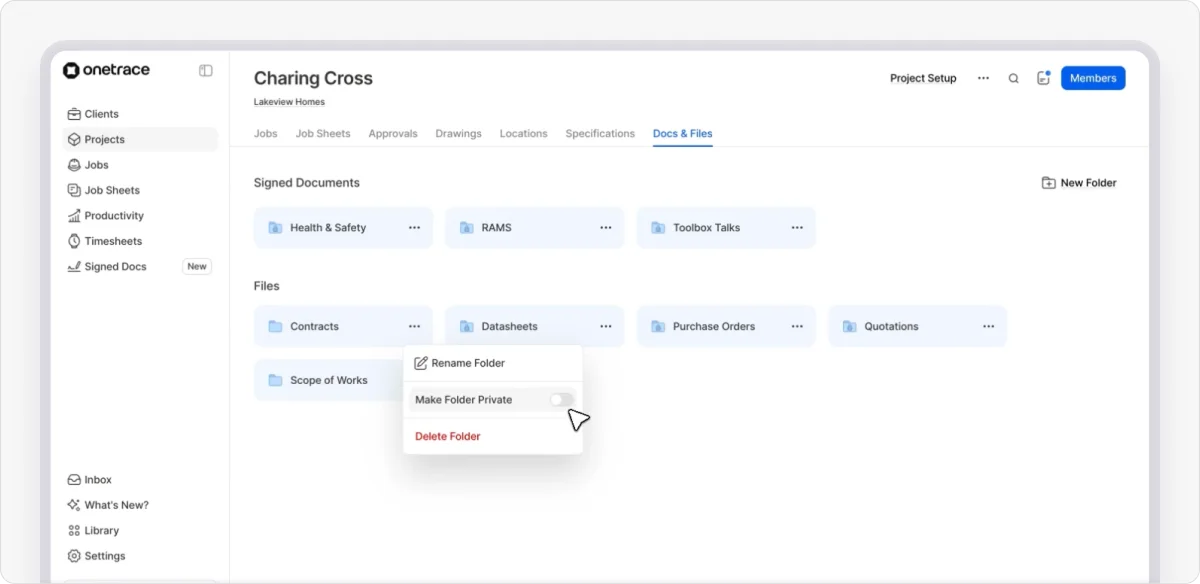
Keeping these files in one organised location helps contractors and subcontractors find the information they need when reviewing hazards, planning remedial work, or preparing for an inspection.
So, choose software that lets you store documents alongside relevant project records and organise them into folders. This helps teams retrieve the right documents when needed and keep supporting evidence together with the work it relates to. It also makes it easier to maintain an organised set of records for future reviews and project handover.
8. Clear reporting and audit trails
FRA reports document the hazards identified, the findings of the assessment, and the measures required to address them.
Contractors may need to share these records with site managers, clients, or other responsible people, so they should be easy to produce, review, and understand.

Pro tip:
If the software you’re interested in can’t generate a formal FRA report with every detail required, this doesn’t have to be a deal breaker.
Few platforms will cover every reporting requirement, so prioritise one that lets you bring together inspection findings, photographs, remedial work, and approval details in one place. This can save time gathering and presenting supporting evidence, even if you need to compile the final FRA report separately.
9. QR codes and traceable records
Fire safety inspections and remedial work can involve repeated visits to the same location, so it’s important to keep a record of what has been checked, repaired, or installed.
QR codes can simplify this process by linking a physical location or completed installation to its digital records.
By scanning a code, operatives can access the relevant job history and add new records when further work takes place.
10. Project visibility across multiple sites
Contractors managing fire safety work on several construction sites need a dependable way to track progress, outstanding issues, and completed tasks.
Without a comprehensive overview of each project, it can be challenging to identify where work needs attention or which sites may need additional resources.
That’s why your chosen fire risk assessment software should feature a project dashboard that gives managers an overview of activity at project, team, and individual levels.
In addition, look for the ability to filter records by project, review job statuses, and access site reports, as this allows you to track fire safety activities without reviewing every record individually.
11. Client access and information sharing
Clients and main contractors may need updates on fire safety work, copies of inspection records, or evidence that remedial actions have been completed.
Sharing this information through emails and separate file transfers can create extra admin and make it hard to keep everyone working from the latest records.
A better option is to find software with client access controls and use it to share relevant project information without giving external users access to everything.
12. Integration with existing systems
Fire risk assessments often sit alongside other construction processes, so connecting your software to the systems you already use can reduce duplicate data entry, cut down on manual admin, and make it easier to keep project information in sync.
The most useful integrations will depend on how your business manages fire safety work, but consider whether the software can connect with:
Health and safety platforms
Reporting and business intelligence tools
The breadth of integrations helps you judge how well the fire risk assessment software fits your existing processes before you commit to a platform.

Why choose Onetrace as your fire risk assessment software
Although it isn’t built solely for fire risk assessments, Onetrace offers all the core tools covered in this guide, including customisable forms, photographic evidence, site drawings, remedial work tracking, approval workflows, and reporting.
This combination of fire protection work tracking and wider construction management features helps contractors and subcontractors record site findings, manage follow-up work, and keep supporting evidence organised without adding unnecessary admin.
To learn more about Onetrace and how its features fit your needs, book a personalised demo with our team.
FAQ
What is the best software for fire risk assessments?
The best software depends on your needs. Prioritise tools that support customisable assessment forms, photo evidence, site records, remedial action tracking, and reporting. If you also carry out fire protection work, consider a platform like Onetrace that supports your broader construction workflows.
Is there a free app for risk assessment?
Yes. Free risk assessment apps, checklists, and downloadable templates are available, although their features vary. For fire risk assessments in England, the government’s free five-step checklist is a useful starting point for simple premises, provided you’re competent to carry out the assessment.
Can ChatGPT do a risk assessment?
Only partially. ChatGPT can help you prepare checklists, organise findings, and draft risk assessment documents. However, it can’t inspect your premises or verify hazards on site. Use it as a supporting tool, not a replacement for a competent assessor who can judge the risks and required precautions.
Can I do a DIY fire risk assessment myself?
Yes, but only if you’re the responsible person and have the competence to assess the risks. Government guidance supports self-assessment for simple premises but recommends appointing a competent fire risk assessor for more complex cases.
Marketing Team
@Onetrace
The Onetrace marketing team is passionate about sharing insights, ideas, and innovations that help construction businesses stay connected, compliant, and efficient. Combining industry expertise with a love for clear communication, we aim to deliver content that empowers professionals to work smarter and safer.