Construction reporting: Key types & best practices guide

By
Marketing Team
@Onetrace
Construction depends on traceable records.
When questions come up about progress, quality, safety, cost, or delays, what matters most is the everyday site evidence you can show, including photo documentation, inspection records, safety logs, progress updates, and change records.
For this raw site data to be usable, it needs to be recorded, organised, and reviewed consistently.
That’s where construction reporting comes in.
This guide breaks down construction reporting in practical terms, focusing on the main types of reports and the best practices that make them clear, reliable, and useful on real projects.
Key takeaways
Construction reporting turns site activity into usable evidence
Reporting pulls together daily records, progress updates, cost data, and compliance checks into a structured view of how a project is performing from start to finish.Good reporting is critical for control, not just documentation
When done well, reporting improves visibility, supports better decisions, flags risk early, and creates accountability across cost, time, safety, and quality.Different report types serve different project needs
Operational, commercial, compliance, and governance reports each focus on a specific area, and together, they provide a complete picture of project health.Consistency matters more than volume
Transparent ownership, standard formats, accurate data captured at source, and simple presentation are what make reports reliable and useful over time.Digital reporting makes best practices easier to achieve
Tools like Onetrace help subcontractors capture site data once, generate professional reports quickly, store records securely, and share them easily.
Construction reporting: The basics
Construction reporting is the process of collecting, organising, and sharing information about what is happening on a construction project. It brings together records of site activity, progress, issues, and changes, and presents them in a practical, structured way.
Construction reporting covers the full lifecycle of a job—from early planning to closeout—and helps ensure work stays aligned with agreed scope, time, cost, and standards.
That’s why construction reports are used by a wide range of people involved in a project, including:
Clients and asset owners
Main contractors and subcontractors
Project and construction managers
Commercial and finance teams
Health, safety, and quality leads
Consultants, inspectors, and auditors
The importance of construction reporting
With so much happening on a construction site each day, reporting can feel like an administrative burden.
In reality, construction reporting plays a central role in keeping projects under control by ensuring:
Clear visibility: Teams gain a reliable view of progress, costs, risks, and issues across the project.
Consistent communication: All parties work from the same information, reducing confusion and misalignment.
Better decision-making: Managers base decisions on current, factual information rather than assumptions.
Earlier risk detection: Potential delays, cost pressures, or safety concerns are identified before they escalate.
Defined accountability: Responsibilities, actions, and outcomes are clearly recorded and traceable.
Regulatory compliance: Required health, safety, and contractual records are properly documented and accessible.
Roles and responsibilities in construction reporting
Reporting is a shared responsibility, with different people contributing information at different stages of a project.
The table below outlines the main roles involved in construction reporting and the areas they typically cover:
Role | What they report on |
Owner | Project-level progress, key milestones, risks, and information required for governance and oversight |
Project manager | Overall project status, programme progress, coordination issues, and alignment with project objectives |
Site manager | Daily site activity, workforce levels, progress on tasks, and site conditions |
Foreman | Field-level observations, task completion, safety issues, and quality concerns |
Health and safety lead | Safety inspections, incidents, near misses, and compliance with safety requirements |
Commercial manager | Costs, variations, valuations, forecasts, and commercial risks |
Main contractor | Consolidated reporting across trades, programme performance, and delivery risks |
Subcontractors | Trade-specific progress, labour, materials, and issues affecting delivery |
Consultants | Specialist reporting, such as design compliance, inspections, certifications, or cost advice |
Construction reporting: 8 main types used on projects
Because of the complexity of construction projects, no single report can cover everything. Instead, construction reporting consists of multiple report types, each focused on a specific area of the project.
These reports can be broadly grouped into four main categories:
Operational reports (day-to-day site activity and progress against plan)
Commercial reports (overall financial performance and project variations)
Compliance reports (health and safety activity and quality checks)
Governance and lifecycle reports (risk management, project completion, and handover)
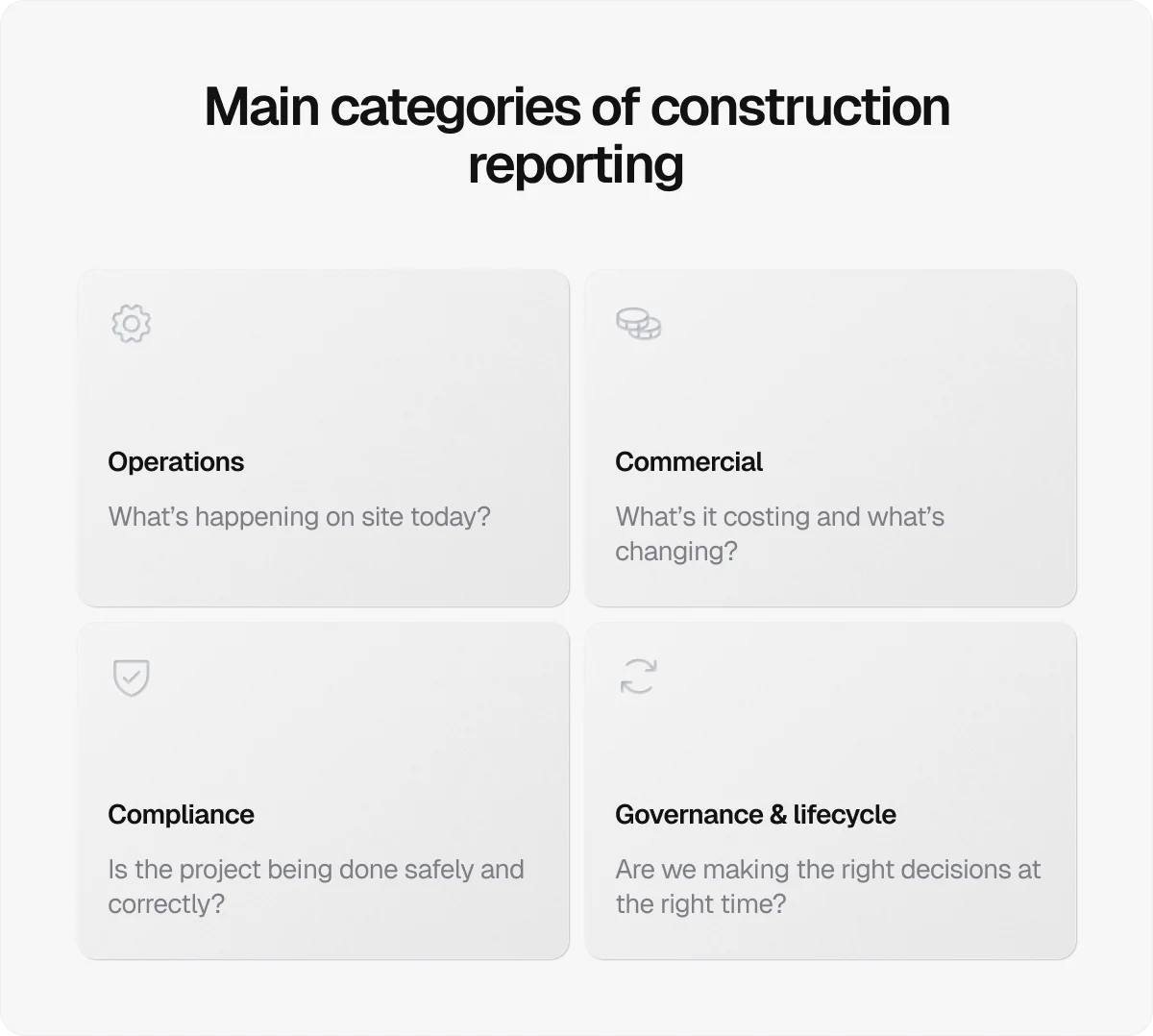
Below, we look at each type of construction report that comprises those categories.
1. Daily site reports
Daily site reports provide a factual snapshot of on-site progress, resources, and conditions, and create a reliable day-by-day record of how the job is being delivered.
A typical daily site report includes:
Work completed and progress by trade
Labour and subcontractors on site
Plant, equipment, and material deliveries
Weather and site conditions
Delays, disruptions, or incidents
Site instructions or key observations
Over time, daily reports form a transparent audit trail that supports project management, contract administration, and issue resolution.
2. Progress reports
Progress reports provide regular updates on how a project is tracking against the agreed plan.
Usually issued weekly or monthly, they help teams and stakeholders understand what’s been completed, what’s coming next, and where attention may be needed.
Progress reports typically include:
Key milestones achieved or missed
Look-ahead activities and short-term priorities
Emerging risks and mitigation actions
3. Financial and cost reports
Financial and cost reports track how a project is performing relative to its budget and forecast. They bring together cost data from across the job to show current spend, future commitments, and expected final outcomes.
The data in question usually covers:
Budgeted versus actual costs
Variations and change orders
Forecast final account
Payment applications and certifications
Used consistently, these reports support commercial control, funding decisions, and financial oversight throughout the project lifecycle.
4. Variation and change management reports
Variation and change management reports formally record changes to the agreed scope, programme, or cost of a project.
They provide an auditable record of what has changed, why the change occurred, and how it affects delivery. These reports are essential for maintaining control and avoiding disputes, particularly on contract-led projects.
Details included in these reports are usually as follows:
A concise description of the change
The cause of the change and the responsible parties
Impact on cost and programme
Approval status and supporting records
Pro tip:
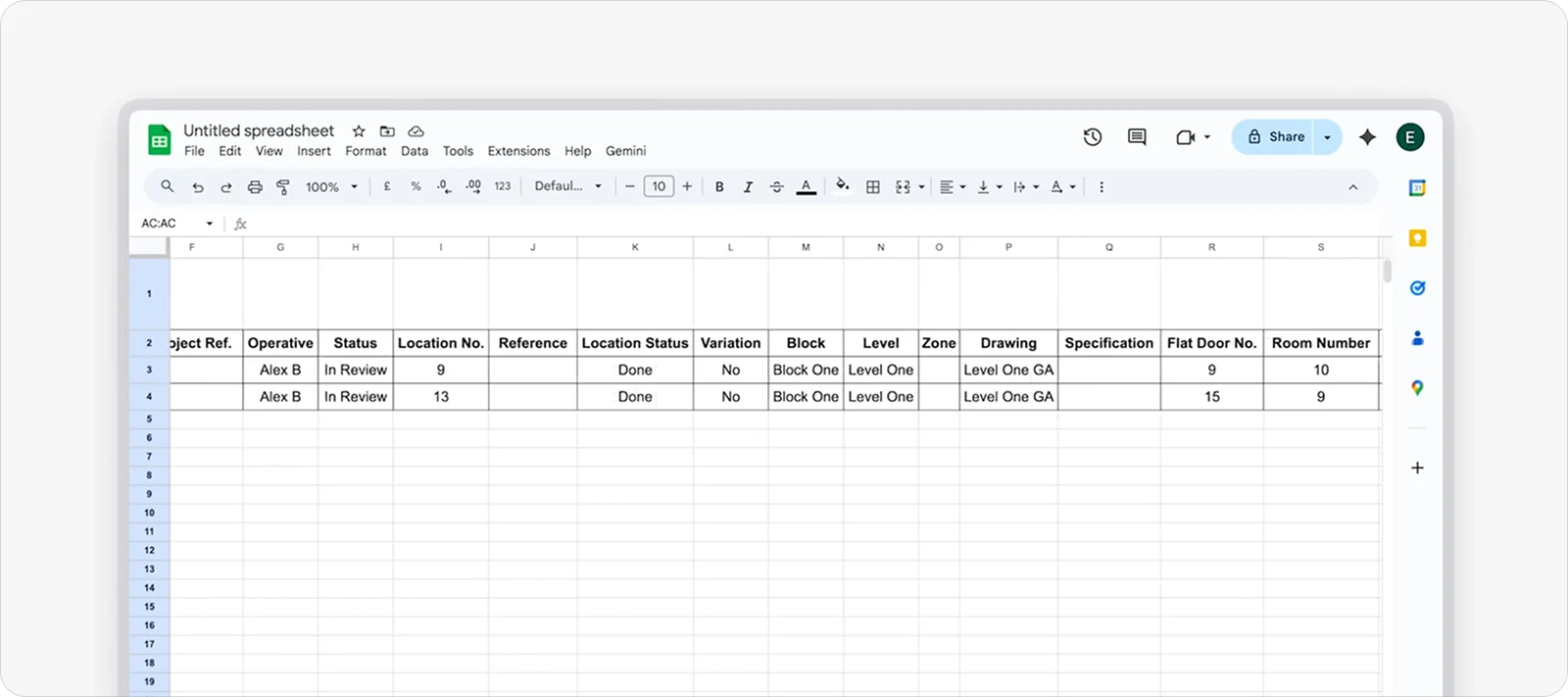
Because variation tracking is so important, it should be built into everyday site records from the start.
With a construction site management tool like Onetrace, you can add variation fields to your job forms, track out-of-scope work in context, and then generate practical variation reports when you need them.
5. Safety reports
Safety reports record how health and safety are being managed on site and provide evidence that legal duties are being met.
In the UK, they are a core requirement under the Construction (Design and Management) Regulations and are enforced by the Health and Safety Executive.
Safety reports usually revolve around:
Site safety inspections and audits
Accidents, incidents, and near misses
Risk assessments and method statements (RAMS)
Toolbox Talks and training records
Corrective actions and follow-up measures
These reports help identify hazards early, document incidents, and show that risks are being properly controlled, forming a critical record for safety compliance, investigation, and ongoing improvement.
6. Quality control reports
Quality control reports focus on whether work has been done to the required standard, not just whether it has been completed. They provide a formal record of inspections, checks, and test results that confirm installations meet specifications, material requirements, and predefined tolerances before work is signed off or covered up.
These reports are often raised at key stages of the build and typically include:
Inspection and test plans (ITPs)
Non-conformance reports (NCRs) and corrective actions
Snagging or punch lists
Test results, approvals, and certificates
Photographic evidence of completed work
Quality control reports play a key role at handover and during defect periods, and are often relied on if quality issues are later challenged.
Pro tip:
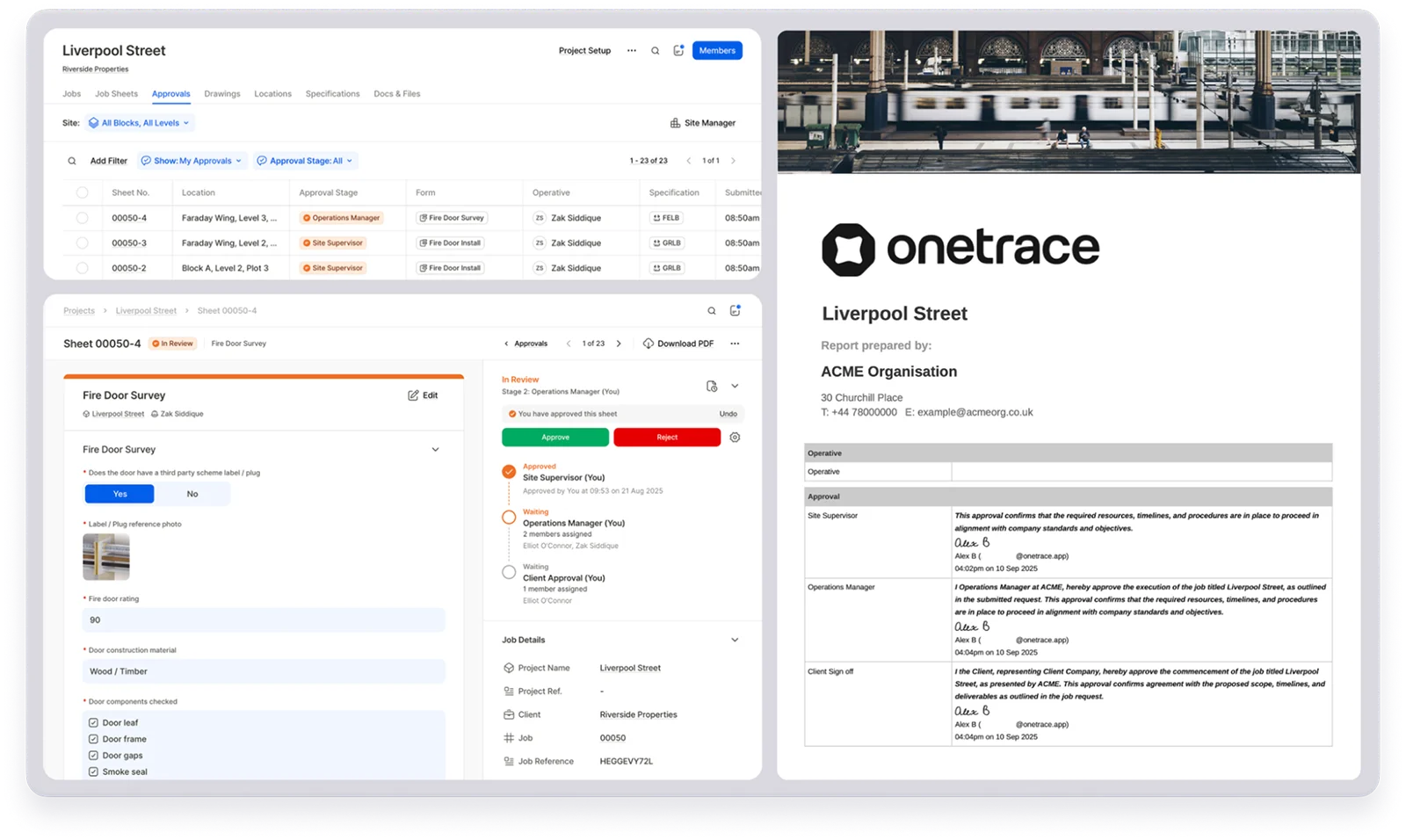
Setting straightforward approval steps is one of the most effective ways to maintain quality.
Instead of relying on end-of-job inspections, approvals allow work to be reviewed and accepted as it’s completed.
With Onetrace, you can apply approval workflows to specific forms, such as inspections or quality checks, so job sheets move through defined review stages with feedback where needed.
This helps catch issues early and allows you to generate approved quality reports when work is signed off.
7. Risk and issue reports
Risk and issue reports focus on what could affect a project before it turns into a problem.
They are used to identify potential risks, track live issues, and agree on actions to reduce the impact of those issues.
By making risks visible early, these reports support better decisions and stronger project control, particularly on larger or more complex jobs.
8. Completion and handover reports
Completion and handover reports bring a project to a formal close and confirm that it’s complete and ready for occupation or operation.
Their goal is to show that work has been completed in line with the contract, approved standards, and regulatory requirements, which is why they include extensive documentation, such as:
Practical completion and handover certificates
As-built drawings and final records
Operation and maintenance manuals
Defects lists and outstanding items
Final inspections, approvals, and sign-offs
Construction reporting: 10 best practices for consistent results
Construction reporting delivers value only when it is set up deliberately and used consistently.
These 10 best practices show how to turn reporting into a tool for managing progress, risk, and performance:
Establish structured reporting operations: Transparent ownership, agreed schedules, and basic training turn reporting from an ad-hoc task into a dependable system.
Standardise report formats: Consistent formats reduce confusion, speed up reporting, and make it easier to compare performance over time or across jobs. This includes using the same templates, layouts, and terminology across projects so reports are familiar and easy to review.
Capture information at source: Capturing details in real time reduces reliance on memory, limits gaps in records, and improves the overall accuracy of reports.
Prioritise accuracy over volume: Accurate, concise information is far more useful for decision-making than detailed reports built on weak or uncertain data.
Link reports directly to the programme: Reports should reference activities, milestones, and delays against the approved programme so progress and time impact are immediately visible.
Use objective supporting evidence: Objective evidence, such as photos, inspection records, and test results, strengthens credibility, supports claims, and reduces disagreement over what actually occurred.
Present information in a digestible format: Key points should stand out, so they can be understood quickly by different audiences. In addition, clear headings, logical ordering, and simple language make reports easier to act on.
Encourage collaboration and feedback: Reporting should be a shared responsibility between site teams, managers, and stakeholders. This is the best way to get accurate data and build trust in the information being reported.
Review and improve the process regularly: Using feedback and past reports to refine templates, workflows, and training leads to stronger reporting over the life of a project.
Store reports securely and centrally: Secure, central storage protects sensitive data and ensures reports are available for audits, claims, and handover.
How Onetrace supports construction reporting
Many of the best practices in construction reporting can be covered with a single step: using construction software to capture, organise, and report site information in one place.
Digital reporting removes a lot of the friction that comes with paper forms, spreadsheets, and disconnected systems.
Compared to manual or printed reports, digital reports are easier to complete on site, faster to share, and far less prone to being misplaced or having incomplete entries.
Onetrace is built specifically for subcontractors who need a simple, reliable way to report work, monitor quality, and stay compliant without adding admin overhead.
With Onetrace, you can create:
Job sheet reports: Produce PDF or Excel reports that compile all data from selected job sheets, including work details, materials, photos, and job numbers for traceability.
Location-based reports: Generate reports for selected locations, showing work carried out, evidence captured, and associated records in one place.
Drawing mark-up reports: Export marked-up drawings with all pins and annotations included, suitable for printing or external records.
Timesheet reports: Create reports for custom date ranges showing consolidated labour data by member, team, or project.
Signed document reports: Download summaries showing who has signed, viewed, or ignored key documents.
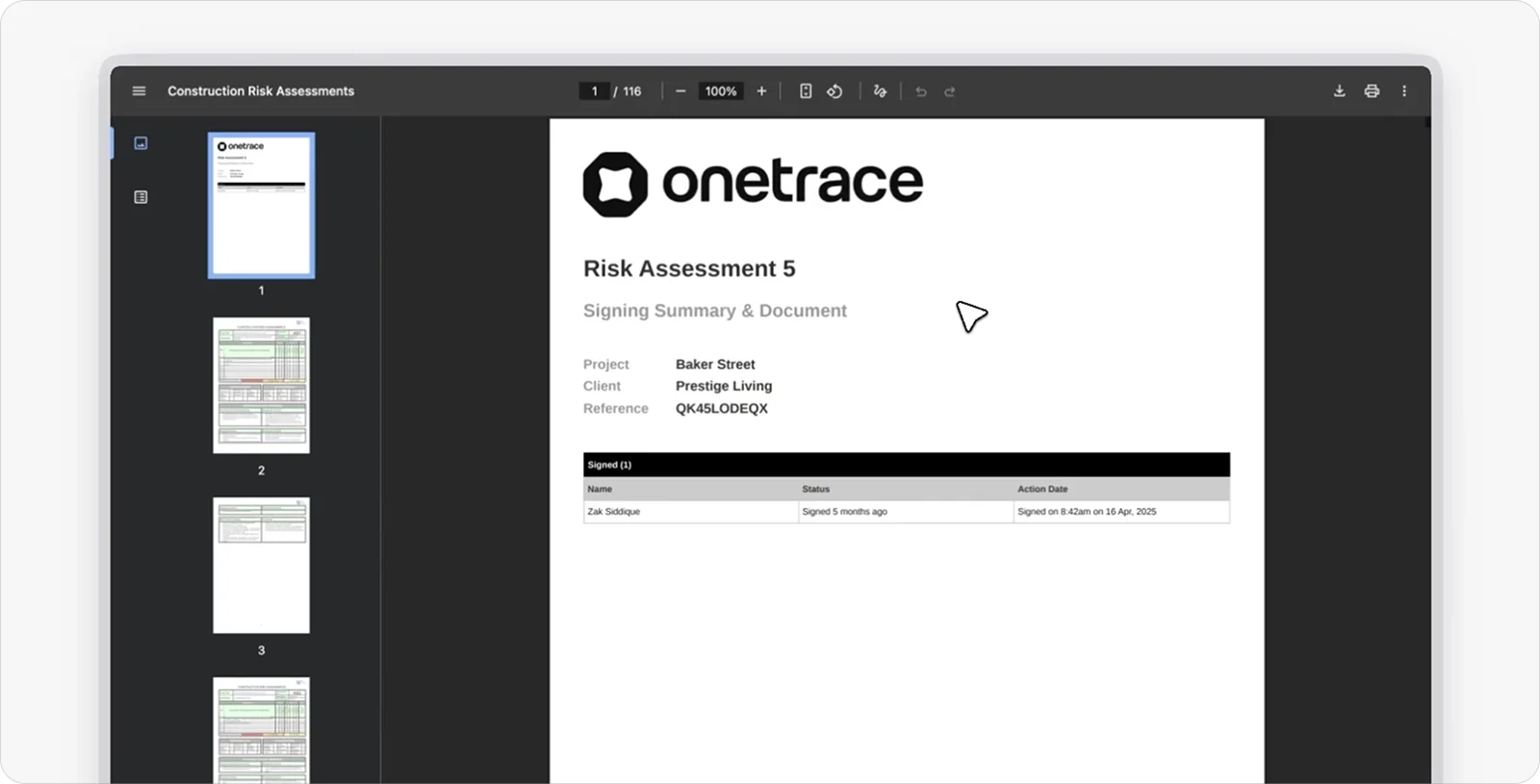
Each report can be customised to suit your needs, branded with your company details, and stored securely in the cloud. This makes reports easy to access from anywhere and ready to share with clients, auditors, or internal teams as needed.
Book a personalised demo to see how Onetrace’s reporting—and its wider site management tools—can improve visibility, consistency, and control across your projects.
Marketing Team
@Onetrace
The Onetrace marketing team is passionate about sharing insights, ideas, and innovations that help construction businesses stay connected, compliant, and efficient. Combining industry expertise with a love for clear communication, we aim to deliver content that empowers professionals to work smarter and safer.