5 best construction site inspection software in 2026

By
Marketing Team
@Onetrace
There’s a reason construction sites are among the most tightly controlled working environments in the UK: The hazards are serious, recurring, and often preventable.
In Great Britain alone, construction recorded 25 worker deaths in 2025/26—the highest total of any main industry sector—with falls from height remaining the leading cause of fatal workplace injuries.
To prevent these scenarios, construction work must be properly planned, managed, and monitored, covering everything from site planning and site risk assessments to regular site reporting.
Construction site inspection software tools help do just that, and below, we look at five of the strongest options.
Key takeaways
Construction compliance goes beyond digital checklists
The strongest inspection software helps teams document evidence, identify non-compliance, assign corrective actions, and maintain a clear record of resolution.Evidence and audit trails are central to effective site inspections
Look for tools that capture photos, notes, timestamps, signatures, and inspection history so teams can demonstrate what was checked, when it was checked, and who completed it.The right software depends on how your construction team works
Onetrace is geared towards inspection-heavy subcontractors, CompanyCam towards visual documentation, Clappia towards custom QA / QC workflows, Raken towards daily reporting alongside inspections, and Mitti towards broader frontline compliance.Field usability matters as much as back-office reporting
Mobile and offline capabilities are particularly valuable on active construction sites, where supervisors and inspectors may need to complete checks without reliable connectivity.Onetrace brings inspections, evidence, and compliance documentation together for subcontractors
Its inspection workflows connect custom forms, photographic evidence, drawings, statuses, approvals, and reporting, giving subcontractors a structured way to manage compliance from site capture through to client handover.
How we selected the 5 construction site inspection software tools
Beyond preventing accidents, construction site compliance focuses on proving that required controls are in place and being followed.
In January 2026, the Health and Safety Executive (HSE) fined a London construction company £7,200, and its director £10,800, after repeated failures to comply with Prohibition Notices covering work-at-height risks and inadequate site management.
In another recent case, a construction company was fined £4,020 after unsafe roof work continued despite earlier HSE interventions. Its director was fined £2,300 and ordered to pay £8,000 in costs.
With this level of scrutiny, a tool doesn't earn a place on our list just because it can turn a paper checklist into a digital one.
We looked for software that supports the broader compliance process: structured inspections, documented evidence, identification of non-compliance, corrective actions, and a clear record of resolution.
We evaluated more than 20 tools and selected five that take meaningfully different approaches to construction compliance, scoring them against five criteria:
Compliance & inspection workflows (30%): We assessed how well the software supports recurring site inspections, safety checks, risk assessments, observations, sign-offs, and other construction compliance requirements.
Evidence & audit trail (25%): We reviewed how effectively it records photos, notes, timestamps, signatures, and other evidence showing what was inspected, when, and by whom.
Non-compliance & corrective actions (20%): We looked into how easily teams can document failures, assign responsibility, set deadlines, track remediation, and record closeout.
Field usability (15%): We evaluated how practical the software is for supervisors, foremen, and inspectors working on active sites, including mobile and offline workflows.
Compliance reporting & oversight (10%): We considered how well it turns inspection data into reports, dashboards, and management visibility over outstanding compliance issues.
An overview of the 5 best construction site inspection software tools
Software | Description | Ratings | Best for |
1. Onetrace | Construction management software with inspection and QA tools | 5/5 on G2 | Specialty subcontractors with inspection-heavy workflows |
2. CompanyCam | Visual documentation and site inspection software | 4.7/5 on G2 | Small and midsize trade contractors |
3. Clappia | No-code workflow platform with construction inspection tools | 4.7/5 on G2 | Contractors with custom QA/QC processes |
4. Raken | Construction field management software with inspection, safety, and QC tools | 4.6/5 on G2 | Small and midsize GCs |
5. Mitti | Operations management platform with inspection and compliance tools | 4.6/5 on G2 | Construction teams managing frontline compliance |
1. Onetrace: Best for speciality subcontractors with inspection-heavy workflows
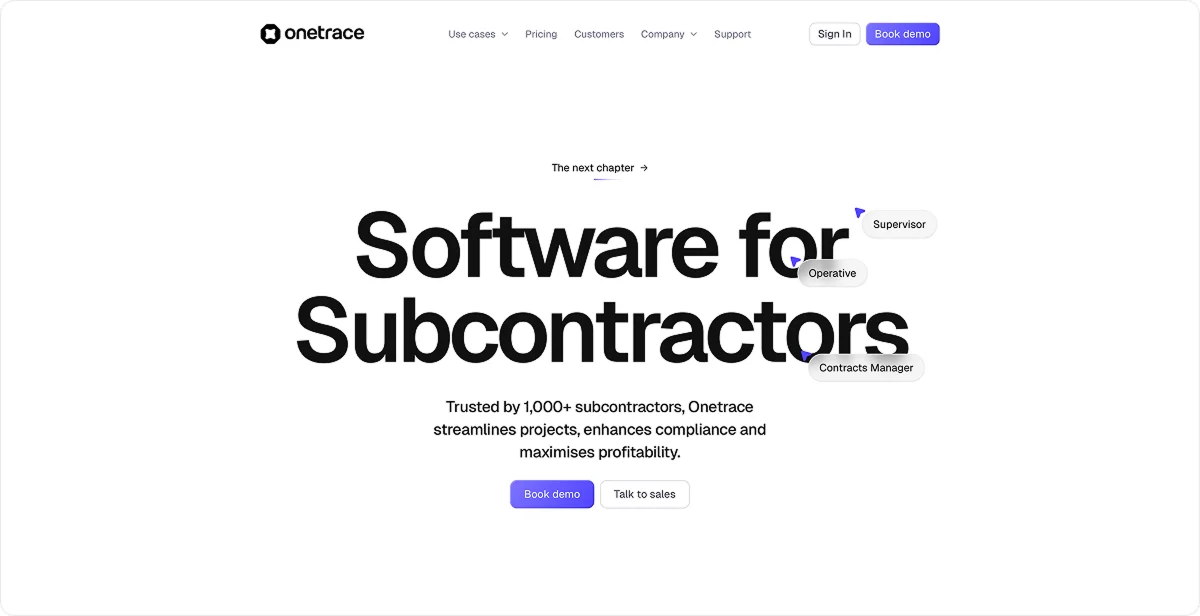
Onetrace is construction software built specifically for subcontractors, combining project, documentation, and workforce management in one platform.
It’s particularly well-suited for speciality subcontractors with inspection-heavy workflows. It was designed specifically around the realities of subcontractor work, connecting inspections and evidence with project control, compliance, and client handovers.
That focus is reflected in its track record, with more than 1,000 subcontractors trusting the platform to manage their work.
Key site inspection features
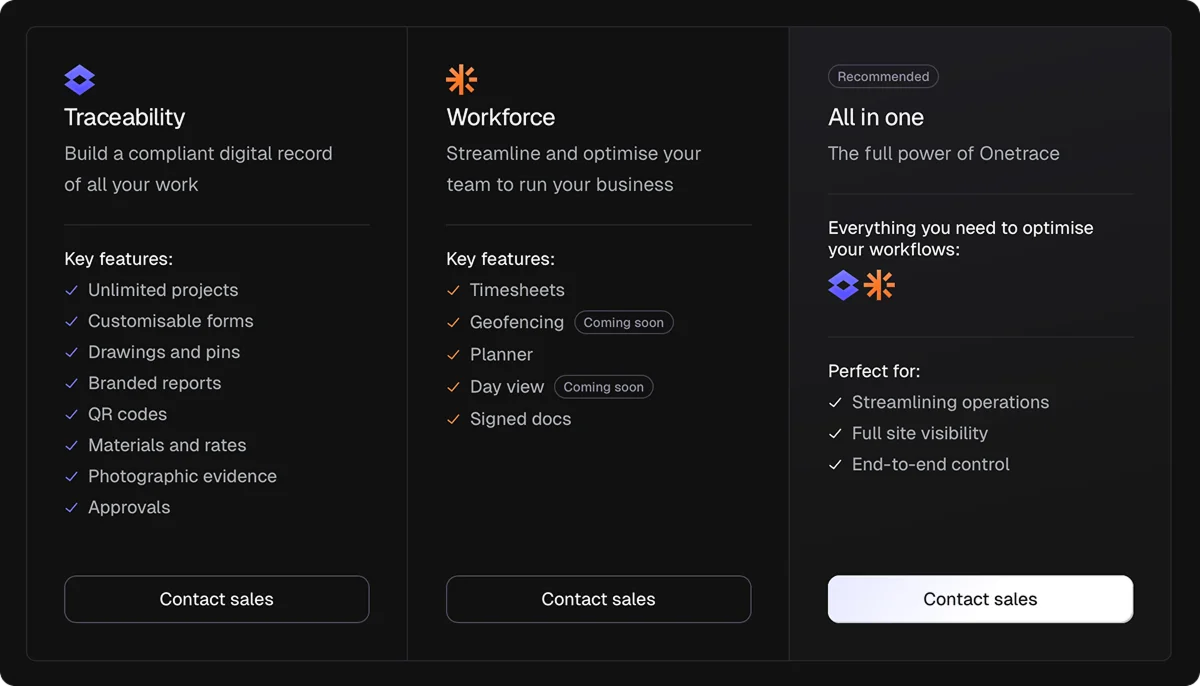
Onetrace splits its platform between Traceability, which focuses on project control and compliance, and Workforce, which covers the people and operational side of subcontractor management.
For site inspections, the relevant functionality sits primarily within Traceability, and it includes:
Customisable forms: Build inspection forms around each trade or job, with conditional questions and mandatory fields that prevent critical inspection data from being left blank.
Photographic evidence: Capture before, during, and after photos to document defects, risks, completed work, and evidence required for compliance or client sign-off.
Drawings and pins: Pin inspection findings to exact locations on drawings, then organise them by blocks, levels, zones, or cores for easier follow-up and reporting.
Inspection statuses: Set statuses such as ‘For inspection’, ‘Required works’, ‘Snagging’, and ‘Complete’ to show where each piece of inspected work stands.
Operative declarations: Capture confirmation directly from the operative completing the work, creating a stronger record of responsibility for each job sheet.
Multi-stage approvals: Route submitted job sheets through staged QA checks, allowing supervisors, managers, or clients to approve or reject work and record the decision history.
Inspection reports: Turn job-sheet data into branded PDF or Excel reports containing the evidence clients, auditors, or internal teams need.
Offline inspections: Keep drawings and inspection data available through Onetrace’s site inspection app so teams can continue capturing records when a site has no signal.
QR codes: Link physical work locations to their digital records, letting operatives scan a code to view previous inspections and add new work to the same history.
Pricing
Onetrace uses a flexible per-user monthly subscription model, allowing subcontractors to adjust user numbers as project workloads change.
You can choose Traceability, Workforce, or both, depending on which parts of your subcontractor operation you need to manage.
2. CompanyCam: Best for small and midsize trade contractors

CompanyCam is digital site inspection software that organises jobsite photos and videos into project records, with AI tools for turning field observations into reports. It’s used by more than 285,000 professionals across 79 million jobs.
Small and midsize trade contractors will find CompanyCam particularly useful because it keeps site documentation lightweight and visual, letting crews capture what they find on the job without stopping to write lengthy inspection reports.
Key site inspection features
CompanyCam keeps site inspections centred on quick field capture, with tools like:
Photo documentation: Capture site conditions, equipment, and problem areas directly within the project record, keeping inspection evidence tied to the job.
AI walkthrough notes: Photograph what you find and describe it aloud to turn your observations into a structured inspection report without typing.
Voice checklists: Record required inspection or security checks on the spot when conditions change or new items need to be documented.
Photo annotations: Mark up inspection photos to draw attention to defects, areas requiring work, or other site conditions.
Inspection integrations: Connect inspection data with tools like Inspect.Properties or Roofr when you need more specialised reporting or claims documentation.
Pricing
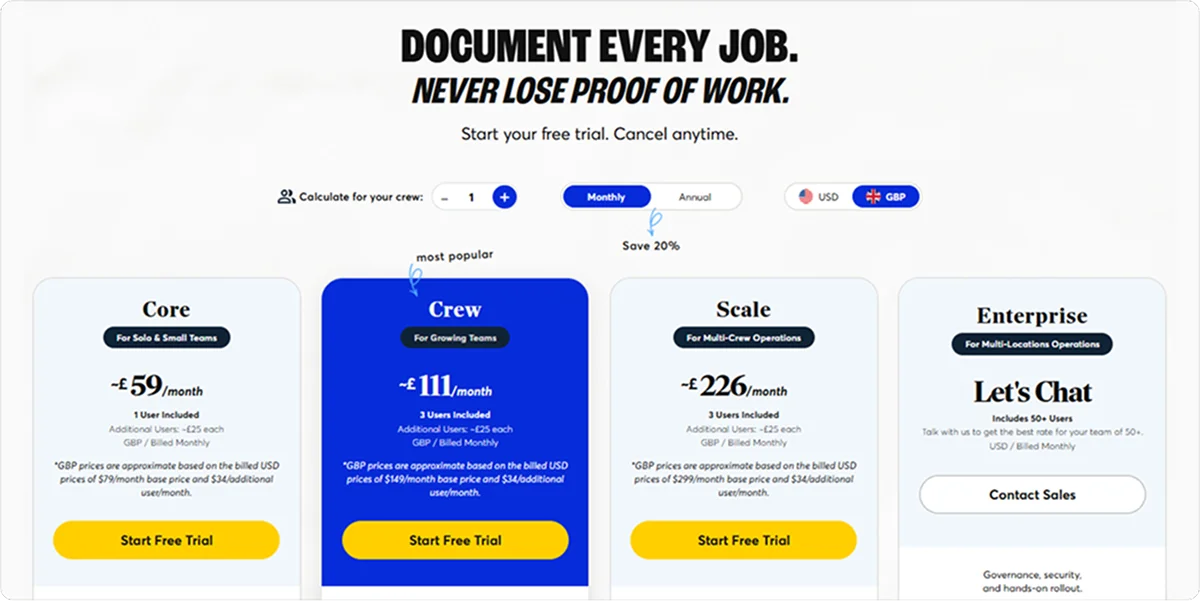
CompanyCam offers several plans for solo users, growing teams, multi-crew operations, and larger organisations.
All plans are subscription-based, with the option to start with a free trial.
3. Clappia: Best for contractors with custom QA / QC processes

Clappia is a no-code inspection software and workflow platform that lets construction teams build custom site inspection apps without coding. It’s used by more than 2,000 organisations and over 300,000 users worldwide.
It’s a strong fit for contractors with non-standard QA / QC processes, as it allows them to tailor inspection forms, approval paths, and corrective actions to different project types, inspection results, or trades, rather than forcing every team through the same workflow.
Key site inspection features
Clappia brings inspection, evidence capture, and follow-up into configurable mobile workflows, offering tools like:
Offline inspections: Capture checklist responses, photos, and notes in areas without connectivity, then sync records when back online.
GPS and geofencing: Record inspection coordinates or restrict submissions to approved site boundaries.
AI image analysis: Flag visible issues such as missing PPE, defects, or alignment problems from inspection photos.
QR and barcode scanning: Pull up asset or product information directly from codes encountered during site inspections.
Dynamic reports: Generate inspection PDFs and trigger approval or escalation workflows from submitted findings.
Pricing
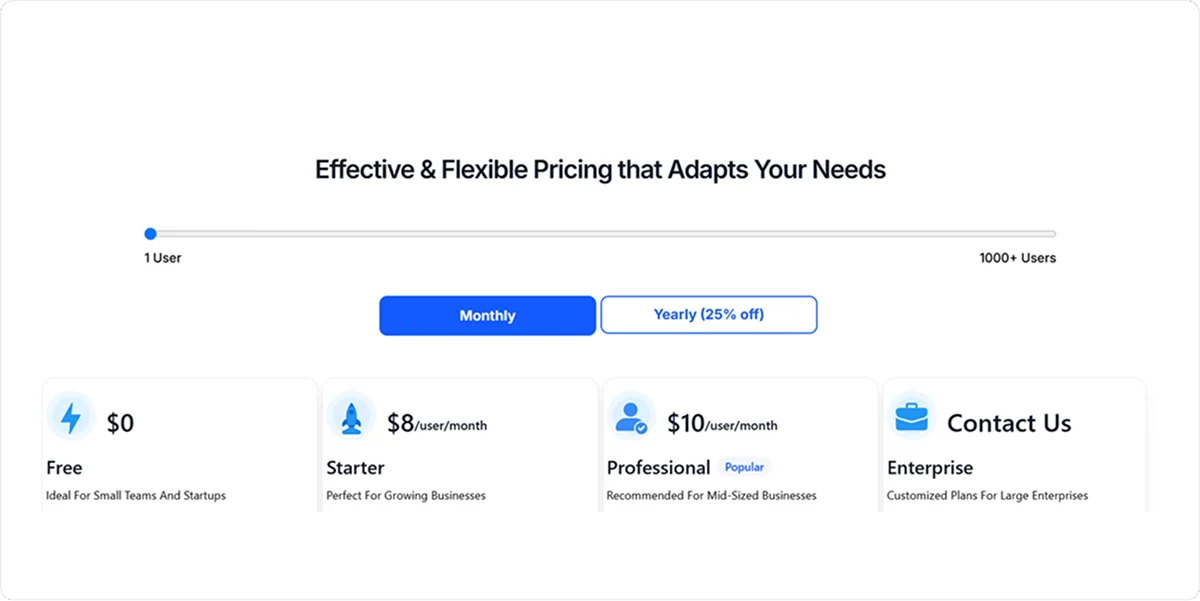
Clappia offers Free, Starter, Professional, and Enterprise plans, with the higher tiers adding more advanced workflow, integration, and enterprise capabilities.
Pricing can be structured around users or customised for larger organisations.
4. Raken: Best for small and midsize GCs
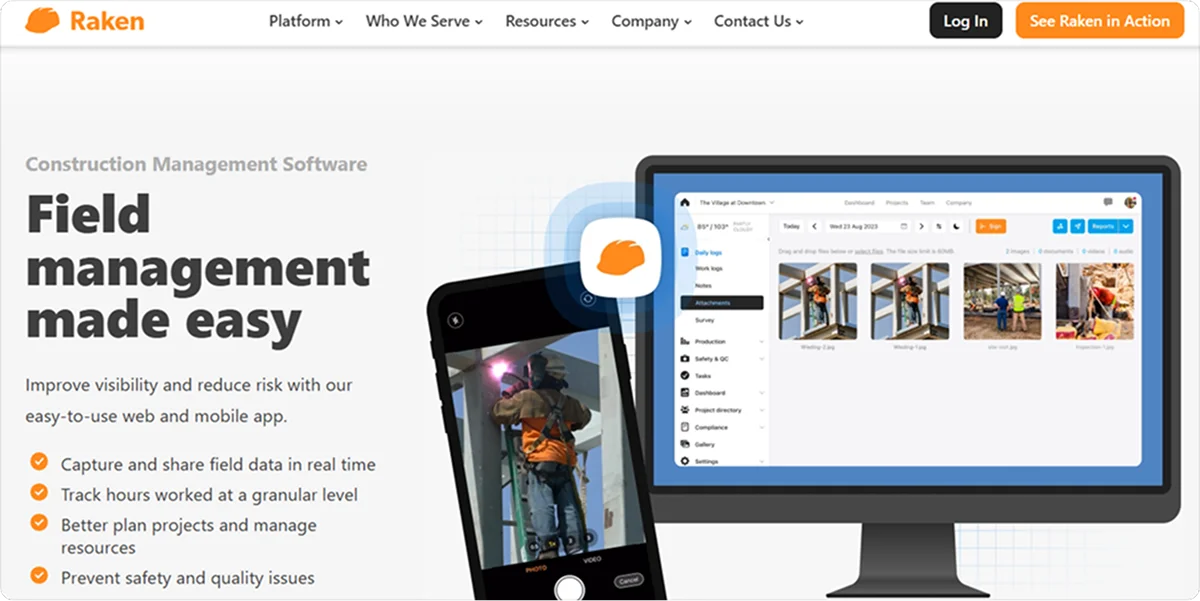
Raken is construction field management software that combines daily reporting with safety and quality management tools, including digital checklists, observations, and incident reporting.
Small and midsize GCs can benefit from keeping inspections, daily logs, and field documentation in the same workflow, particularly when multiple foremen or supervisors need to record site activity independently.
Key site inspection features
Raken connects inspections with day-to-day field reporting, with tools like:
Construction checklists: Schedule and assign safety or quality inspections, then attach photos, videos, and observations to completed forms.
Safety observations: Record hazards with their location, priority, and supporting evidence, then assign them for resolution and track them through to closure.
Toolbox Talks: Schedule safety meetings, collect worker sign-offs, and retain attendance records for compliance documentation.
Safety & QC Insights: Track checklist completion, compliance by work unit, quality trends, and outstanding issues across projects.
Pricing
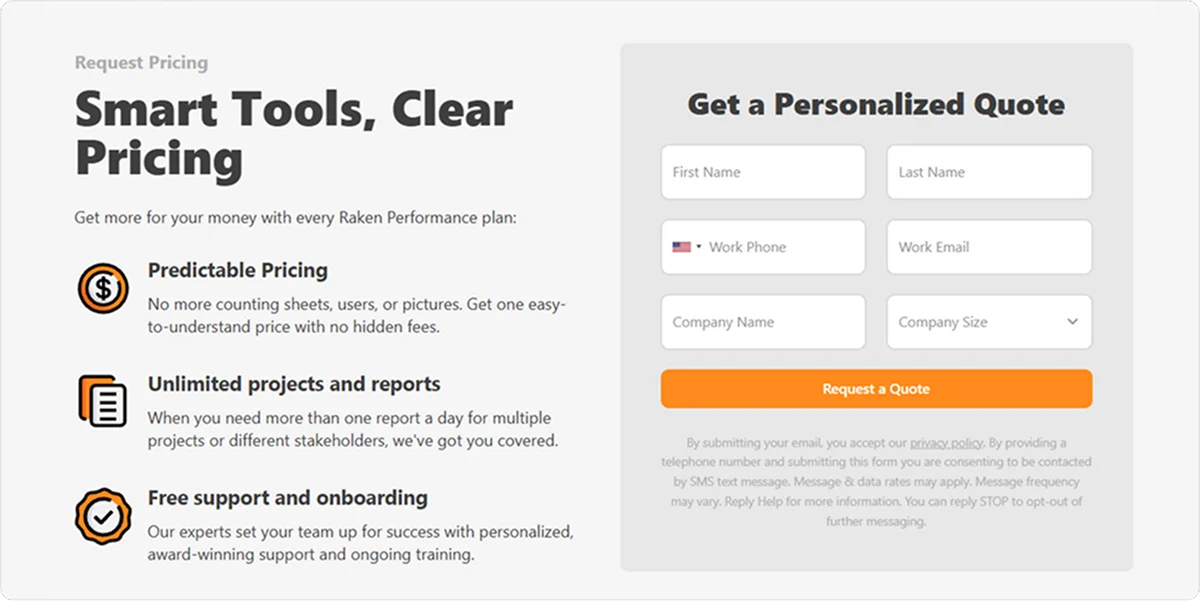
Raken’s Performance plan includes its Safety & Quality tools alongside the wider field management platform.
Pricing is available upon request. Plans include unlimited projects and reports.
5. Mitti: Best for construction teams managing frontline compliance
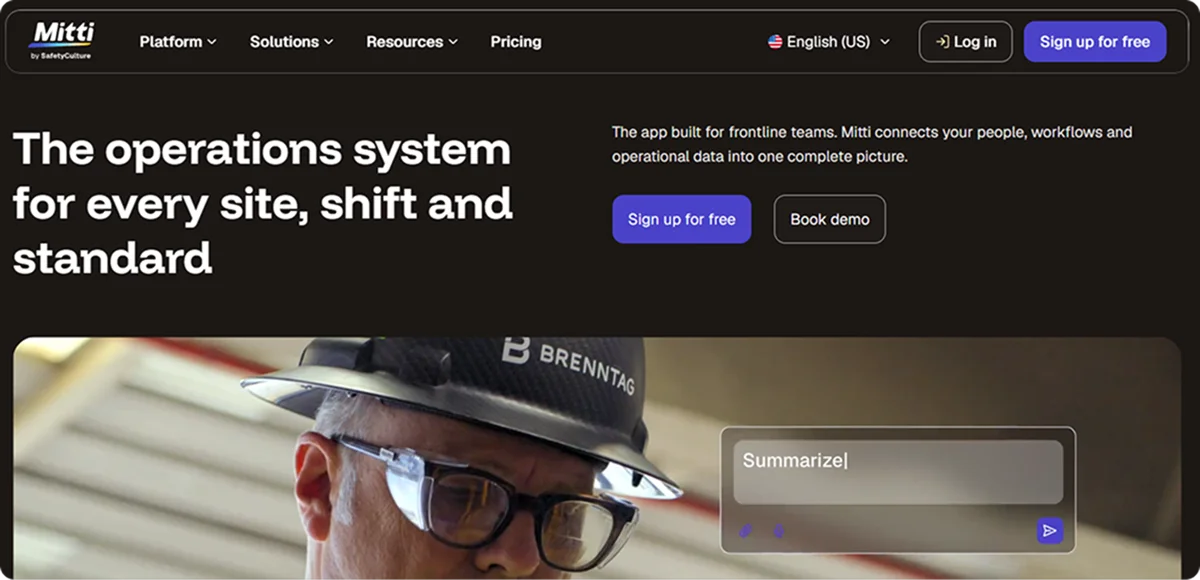
Mitti (formerly SafetyCulture) is inspection and audit software for creating digital checklists, managing safety and quality processes, and turning inspection findings into corrective actions. Its platform supports over 1 billion checks completed by frontline workers each year.
Construction teams managing frontline compliance will value its broad template ecosystem and flexible workflows, particularly when the same inspection platform needs to cover EHS (Environment, Health, and Safety) requirements across multiple sites.
Key site inspection features
Mitti gives field teams a flexible way to standardise inspections and follow findings through to resolution. Its key features include:
Custom inspection checklists: Build site-specific forms with conditional logic, so follow-up questions appear when an inspector flags a problem.
Template library: Start with construction-focused templates covering site safety, safety walks, vehicle inspections, and HSE audits.
Corrective actions: Turn failed checks or hazards into assigned tasks with deadlines, evidence, and progress tracking.
Inspection scheduling: Schedule recurring audits and send alerts when required inspections are due or missed.
Reporting: Convert inspection results into reports and analyse recurring findings across sites.
Pricing
Mitti offers several plans, with pricing varying according to the features and scale required. Enterprise plans can be tailored for larger organisations.

Getting started with Onetrace
If your business needs a more structured way to manage inspections, compliance documentation, and proof of work across subcontractor projects, Onetrace is worth considering. The platform also lets you explore features tailored to your workflows before getting started.
Request a personalised demo to see how Onetrace can address your day-to-day challenges and get your team set up.
FAQ
What is the best app for site surveying?
For construction teams, Onetrace is a strong option for site surveying because it lets operatives complete survey and inspection Job Sheets on site and pin survey locations directly onto drawings. This keeps the location, findings, and status of each survey connected in one project record.
Is there an app that can take site inspection photos?
Yes. CompanyCam, Onetrace, and Raken all support photo capture as part of their site inspection or field documentation workflows. Onetrace can tie photographic evidence to drawings and specific locations, while Raken lets teams attach photos and videos to safety and quality observations.
What is the best software for inspection reporting?
The right choice depends on the type of inspection reporting you need. Onetrace is well-suited for subcontractors who need inspection records connected to drawings, evidence, and compliance documentation, while Raken fits teams that want inspections alongside daily field reporting. Mitti is another option for flexible inspections, audits, and reporting across different sites.
What are the best inspection apps for Android?
All five tools on this list offer mobile apps for Android as well as iOS, so the right choice depends on how your team runs inspections.
Is there a free app for site audits?
Yes. Several apps, including Mitti and Clappia, offer free plans with basic features. However, most free plans limit usage and restrict features construction compliance relies on, such as integrations with other systems, so growing teams usually need to upgrade to manage audits across multiple sites.
Marketing Team
@Onetrace
The Onetrace marketing team is passionate about sharing insights, ideas, and innovations that help construction businesses stay connected, compliant, and efficient. Combining industry expertise with a love for clear communication, we aim to deliver content that empowers professionals to work smarter and safer.