7 best timesheet apps for construction companies in 2026

By
Marketing Team
@Onetrace
Timesheet apps are tools that track working hours, tasks completed, and site attendance. They’re essential for handling payroll, tracking job costs, and maintaining accurate work records across the construction sector.
In the UK, they’re also close to a legal obligation since the Working Time Regulations 1998 requires employers to keep adequate logs of working time.
With that in mind, this guide covers the seven best timesheet apps for construction companies that can help you bring more structure and clarity to your day-to-day operations.
Key takeaways
Construction timesheet apps need to work in real site conditions
The best tools aren’t just feature-rich. They need to be able to handle poor connectivity, changing schedules, and crews working across different locations, all without slowing anyone down.Ease of use matters more than features on paper
If crews can’t clock in quickly or need training to use the app, adoption drops. The most effective tools are simple, fast, and built for non-technical teams.Different tools solve different problems
Some apps focus on GPS accuracy, like Workyard, while others keep things simple for smaller teams, like ClockShark. The right choice depends on how your team works day to day.Reliable time data reduces admin and errors
Good timesheet apps capture hours as work happens, cutting down on manual entry, missed time, and payroll corrections later on.For teams that need time tracking linked to real site work, Onetrace offers a complete solution
Onetrace connects time tracking with site activity and compliance records, giving subcontractors one system to manage time, documentation, and project visibility.
How we chose the 7 best timesheet apps for construction companies
Evaluating timesheet apps for construction is different from reviewing generic time-tracking tools.
The main focus is on how well a platform performs under real job site conditions, where internet access is unreliable, crews are spread across sites, and schedules change day to day.
Here’s the structured set of criteria we used to assess each app:
Construction-specific functionality (25%): We prioritised platforms built for construction workflows, with timesheet features that support site-based work, multiple crews, and changing job locations.
Ease of use for field crews (20%): Since adoption depends on field workers, we evaluated how quickly teams can clock in/out, switch jobs, and use the app with minimal training.
GPS tracking and accuracy (15%): We looked at geofencing, real-time location visibility, and safeguards in place to protect worker privacy and location data.
Offline capability and reliability (15%): We gave higher scores to apps that function reliably without internet access and sync data accurately once reconnected.
Payroll and integrations (10%): Tools were evaluated based on how well they integrate with payroll, accounting, and project management systems, reducing manual admin work.
Customer feedback (10%): We analysed user reviews across platforms like G2, Capterra, App Store, and Google Play, focusing on reliability, support, and real-world construction use cases.
Scalability and pricing (5%): We considered whether the tool can grow with a company and whether pricing remains reasonable as teams expand.
An overview of the 7 best timesheet apps for construction companies
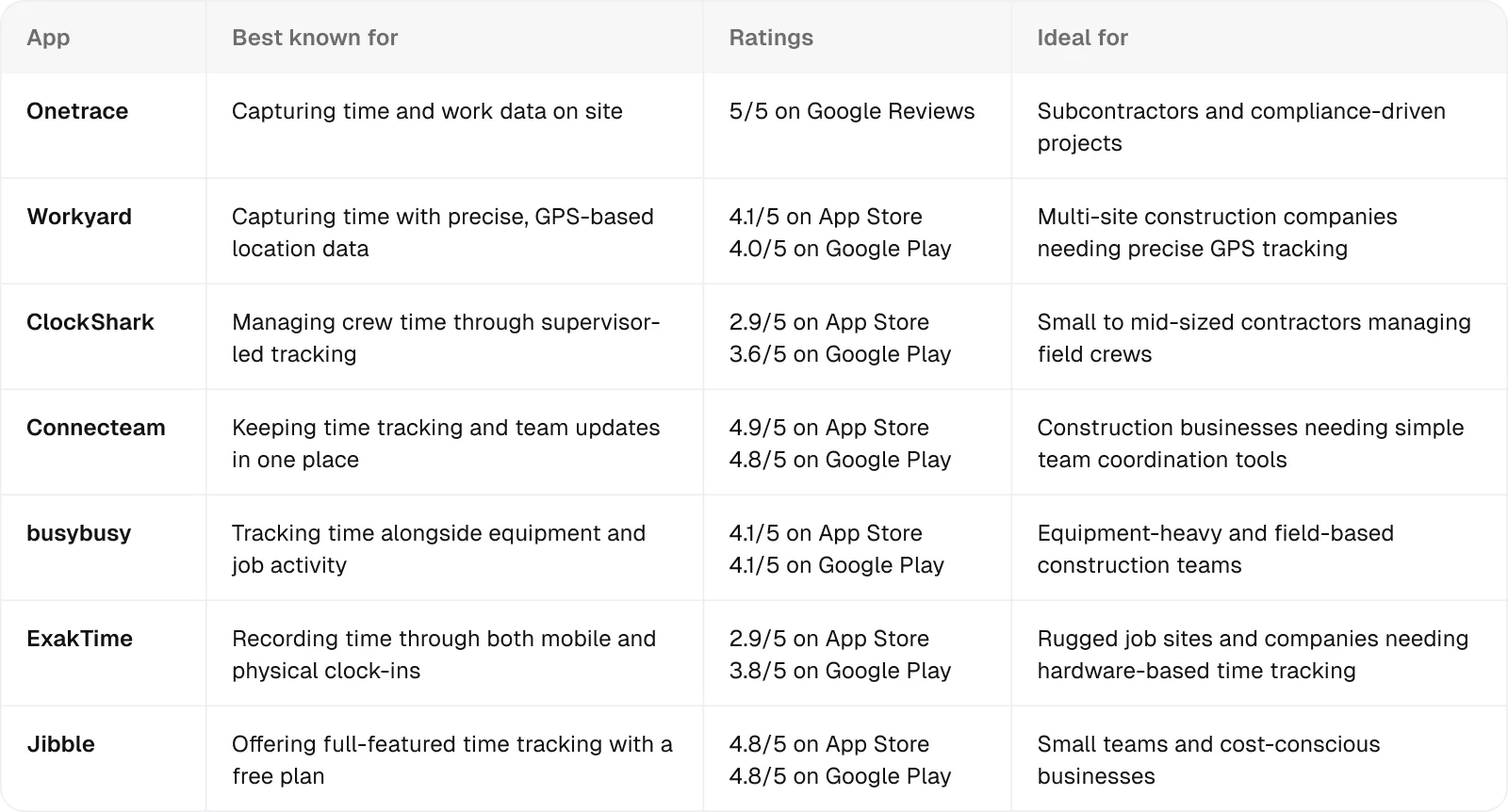
1. Onetrace: Best for subcontractors and compliance-driven projects
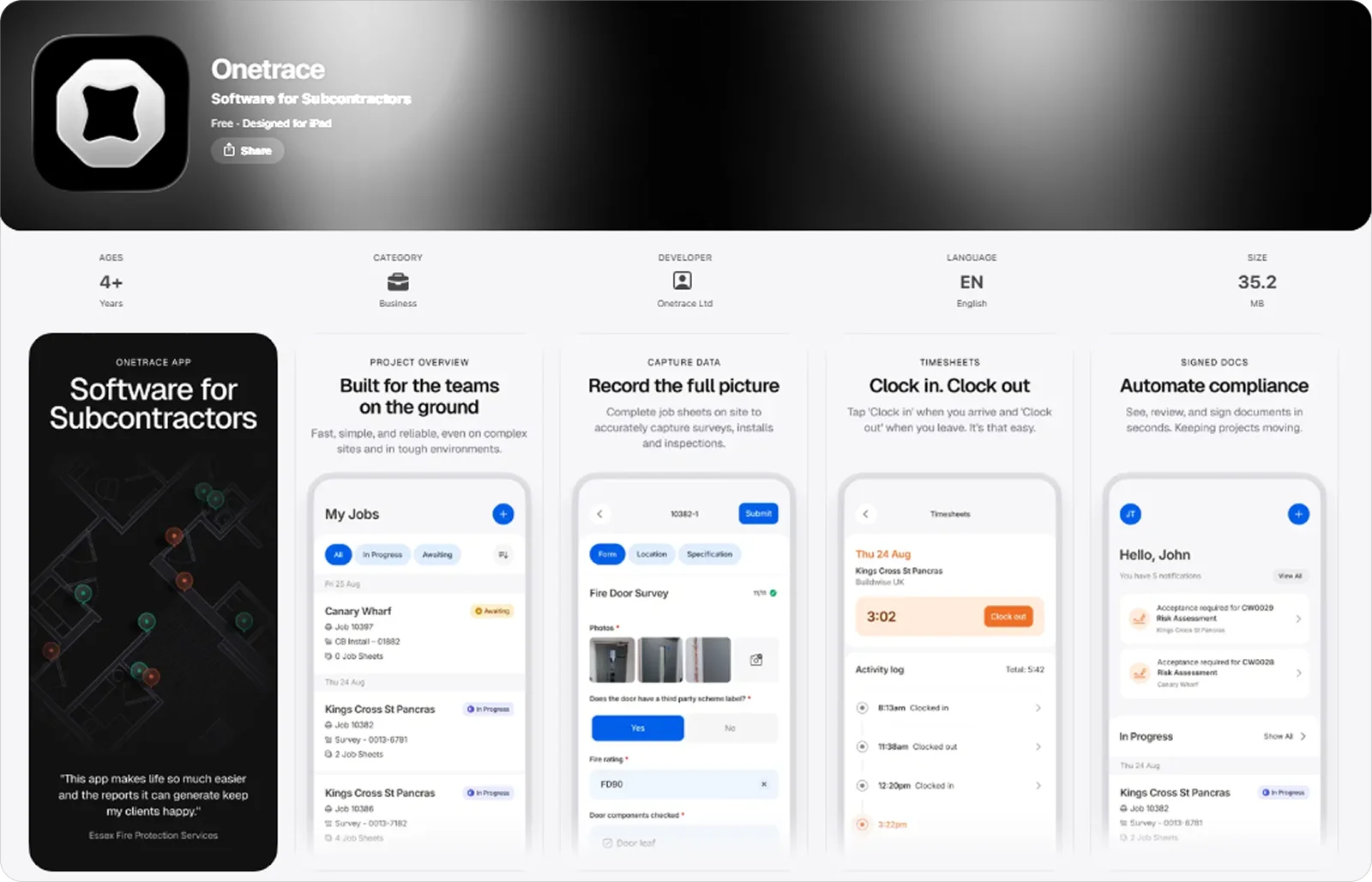
Onetrace is construction software built for subcontractors, with a mobile app that lets teams capture work as it happens on-site.
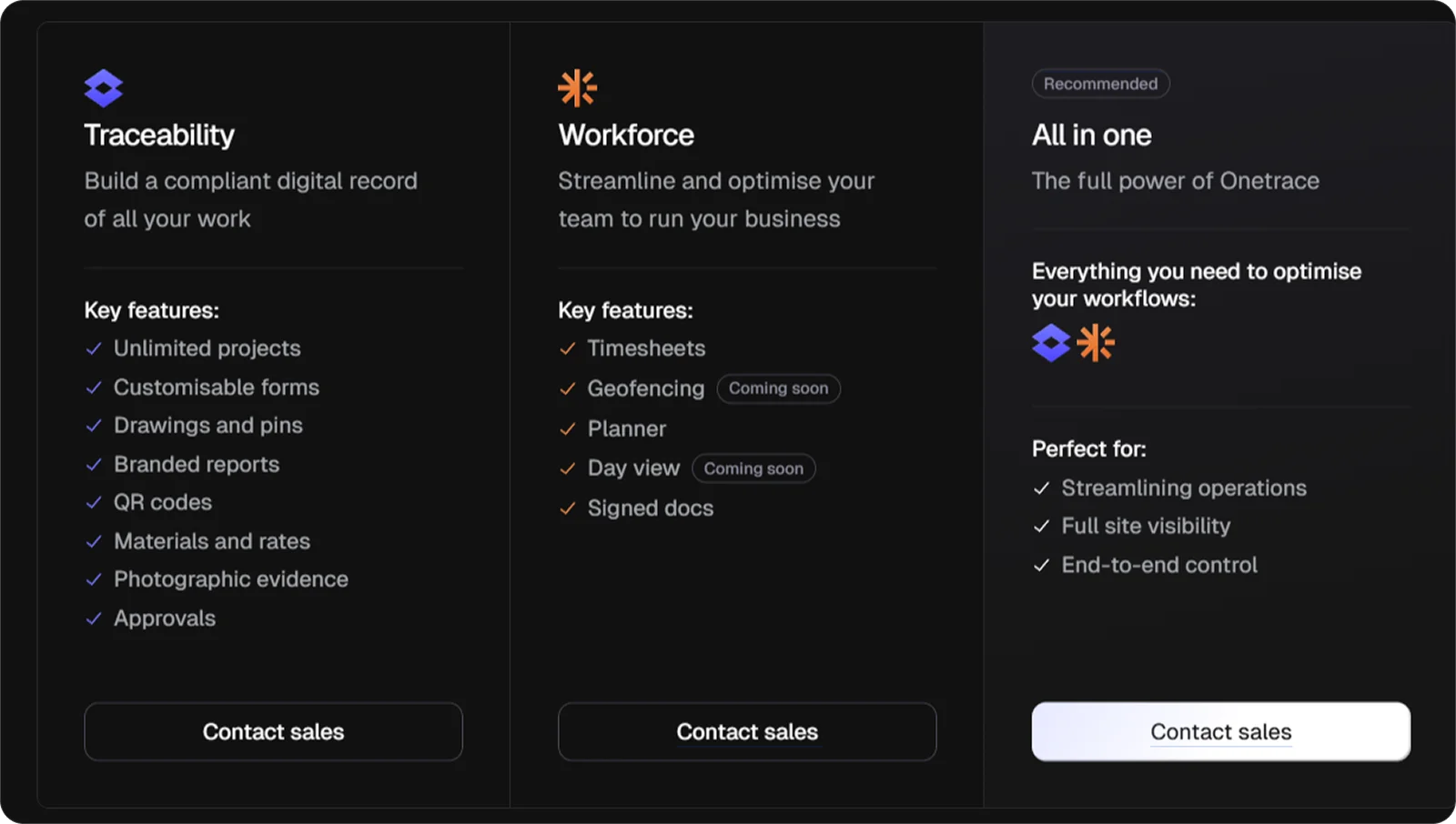
Timesheet functionality sits within its Workforce product, which integrates time tracking into a wider workforce management setup used on-site every day.
Besides being purpose-built for subcontractors, it’s particularly well-suited for compliance-driven projects because it ties time tracking directly to documented work and site activity. As a result, it’s easier to stay compliant and keep transparent records across jobs.
Onetrace key features
Onetrace brings together the tools subcontractors need to track time and attendance on site, including:
Mobile clock-in and clock-out: Record working hours directly on site with simple start and stop actions tied to each project.
GPS-stamped entries: Capture location at the moment of clock-in and clock-out to confirm site attendance without continuous tracking.
Maps and directions: Get operatives to the right site with built-in maps, directions, and what3words for precise location details.
Centralised timesheet overview: Review hours and attendance across projects, teams, or individuals from a single place.
Offline time tracking: Keep recording time and activity even when there’s no signal, with data syncing automatically once reconnected.
Timesheet adjustments and approvals: Edit entries, log absences, and manage overtime to keep timesheets complete and accurate.
Operative schedules: Keep teams aligned with real-time schedule updates so they always know what’s next and where they need to be.
Quick start jobs: Start jobs and timesheets directly from the schedule, so operatives can begin work without extra steps.
Integrated document sign-off: Link recorded time with signed documents, such as RAMS and Toolbox Talks, to support on-site compliance.
Exportable timesheet data: Generate timesheet reports and export them for payroll, scheduling, or internal use.
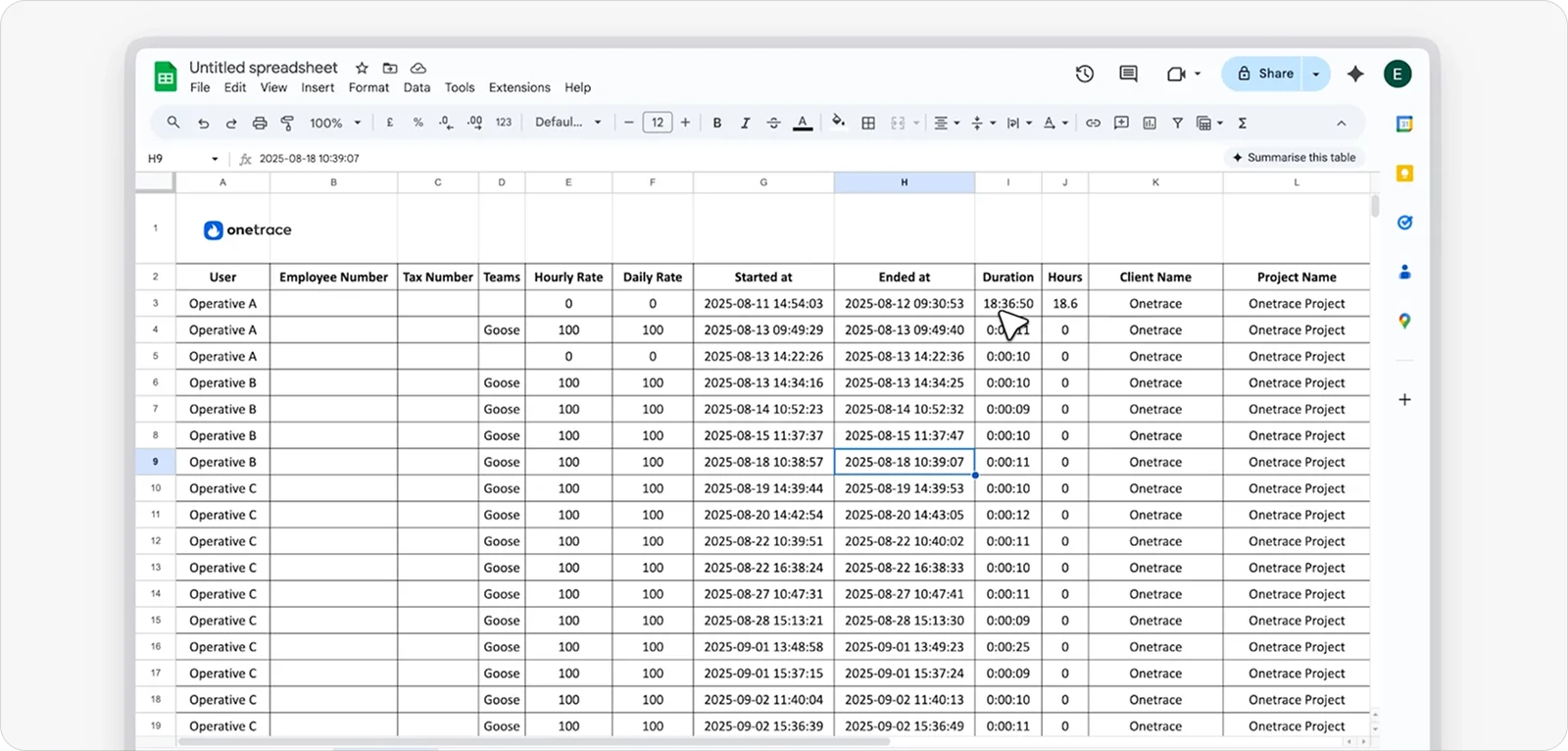
Geofencing is currently in development at Onetrace and will allow teams to set boundaries for clocking in and out, keeping timesheets tied to the correct site.
Onetrace benefits
The Onetrace app brings a number of practical benefits for construction teams that need reliable time tracking, including:
Ease of use on site: The app is designed for non-technical teams, so people can get started quickly without much training.
Speed and reliability in real conditions: Clock-ins and time entries go through without delay, even in busy site conditions.
Reduced admin workload: Time is captured as work happens, which reduces manual entry and end-of-day corrections.
Clear and controlled time tracking: Clock-ins include timestamps without continuously tracking workers throughout the day.
Secure data handling: Time and project data are stored securely, with a system that supports projects of any size.
Onetrace pricing
The app is free to download, but it can only be used with an active Onetrace subscription.
Pricing is based on a flexible per-user monthly model, allowing companies to scale usage up or down depending on project demands.
2. Workyard: Best for multi-site construction companies needing precise GPS tracking
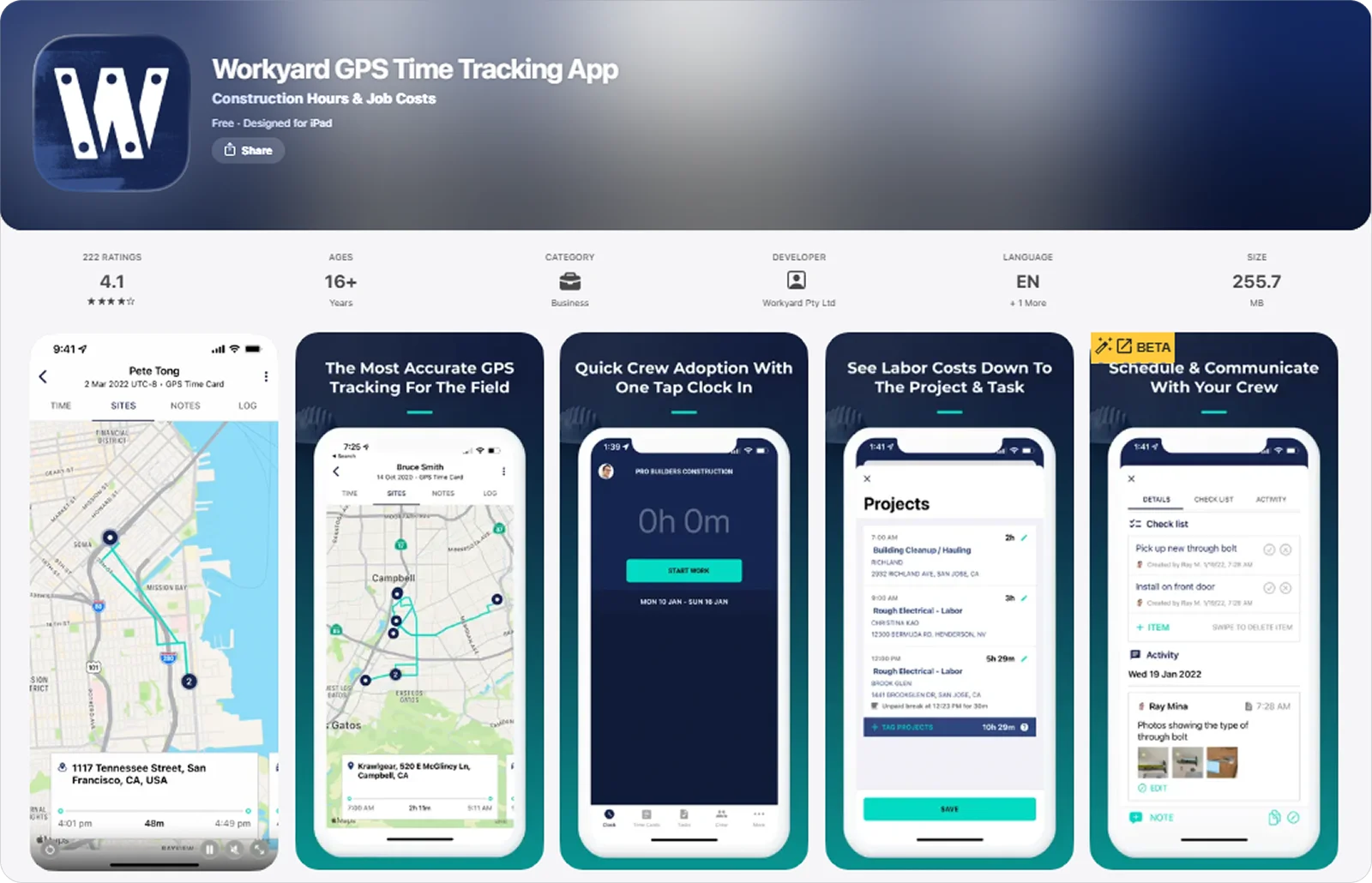
Workyard is construction time tracking software with a mobile app that on-site crews use to clock in and log work as they move between locations.
It stands out in multi-site environments because its high-accuracy GPS tracking captures exact arrival, departure, and travel data, giving a clear view of where time is spent across different job sites.
Workyard key features
Workyard allows teams to keep accurate records during the workday, with features like:
GPS time clock: Capture precise clock-in and clock-out locations to verify where work starts and ends.
Mileage and travel tracking: Record driving time and distance automatically to reflect movement between job sites.
Time cards with notes and photos: Add notes, images, and receipts to time entries to give context to recorded hours.
Workyard pricing
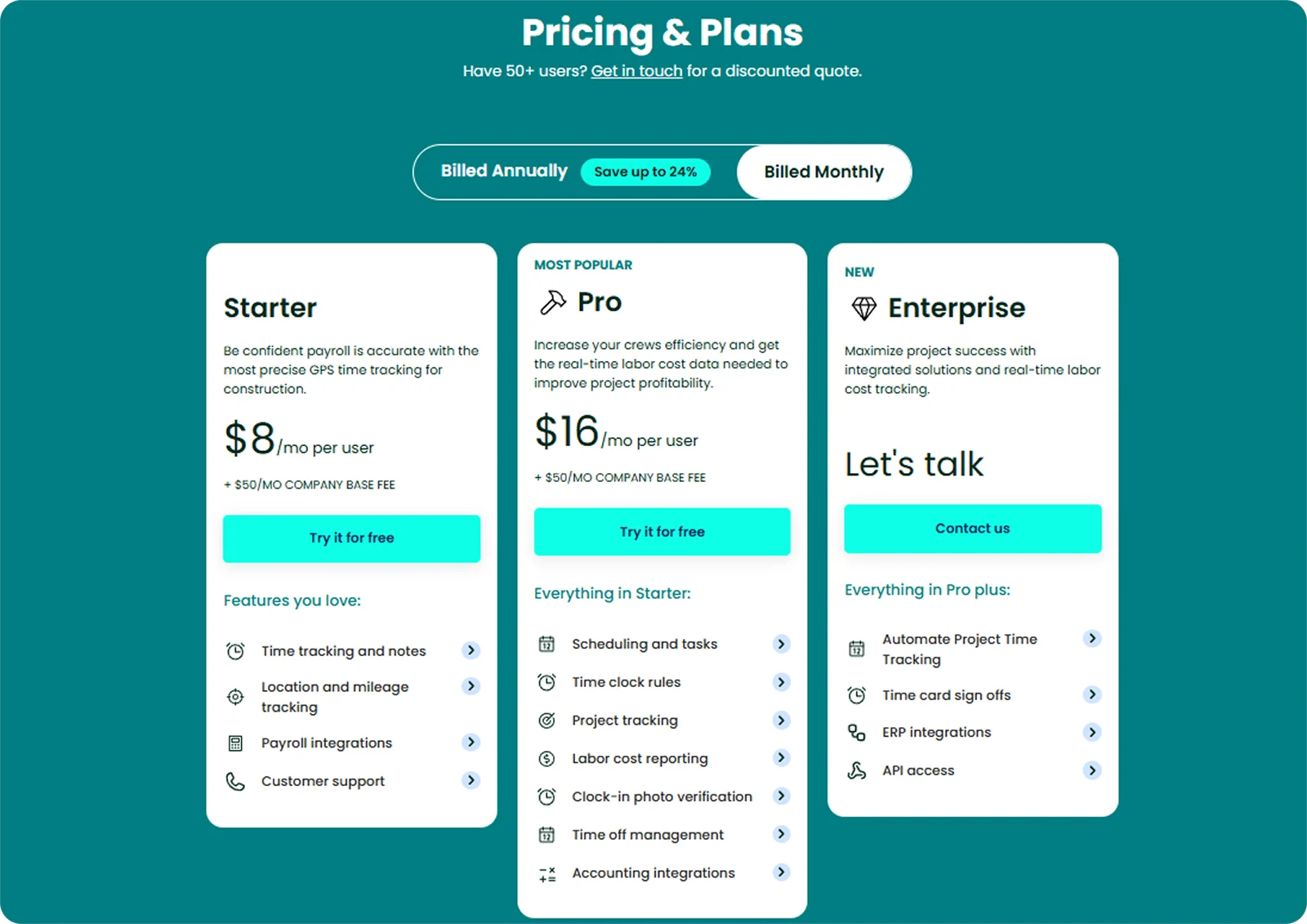
Workyard is a paid product, with the mobile app included as part of its subscription.
Pricing is structured per user with a base company fee. It scales across tiers that add features like scheduling, automation, and more advanced project and reporting tools as needs grow.
3. ClockShark: Best for small to mid-sized contractors managing field crews
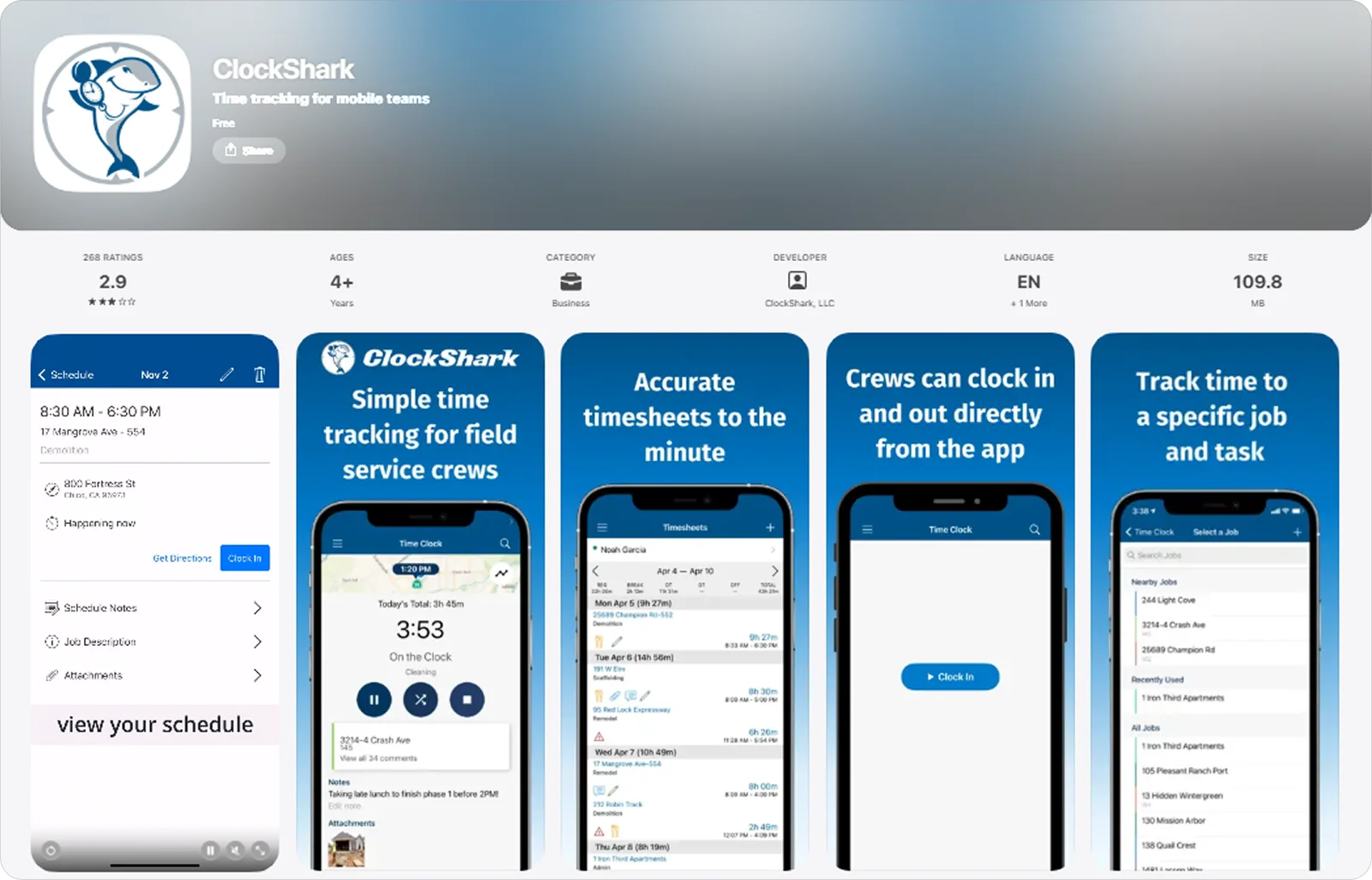
ClockShark is a cloud-based time tracking and scheduling platform, offering a mobile app that crews can use to clock in, switch between jobs, and log time on-site.
It works well for smaller and mid-sized contractors because it combines simple time tracking with crew-level tools like supervisor-led clock-ins.
ClockShark key features
ClockShark offers tools that fit into how crews operate on-site, including:
Mobile time tracking: Clock in, switch between jobs, and record time directly from the app to keep entries up to date.
CrewClock: Let a crew leader log time for the whole team from one device to keep everyone accounted for.
GPS-stamped timesheets: Capture clock-in and clock-out locations to confirm attendance and add context to time entries.
ClockShark pricing
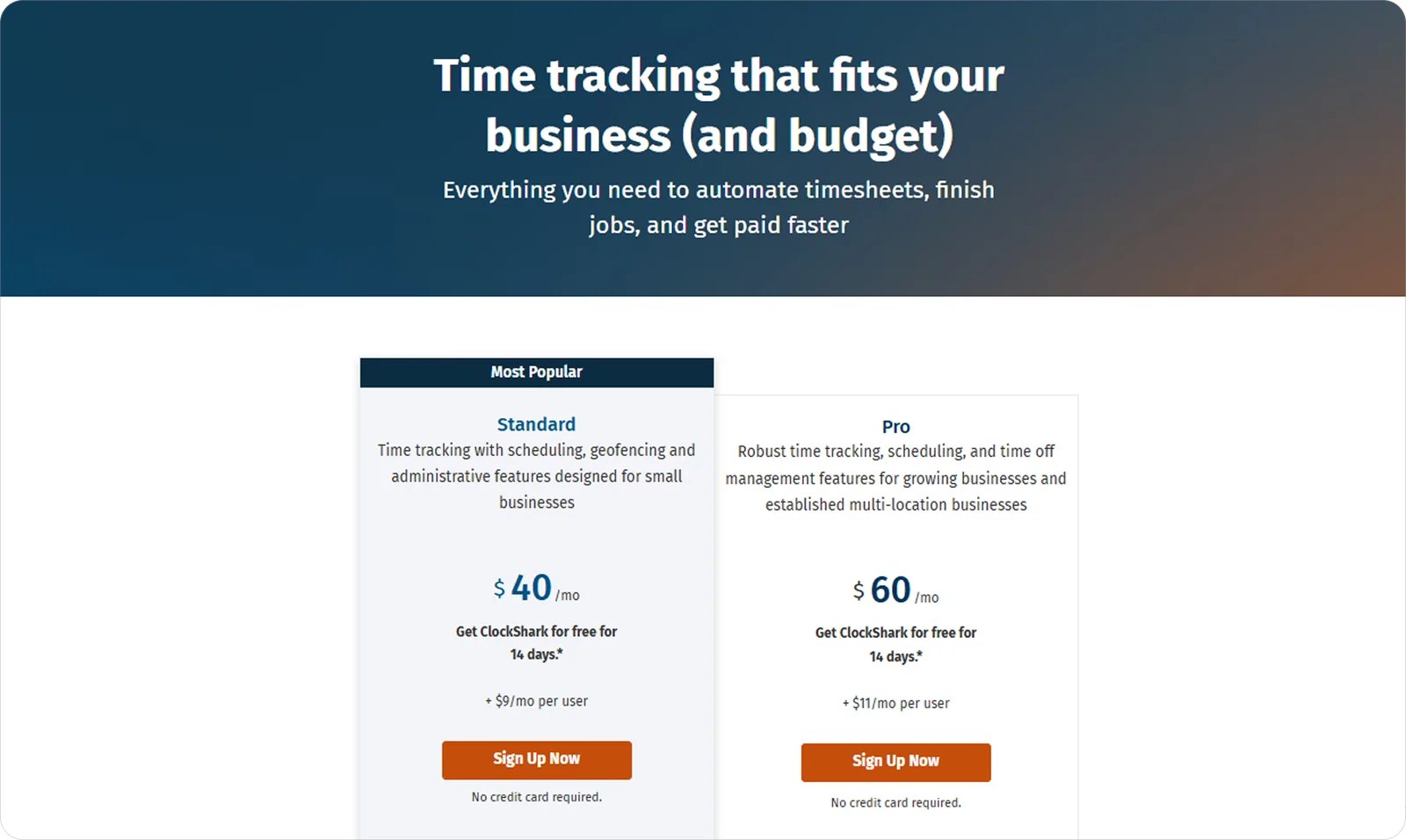
Access to ClockShark requires a paid subscription, with the mobile app included in all plans.
Pricing combines a monthly base fee with a per-user charge, with higher tiers adding features like time-off tracking and more advanced team controls.
4. Connecteam: Best for construction businesses needing simple team coordination tools
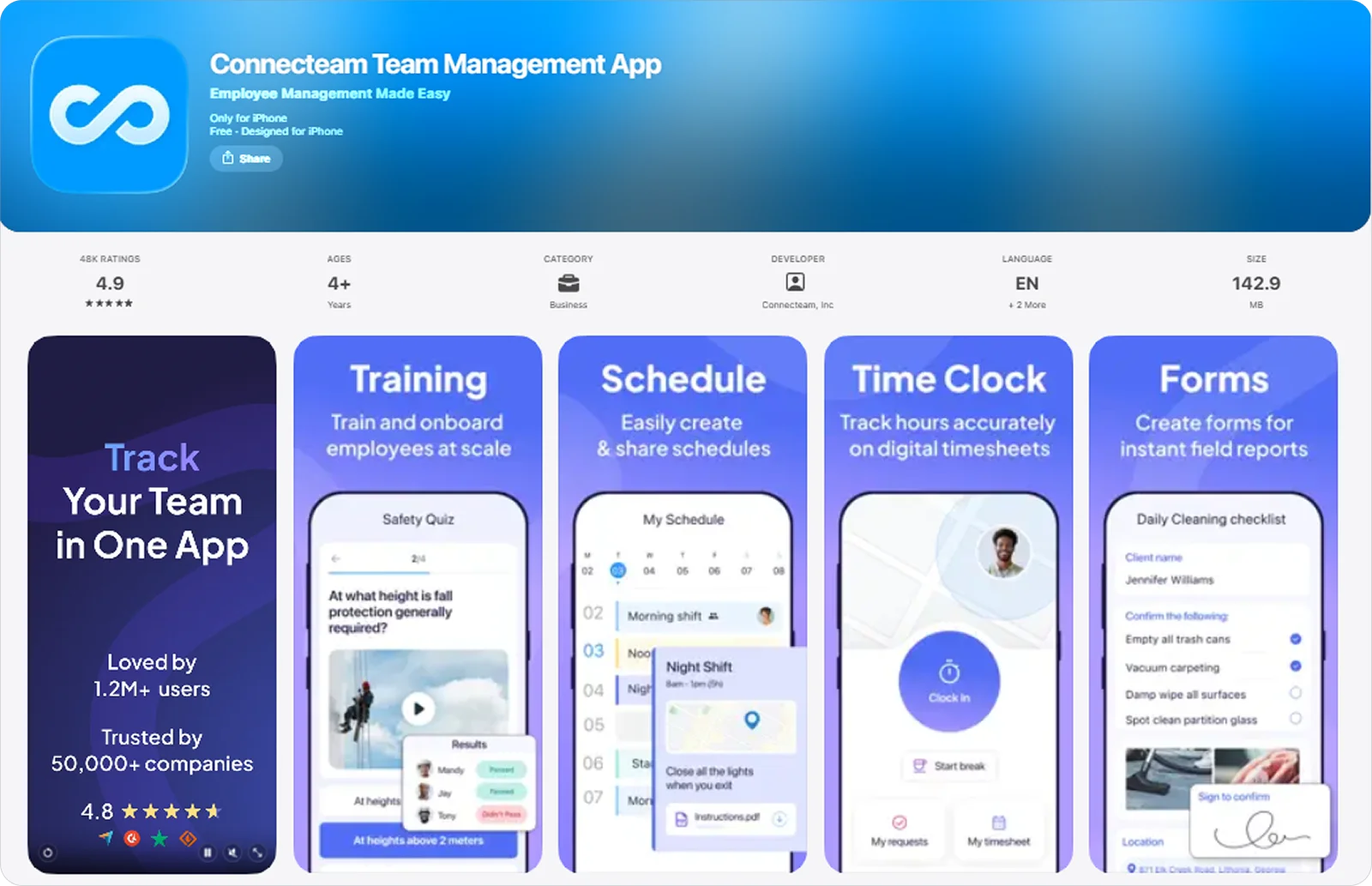
Connecteam is a workforce management platform with a mobile app that teams use to stay connected throughout the workday.
It’s a strong fit for construction businesses that need a straightforward way to keep teams aligned, since scheduling, communication, and time tracking are all kept simple and easy to manage.
Connecteam key features
Connecteam allows teams to track time alongside their daily work, with tools like:
Mobile time clock: Clock in and out from any device to keep working hours recorded throughout the day.
GPS tracking with geofencing: Capture location data at clock-in and set site boundaries to ensure time is linked to the right place.
Automated timesheets: Generate timesheets automatically with built-in rules for breaks, overtime, and reminders.
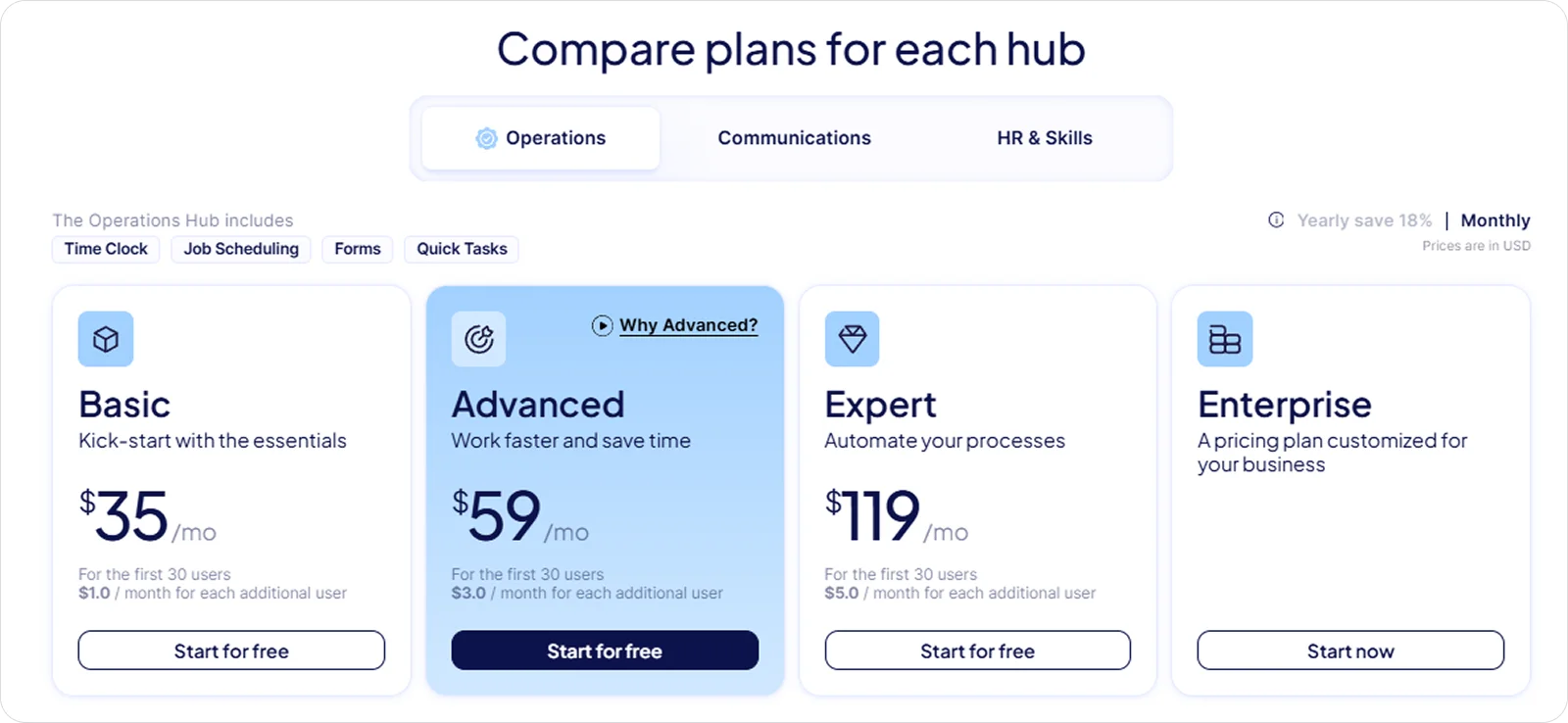
Connecteam pricing
Connecteam offers both free and paid plans, with the app included across all tiers.
Pricing is structured around monthly plans that cover a set number of users, with additional per-user costs as teams grow.
5. busybusy: Best for equipment-heavy and field-based construction teams
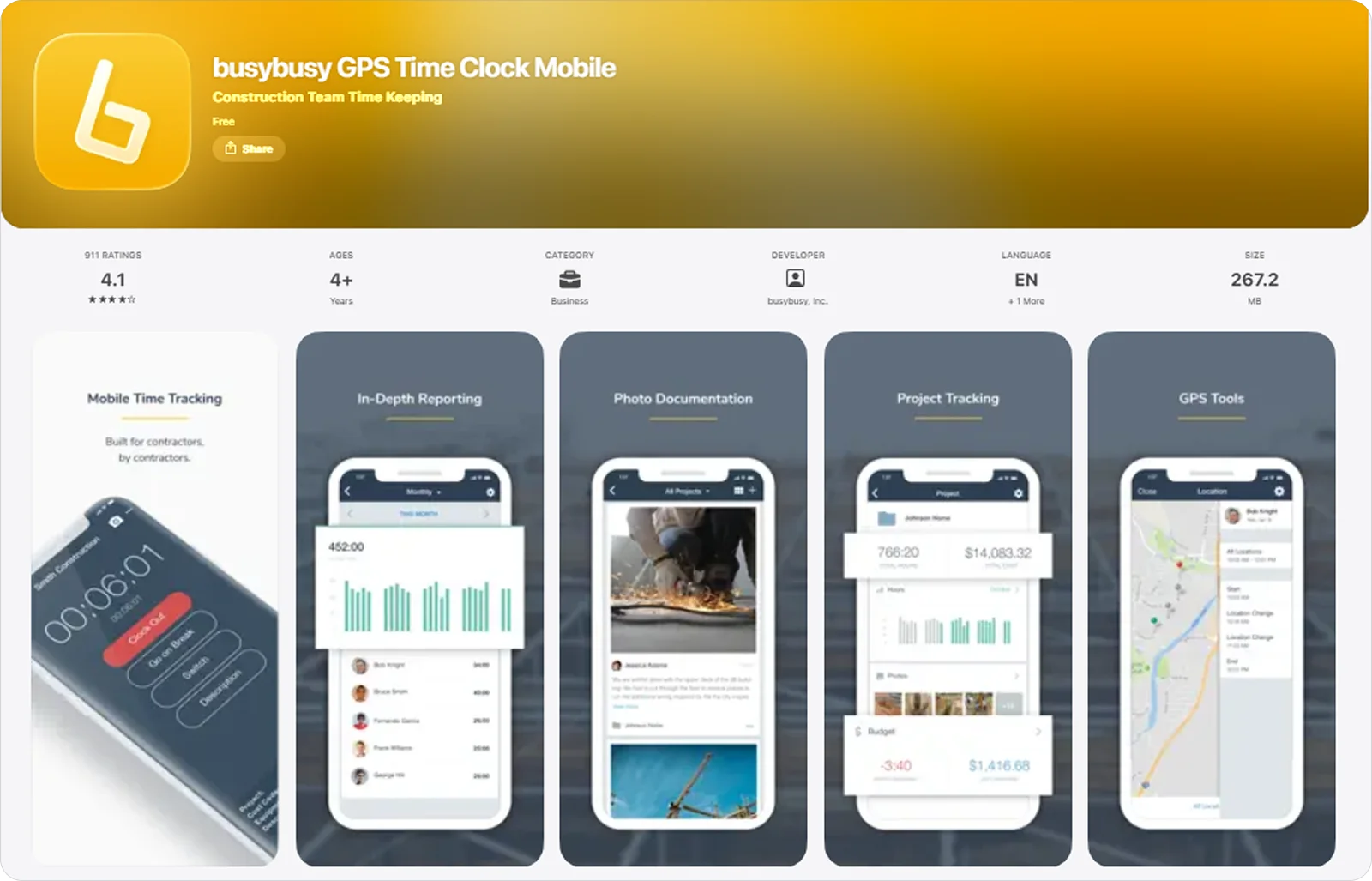
busybusy is a construction time tracking and job costing platform, which includes a mobile app for recording work directly from the field.
It fits equipment-heavy and field-based teams because time tracking can be linked directly to equipment and tasks, not just hours worked.
busybusy key features
busybusy allows teams to track time alongside equipment and project activity, thanks to tools like:
Mobile clock-in and kiosk mode: Record time on personal devices or shared kiosks to keep hours logged across different crew setups.
Supervisor time tracking tools: Log and adjust time for entire crews, assign projects or cost codes, and manage entries in one place.
Time tracking with equipment tagging: Link time entries to specific equipment and tasks to reflect how work is carried out on-site.
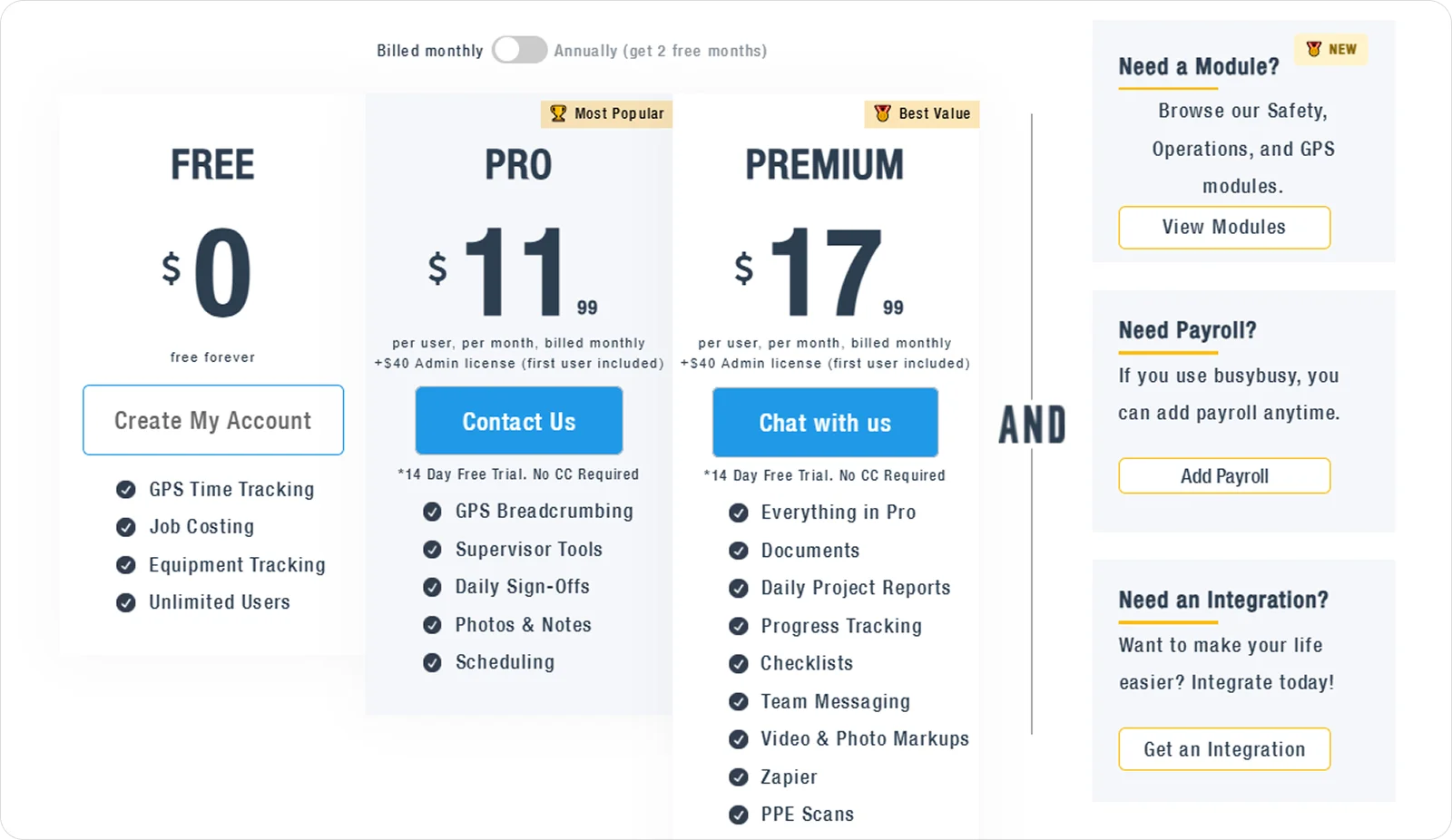
busybusy pricing
busybusy offers a free plan with core time tracking features, while paid plans unlock additional tools and reporting.
6. ExakTime: Best for rugged job sites and companies needing hardware-based time tracking
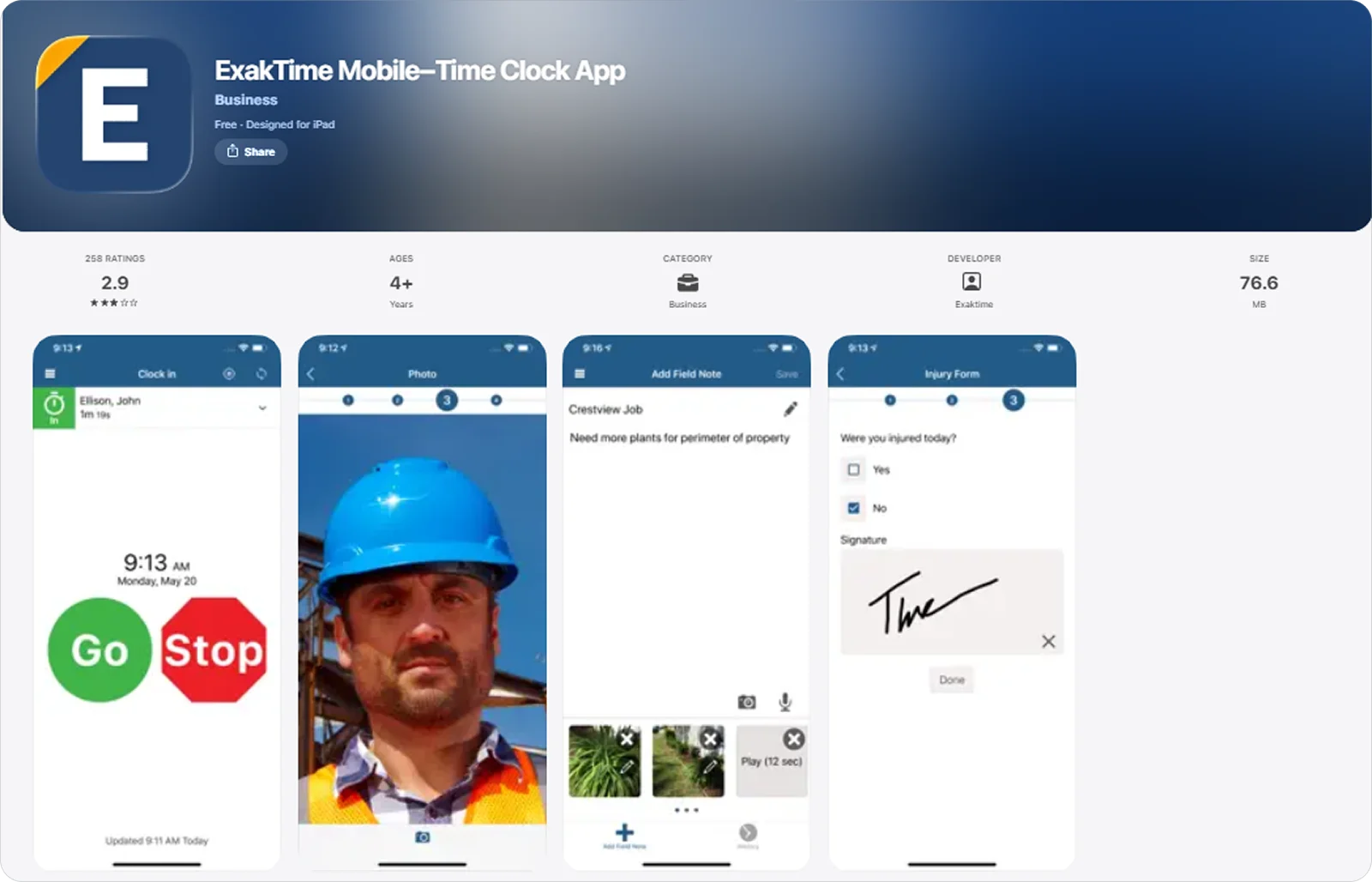
ExakTime is a construction time tracking system that combines a mobile app with physical time clock devices, giving teams multiple ways to record hours on-site.
This suits rugged job sites because it offers hardware-based clock-ins, so teams can still record time reliably even in harsh conditions or where phone use isn’t practical.
ExakTime key features
ExakTime allows teams to accurately track time on site with features like:
Mobile clock-in with GPS stamping: Record time entries with location data to confirm when and where work starts and ends.
Crew-based time tracking: Log time for entire crews at once to keep entries consistent across teams.
Biometric and PIN-based verification: Verify worker identity at clock-in to ensure each entry is tied to the right person.
ExakTime pricing
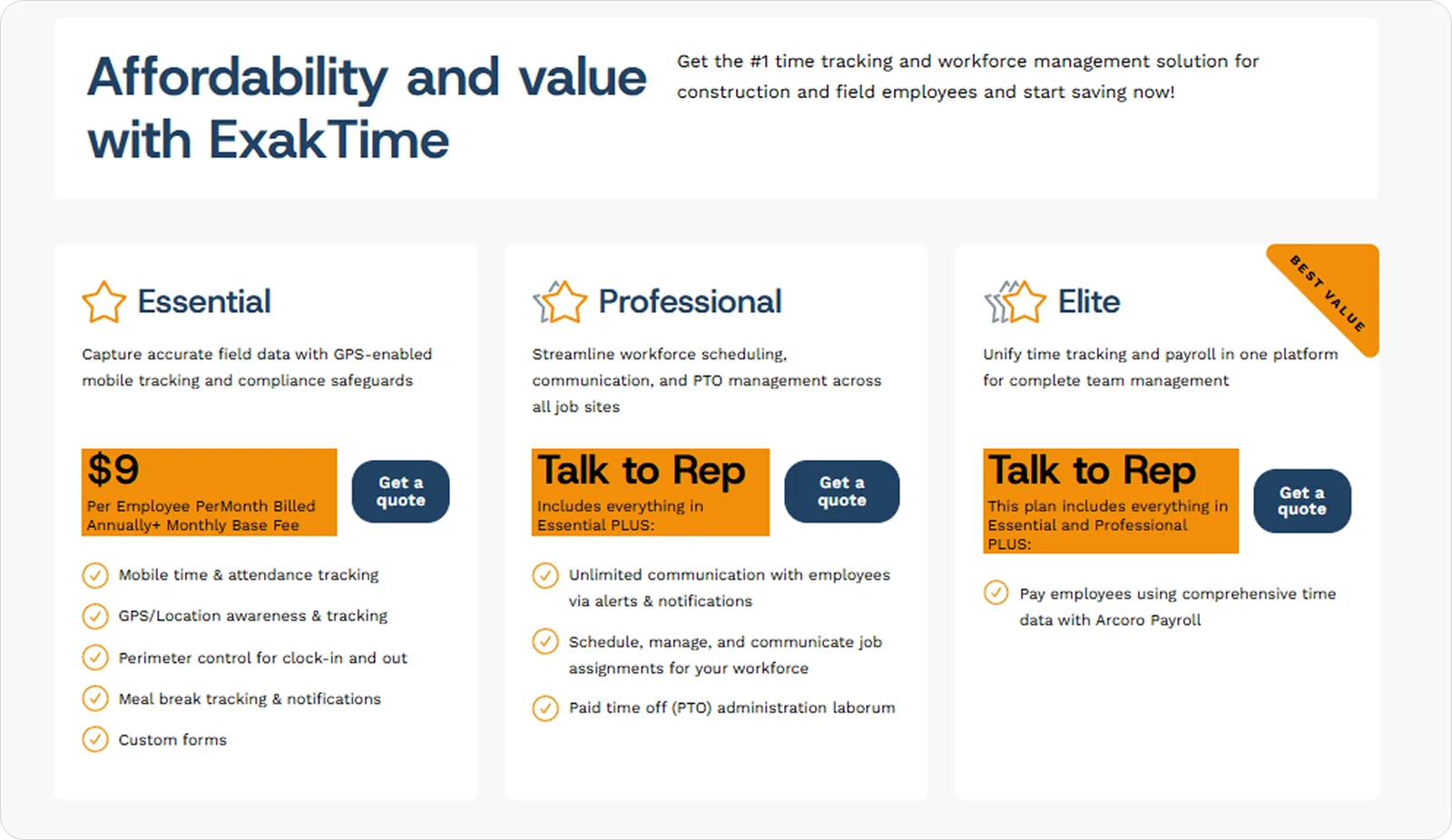
ExakTime is offered through tiered subscription plans, with pricing based on the number of employees and a base fee.
The mobile app is included as part of the system.
7. Jibble: Best for small teams and cost-conscious businesses
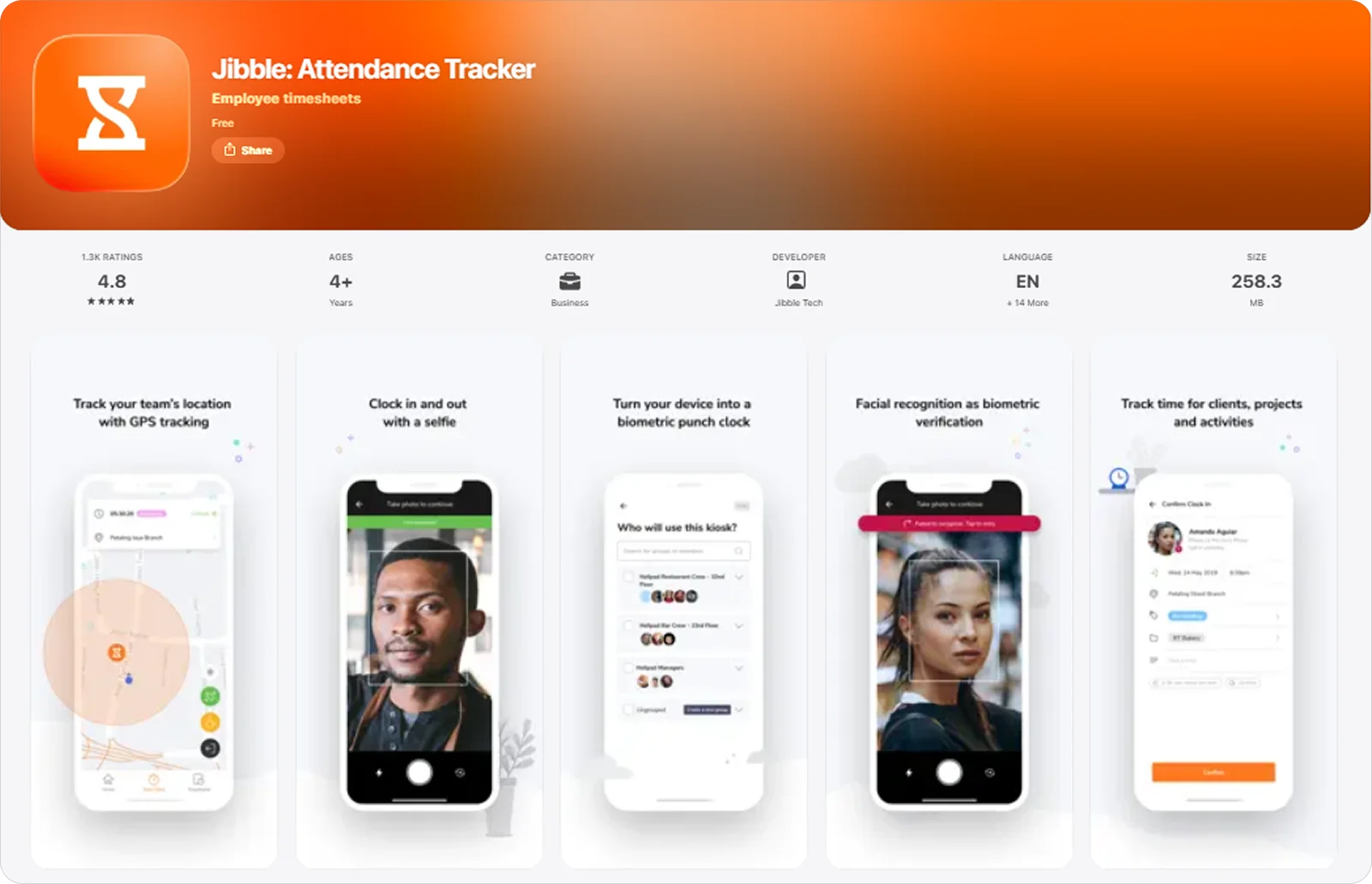
Jibble is a time tracking app that teams can run on mobile devices or shared kiosks to record hours and attendance throughout the day.
It works well for smaller teams and budget-conscious businesses because it offers a fully functional free plan with core timesheet features, making it easy to get started without upfront cost.
Jibble key features
Jibble’s key features include:
Mobile and kiosk clock-in: Record time from personal devices or shared stations to suit different team setups.
Biometric verification: Confirm attendance with facial recognition to ensure each time entry is linked to the right person.
GPS tracking with geofencing: Capture location data and set site boundaries to keep time entries tied to the right place.
Jibble pricing
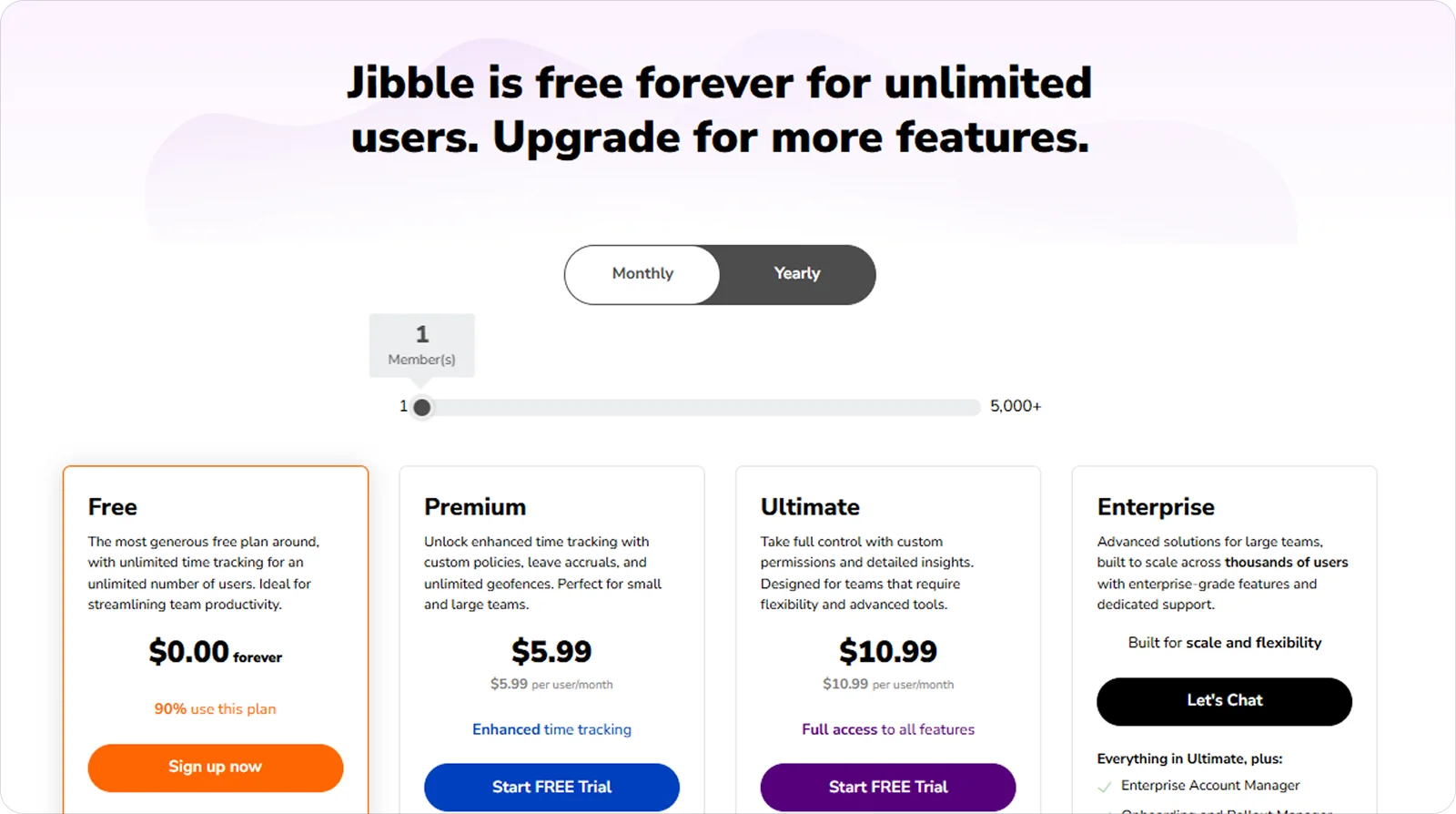
Jibble offers a free plan with unlimited users and core time tracking features, making it accessible to small teams.
Paid plans are available on a per-user basis, adding more advanced controls, reporting, and management features as needs grow.
What is the best timesheet app for construction companies?
There isn’t one single ‘best’ timesheet app for construction. The right choice depends on how big your team is, how you work on-site, and what problems you’re trying to solve.
For example, if your priority is high-accuracy location tracking, tools like Workyard stand out because they focus on precise GPS data and site-based time entries.
If you’re running a smaller crew and need something simple to manage day to day, ClockShark works well as it keeps time tracking and crew management pretty straightforward.
For teams that need more than just basic timesheets, Onetrace offers a more complete setup by combining time tracking with compliance records and documented site activity, so everything is captured in one place as work happens.
Getting started with Onetrace
The best way to get started with Onetrace is to book a personalised demo, so you can see how it fits your workflows and get set up based on how your team actually operates.
Once you’re up and running, your team can download the app on iOS or Android and start capturing time, attendance, and site activity straight away.
Marketing Team
@Onetrace
The Onetrace marketing team is passionate about sharing insights, ideas, and innovations that help construction businesses stay connected, compliant, and efficient. Combining industry expertise with a love for clear communication, we aim to deliver content that empowers professionals to work smarter and safer.