Challenges of GPS tracking in construction: 7 solutions

By
Marketing Team
@Onetrace
Fleet telematics—the use of GPS and connected data to track vehicles and equipment—has been on the rise across the construction industry.
In the UK alone, the fleet telematics market has grown into a billion-pound industry and is expected to keep expanding over the coming years.
Alongside this, another form of telematics is gaining attention: GPS-verified workforce tracking, in which location data is used to confirm that workers have genuinely clocked in and out on site.
Used thoughtfully, GPS improves accuracy and trust. Used poorly, it undermines both.
With that in mind, let’s look at the main challenges of GPS tracking in construction and what can be done to address them.
Key takeaways
GPS works best when it is limited to key moments
The most effective use of GPS in workforce management is capturing location only at clock-in and clock-out. This links time to place without tracking movement throughout the day, keeping records accurate while avoiding unnecessary intrusion.Geofencing adds certainty where GPS alone can fall short
Virtual site boundaries help confirm whether clock-ins actually happened on site. This reduces disputes caused by GPS drift, especially on tight or complex sites, and it makes attendance records more reliable.Accurate data only matters if it flows into payroll smoothly
Verified time data becomes valuable when it feeds directly into reporting and payroll. Clear reports and easy exports reduce manual fixes, speed up payroll, and support better job costing and planning.Most GPS challenges are operational, not technical
Issues around trust, compliance, accuracy, and fairness usually come down to setup, policies, and training. Clear rules, human oversight, and sensible handling of edge cases prevent small technical problems from becoming people problems.The right software makes these challenges easier to manage
Tools like Onetrace are designed around real site conditions, with clear limits on tracking, strong data protection, and flexible timesheet controls.
How GPS data is used in construction workforce management
To understand the challenges of GPS tracking in construction, it helps to first see how GPS data is actually used in workforce management.
1. GPS-verified clock in and clock out
The core use case of GPS tracking for construction workers is simple: confirming that people are clocking in and out while they are actually on site.
How does this work?
At the moment operatives clock in or out, a GPS location stamp is captured. This creates a clear link between time and place, showing when a shift began or ended and where the action occurred.
Pro tip:
GPS time tracking is most effective when it’s designed around the day-to-day reality of operatives on site. If clocking in feels slow, awkward, or fiddly, people will find workarounds, and the data will quickly lose value.
The aim should be to make time tracking simpler than the old paper process, not harder.
That’s why it’s worth choosing a tool that lets operatives start and end their shift with minimal effort.
Time-tracking software like Onetrace allows workers to clock in and out in a few taps, with GPS data captured automatically in the background.
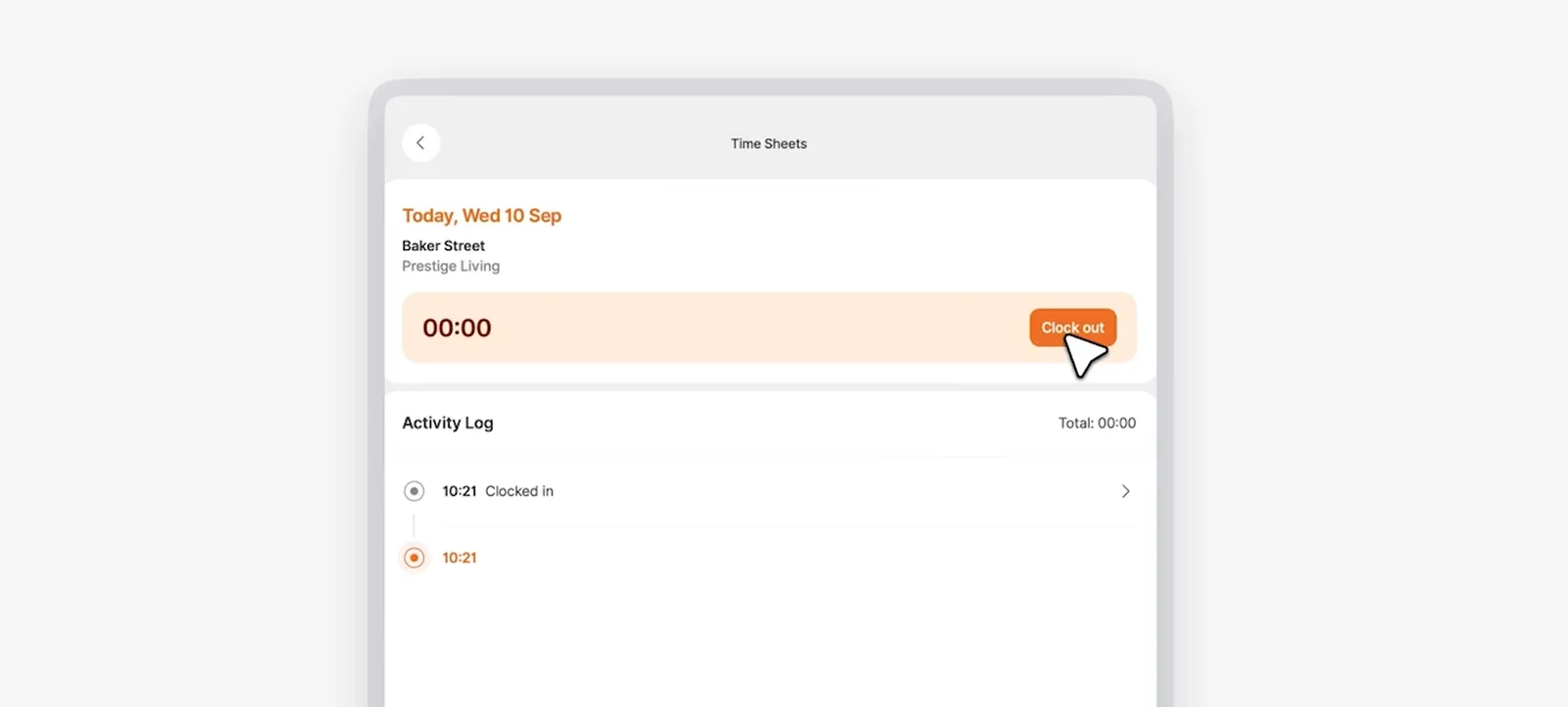
This approach removes unnecessary steps and extra admin, leaving a simple and reliable way to record time on site.
2. Geofencing to clock in and out and confirm on-site attendance
GPS clocking on its own helps record when a shift starts and ends, but it doesn’t always tell the full story.
Location accuracy can vary, so without clear boundaries, it can be hard to say whether someone was genuinely on site or just nearby.
Geofencing adds that missing layer of certainty by using GPS data to create a virtual boundary around a construction site or work area.
When a worker clocks in or out, the system checks whether that action happened within the defined zone. Some tools can even automate this process, with operatives clocking in automatically as soon as they enter the geofenced area.
In practice, this enables the following:
Clock-ins can be confirmed against the actual site location.
Off-site punches can be flagged or prevented.
Arrivals and departures can be recorded more reliably.
Operatives can start work without delays caused by manual clocking.
3. Automatic time records and timesheets
After time and attendance are verified using GPS and geofencing, the next step is turning that information into reliable records.
This is where automatic time records and timesheets come in.
Hours worked, breaks, overtime, and site attendance are captured as part of the process, ready for review and approval.
4. Reporting and payroll integration
Reporting tools turn GPS-verified time and attendance into clear information that managers can use to review:
Hours worked
Site attendance
Labour costs across projects
Because the data is already verified, reports are more consistent and easier to trust, supporting job costing, planning, and better decision-making.
Equally important is how easily that data flows into payroll and accounting systems.
When time, attendance, and mileage can be shared securely with the tools you already use, much of the manual work disappears. Payroll runs faster, reimbursements are more accurate, and teams spend less time fixing errors and more time focused on the job.
Pro tip:
Making time tracking easy for operatives is only half the picture. It also needs to work just as smoothly for the people reviewing, checking, and paying for that time.
With Onetrace, admins can view timesheets filtered by individual, team, or project, giving a clear picture of work completed across sites.
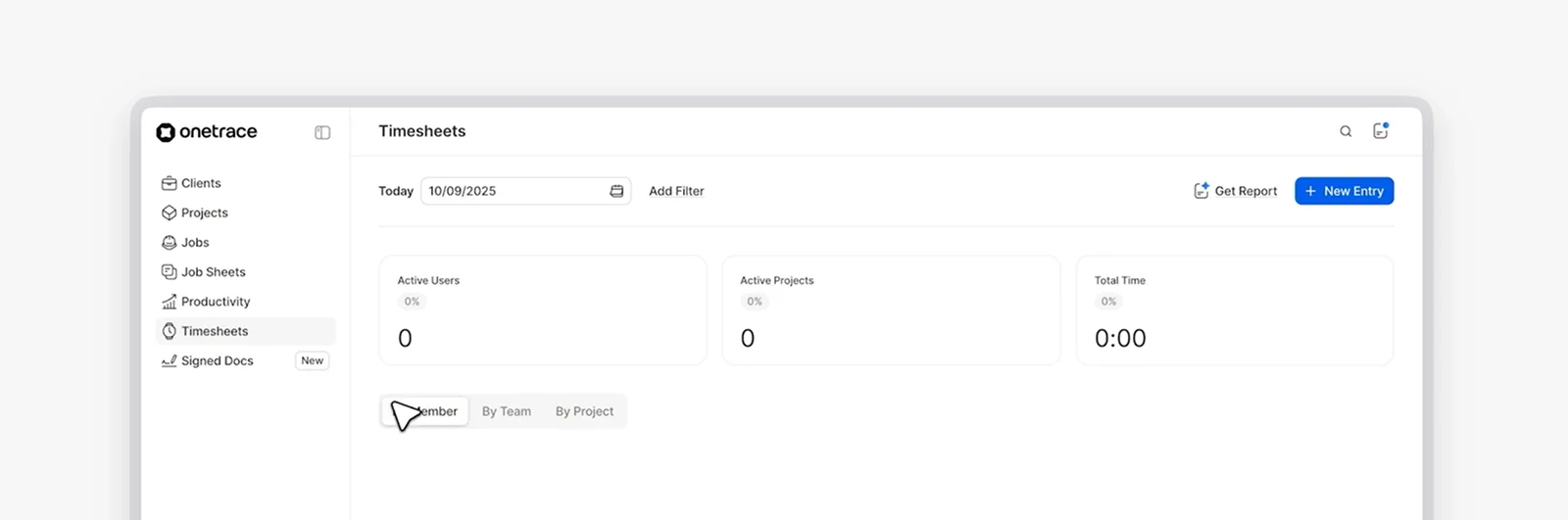
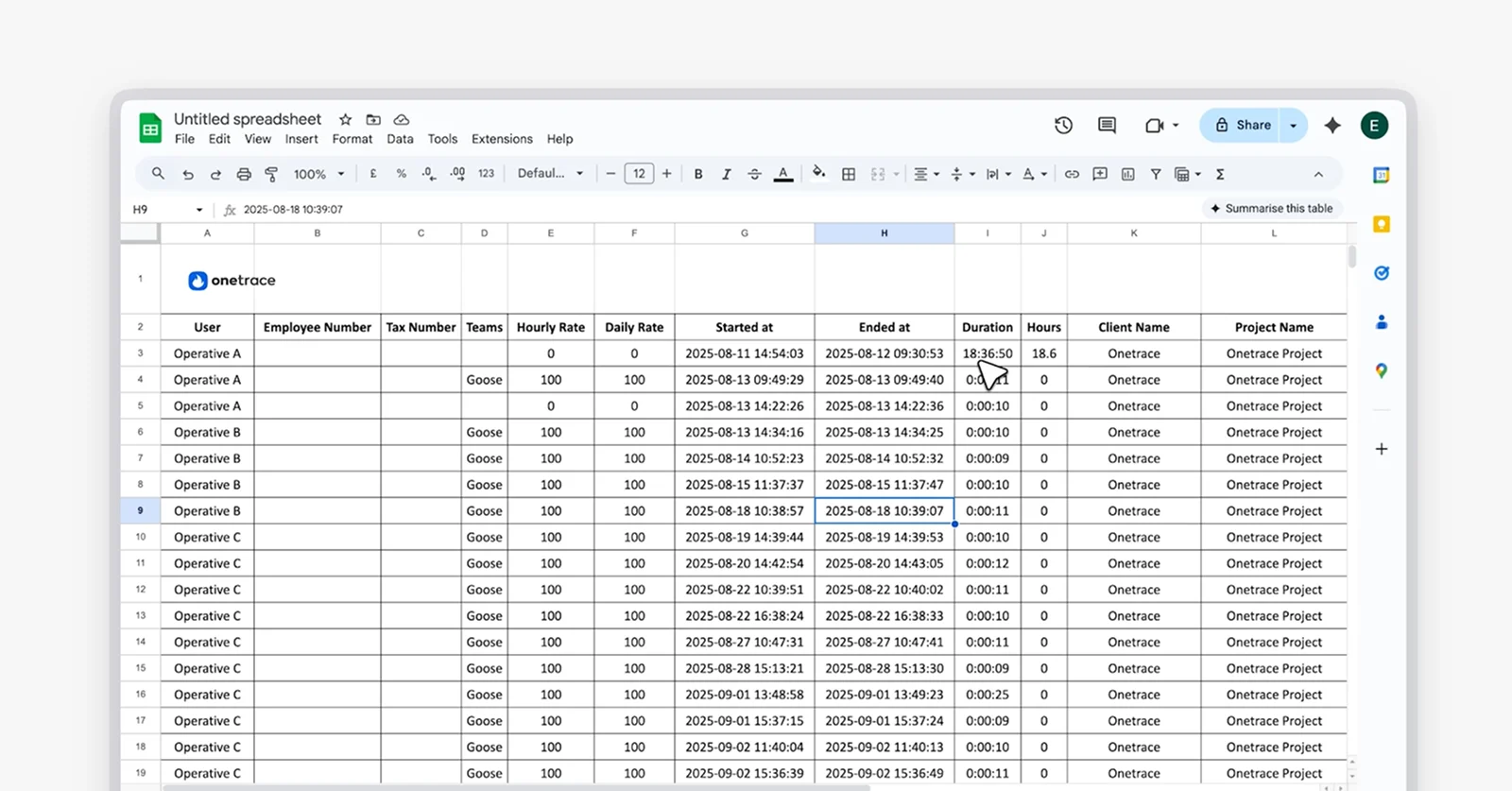
Data can then be exported into Excel, making it straightforward to use for payroll, scheduling, or sharing with other HR and payment systems.
6 key challenges of GPS tracking in construction
GPS tracking for construction workers presents challenges on two fronts: the act of tracking people on site, and the way tracking software is implemented and used.
1. Privacy concerns and worker trust
GPS tracking can raise concerns if workers feel like they are being watched too closely or don’t understand how the data is used. Without clear boundaries, tracking can be seen as intrusive rather than practical, which can lead to:
Pushback
Lower morale
A breakdown of trust between teams and management
2. Data protection and security risks
GPS time data counts as personal information and needs to be handled carefully. If access controls are weak or systems are poorly secured, there is a risk of unauthorised access or data breaches.
Connected GPS systems can also be vulnerable to interference, creating concerns about how reliable and protected location data really is.
3. Legal and regulatory compliance
Privacy and data protection are governed by law, not only by employee expectations.
In the UK, GPS tracking for workforce management is regulated by a mix of data protection, human rights, and employment law, including:
UK General Data Protection Regulation (GDPR): Under UK GDPR, GPS location data that can identify a worker is classed as personal data and must be processed lawfully, transparently, and only for a clear and specific purpose, such as verifying time on site.
Data Protection Act 2018: This act reinforces UK GDPR requirements and sets out how personal data, including location data, must be handled securely while respecting workers’ rights to access and correct their information.
Human Rights Act 1998: This law protects a worker’s right to private life, meaning GPS tracking must be necessary, proportionate, and limited to legitimate work-related purposes.
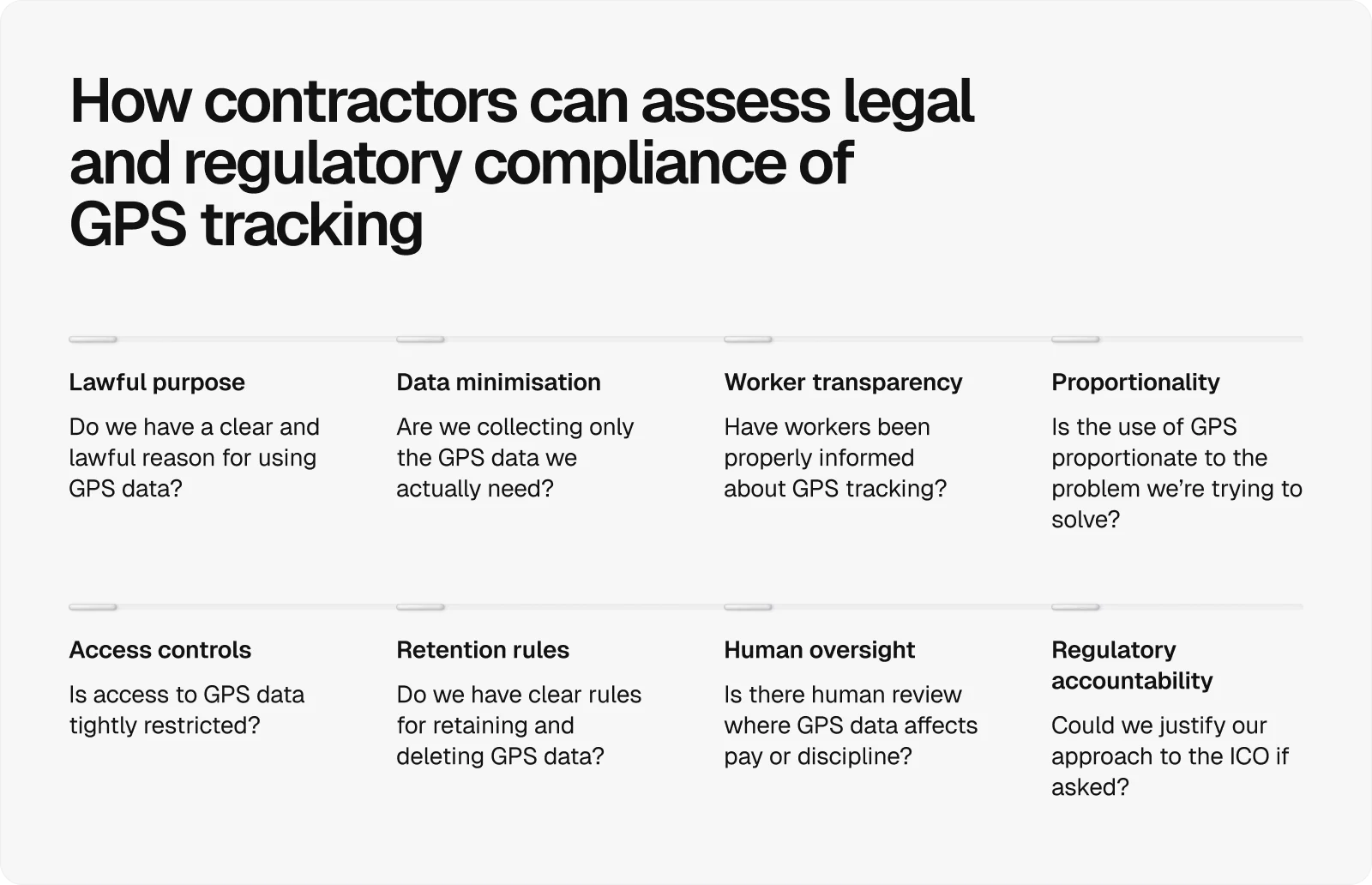
In this regard, the guidance from the Information Commissioner’s Office sets practical expectations for worker monitoring and is often used to judge whether GPS tracking has been implemented proportionately and lawfully.
4. Cost and return on investment
No matter the trade—plumbing, electrical, roofing, or general construction—any new software raises the same question: Is it worth the cost? GPS tracking is no different.
Introducing workforce GPS can involve costs like:
Upfront spend on software
Setup
Data plans
Ongoing maintenance
It may also require time and effort to integrate with existing systems, including:
Fleet management software
ERP or accounting systems
For smaller contractors or short-term projects, proving a clear return on investment can be difficult, especially if the benefits aren’t realised quickly or consistently.
5. Accuracy and signal limitations on site
GPS doesn’t work perfectly on every construction site. The table below breaks down the most common causes of accuracy and signal issues on site:
Issue | Example | Effect on GPS |
Remote or low-coverage locations | Rural sites, motorways, wind farms, isolated infrastructure projects | Intermittent or unavailable signal, delayed or missing location data |
Physical obstructions | Steel frames, tall buildings, scaffolding | Interrupted or deflected signals |
Urban interference | Dense city sites or built-up areas | Location drift and reduced accuracy |
Tight site boundaries | Roadworks, infill housing plots, inner-city utilities work | Minor errors causing off-site readings |
Indoor work | Warehouses, plant rooms, enclosed spaces | Weak or unavailable signal |
Underground locations | Basements, tunnels, groundworks | No usable GPS signal |
These limitations matter because even small inaccuracies can lead to disputes over whether a clock-in or clock-out happened on site.
6. Automated decisions and fairness
GPS data is sometimes treated as definitive, even when it isn’t.
When time records or exceptions are handled automatically, without human review, small errors can have outsized consequences.
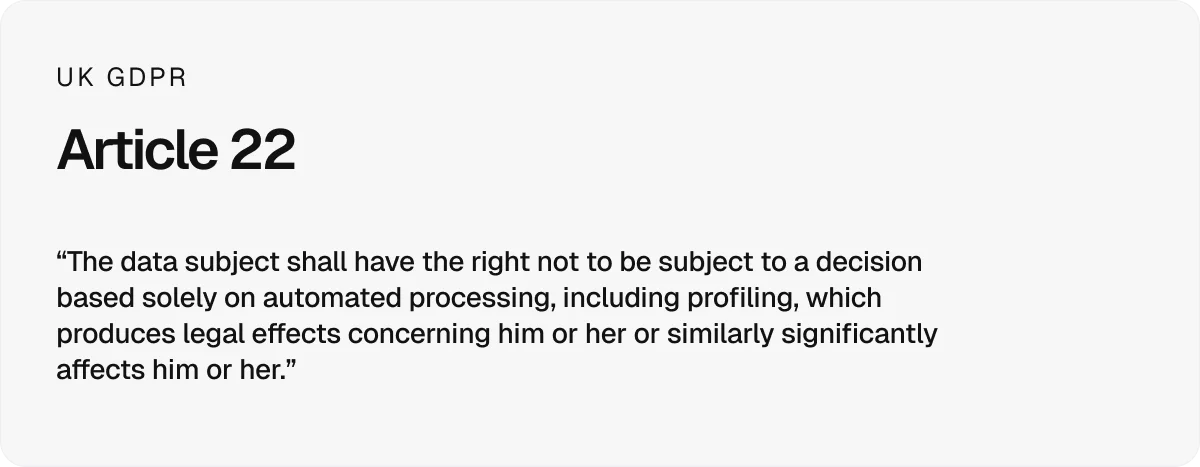
Under UK GDPR Article 22, workers have protections against decisions based solely on automated data, particularly where those decisions affect pay or discipline.
How to overcome challenges of GPS tracking in construction: 7 practical ways
Every challenge of GPS tracking in construction can be overcome with careful setup and day-to-day discipline. Here are seven practical ways to do that.
1. Start with a pilot before rolling out
Begin with a single site and one crew rather than rolling out GPS tracking everywhere at once. A small pilot makes it easier to gather feedback, spot practical issues, and adjust geofences or workflows early.
2. Put clear policies and guidance in place
Clear policies give GPS tracking a defined purpose and prevent misuse or misunderstanding.
These policies should set out the following, in plain terms:
Why GPS tracking is being used, such as verifying time on site
When GPS data is collected, and when it’s not
What data is recorded, and what is deliberately excluded
Who can access GPS data and for what reasons
How long data is retained and when it is deleted
How data is secured and handled responsibly
How workers can raise questions or concerns
Well-written policies create consistency, support compliance, and help build trust across teams.
Pro tip:
It helps to use time-tracking software that supports these policies by design.
For example, Onetrace makes it clear that GPS data is captured only at clock-in and clock-out, not tracked continuously during the day.
This kind of built-in limitation makes policies easier to enforce and easier to explain to workers.
3. Prioritise privacy, data protection, and security
Putting policies in place is a good start, but it isn’t enough on its own.
Protecting worker location data requires ongoing, conscious effort in how systems are set up, managed, and reviewed.
In practice, this means:
Limiting access to GPS data to people who genuinely need it
Storing data securely and protecting it from unauthorised use or breaches
Keeping GPS data only for as long as it serves a clear purpose
Removing or anonymising data once it’s no longer needed
Regularly reviewing settings and permissions to avoid data creep
4. Improve location accuracy where it matters
Improve accuracy where it actually affects time records, such as clock-in and clock-out. You can do so by:
Relying on geofencing instead of raw location points
Supporting GPS with short-range location signals where needed
Using multiple satellite systems rather than GPS alone
5. Handle edge cases fairly and consistently
Factors like dead phones, poor signal, emergencies, or shifts split across multiple locations can all affect clock-ins.
Building in clear override processes allows issues like these to be handled sensibly.
Logging decisions with notes helps maintain fairness, while avoiding automatic penalties prevents technical problems from turning into pay disputes.
Pro tip:
Automation helps keep time records consistent, but manual control still matters.
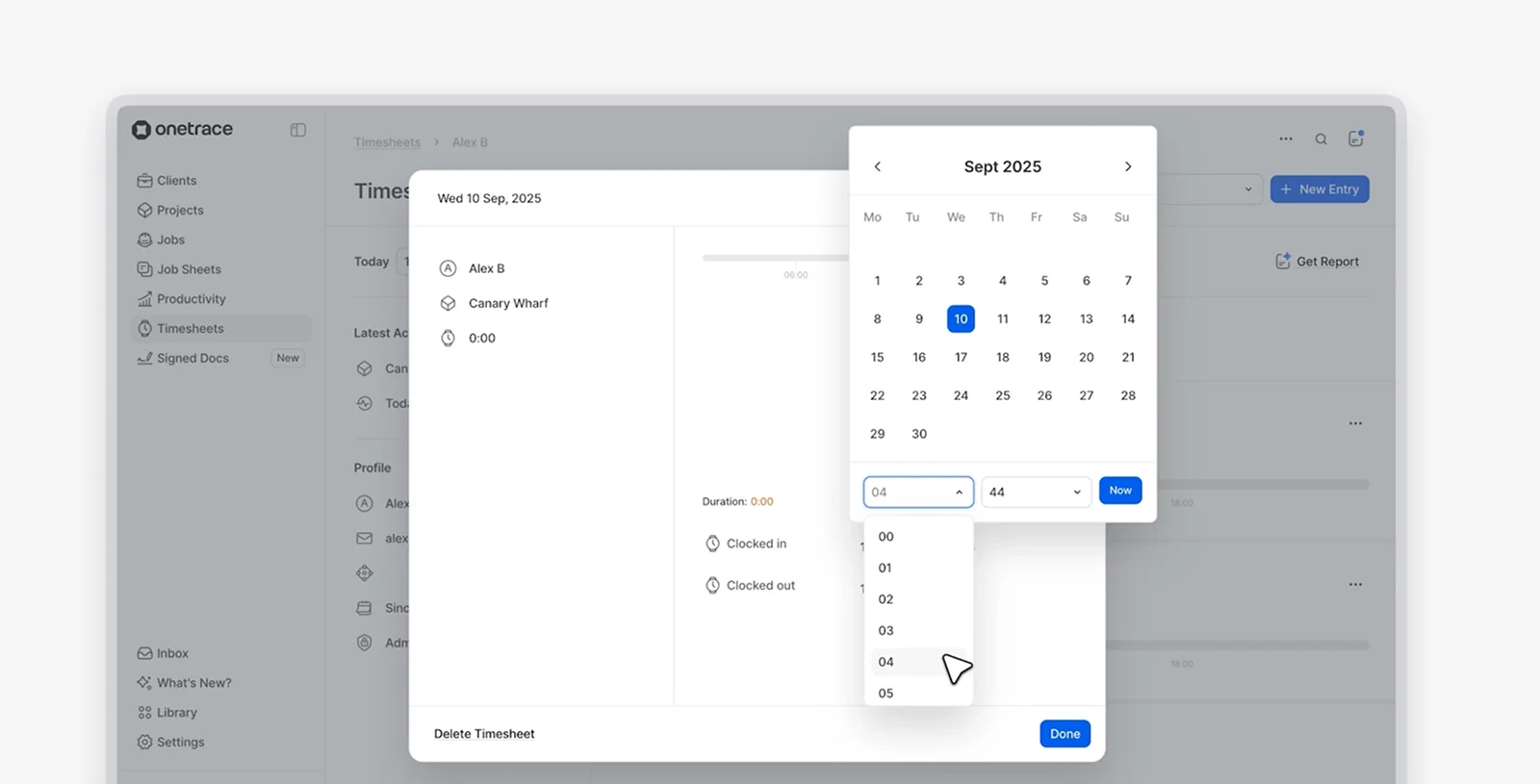
With Onetrace’s Timesheets, managers can make manual adjustments when needed, including:
Recording sick days or holidays
Fixing missed or incorrect clock-ins
Managing overtime and approvals
This flexibility helps resolve issues fairly without undermining the overall process.
6. Train operatives and managers on the correct use
When it comes to overcoming challenges of GPS tracking in construction, training matters on both sides.
Operatives need clear training on how to clock in and out correctly and how to use the system consistently during their working day.
As for managers, the focus should be on interpreting reports, using clear KPIs rather than raw location data, and assigning ownership so reviews are consistent and fair.
7. Choose software that keeps costs under control
When it comes to workforce GPS tracking, you don’t need a costly or elaborate system to get reliable results.
In most cases, a simple mobile app is enough to record time accurately.
With 98% of UK adults owning a mobile phone, this approach keeps setup costs low while remaining practical for everyday use on the site.
How Onetrace helps make GPS tracking work in practice
Technology plays a central role in overcoming the challenges of GPS tracking in construction. The right system sets clear limits, supports fair use, and makes construction compliance easier to manage day to day.
Onetrace is built with those realities in mind. It takes a deliberate, practical approach to workforce GPS by:
Capturing location data only at clock-in and clock-out, not continuously
Keeping customers in control of their data and compliance responsibilities
Applying clear data protection, security, and confidentiality safeguards
Supporting transparency, audit trails, and lawful use by design
If you’re weighing up GPS tracking and want to see how these principles work on real sites, book a personalised demo, and walk through the challenges and solutions in context with your own workflows.
Marketing Team
@Onetrace
The Onetrace marketing team is passionate about sharing insights, ideas, and innovations that help construction businesses stay connected, compliant, and efficient. Combining industry expertise with a love for clear communication, we aim to deliver content that empowers professionals to work smarter and safer.