10 best flooring software solutions to use [2026 Comparison]

By
Marketing Team
@Onetrace
The UK flooring market is expected to grow from £3.38 billion in 2026 to £4.05 billion by 2031, with steady annual growth of 3.71%. This points to a sector that has moved past post-pandemic disruption and into a more stable phase of demand.
However, growth cuts both ways.
A bigger market also means more competition and pricing pressure, especially as customers become more informed and selective.
To stay competitive, flooring businesses need to work smarter, not just harder. This means finding better ways to manage jobs, teams, sales, and customers while keeping costs under control.
This is where flooring software comes in.
In this article, we’ll introduce the top 10 best flooring software solutions to help businesses stay organised, efficient, and competitive in a changing market.
Key takeaways
There is no single ‘best’ flooring software for everyone
Some tools focus on site delivery and workforce control, others on retail sales, estimating, or client management. The right choice depends on where most of your time, risk, and margin pressure sit.Fit matters more than feature count
The strongest tools in this list perform well because they are built around specific workflows, such as high-volume estimating, multi-location retail operations, or managing several live projects at once. Software that aligns with how your work actually flows will deliver more value than a broad but poorly matched system.Ease of use, reliability, and scalability are the real differentiators
Across all tools compared, the most meaningful differences come down to how user-friendly they are, how well they perform in real site conditions, and whether they can grow with the business without becoming restrictive.Onetrace stands out for contractors focused on execution and growth
For flooring contractors who need reliable site software, clear proof of work, and flexible workflows that adapt to specialist trades, Onetrace offers a strong balance of usability, mobile performance, and scalability without locking teams into rigid retail or enterprise models.
The 10 best flooring software tools at a glance
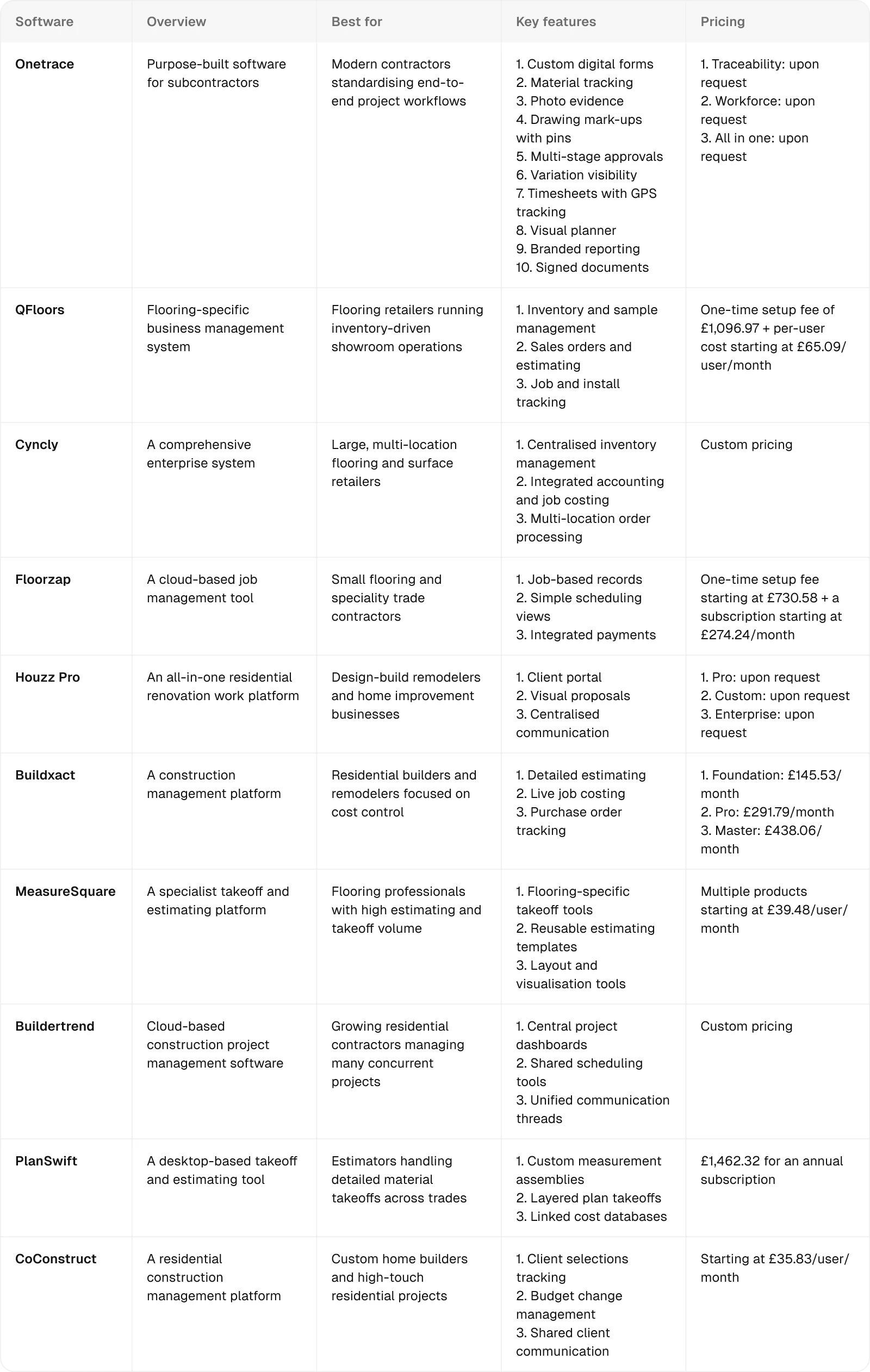
1. Onetrace: Best for modern contractors standardising end-to-end project workflows
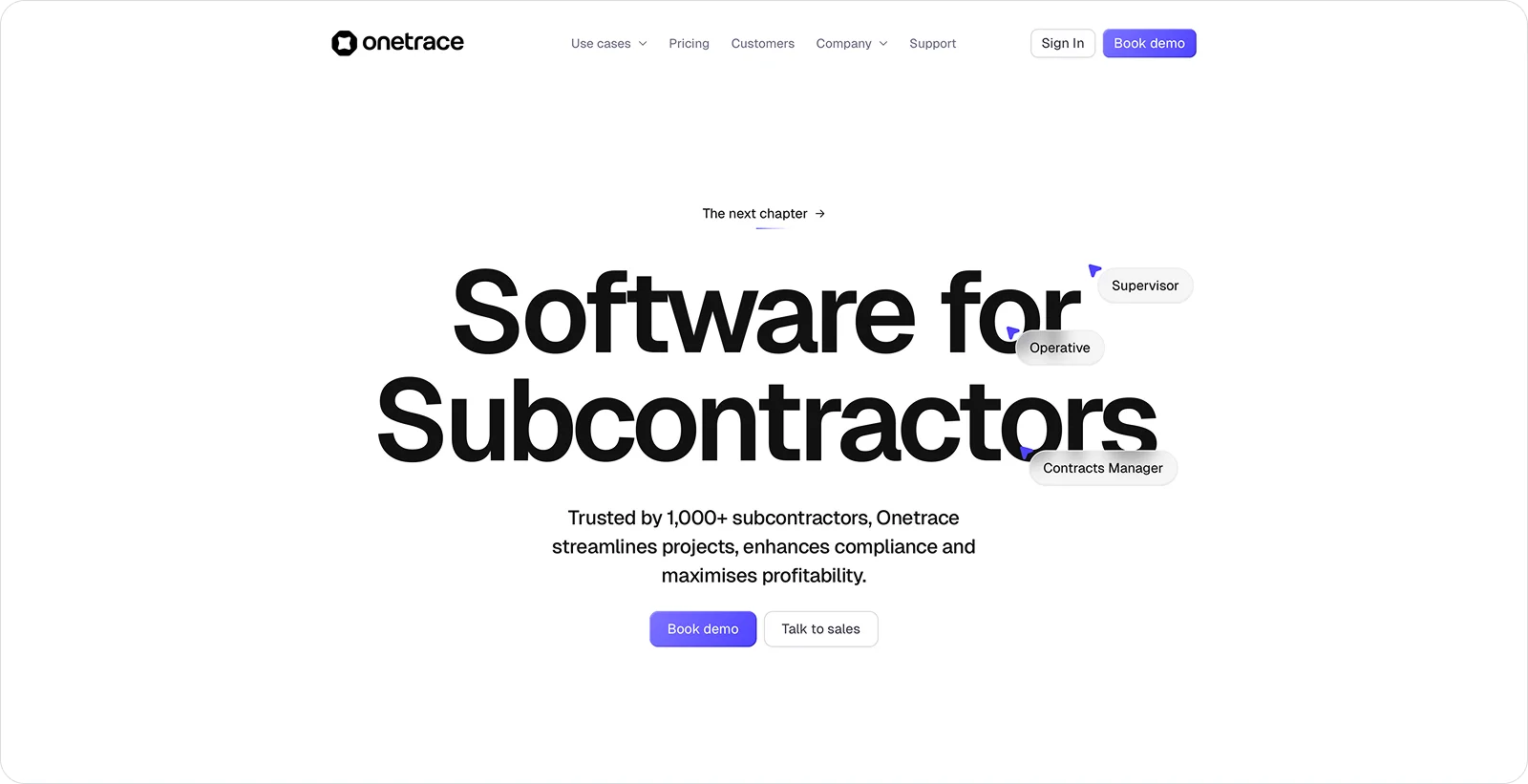
Onetrace is purpose-built software for subcontractors, giving flooring teams one place to capture site data, manage compliance, and record proof of work across surveys, inspections, installs, and remedials.
Instead of relying on disconnected forms, photos, and spreadsheets, it brings these everyday tasks into a single, consistent workflow that works on site and in the office. This provides teams with clear visibility from first visit to final sign-off.
Onetrace best features
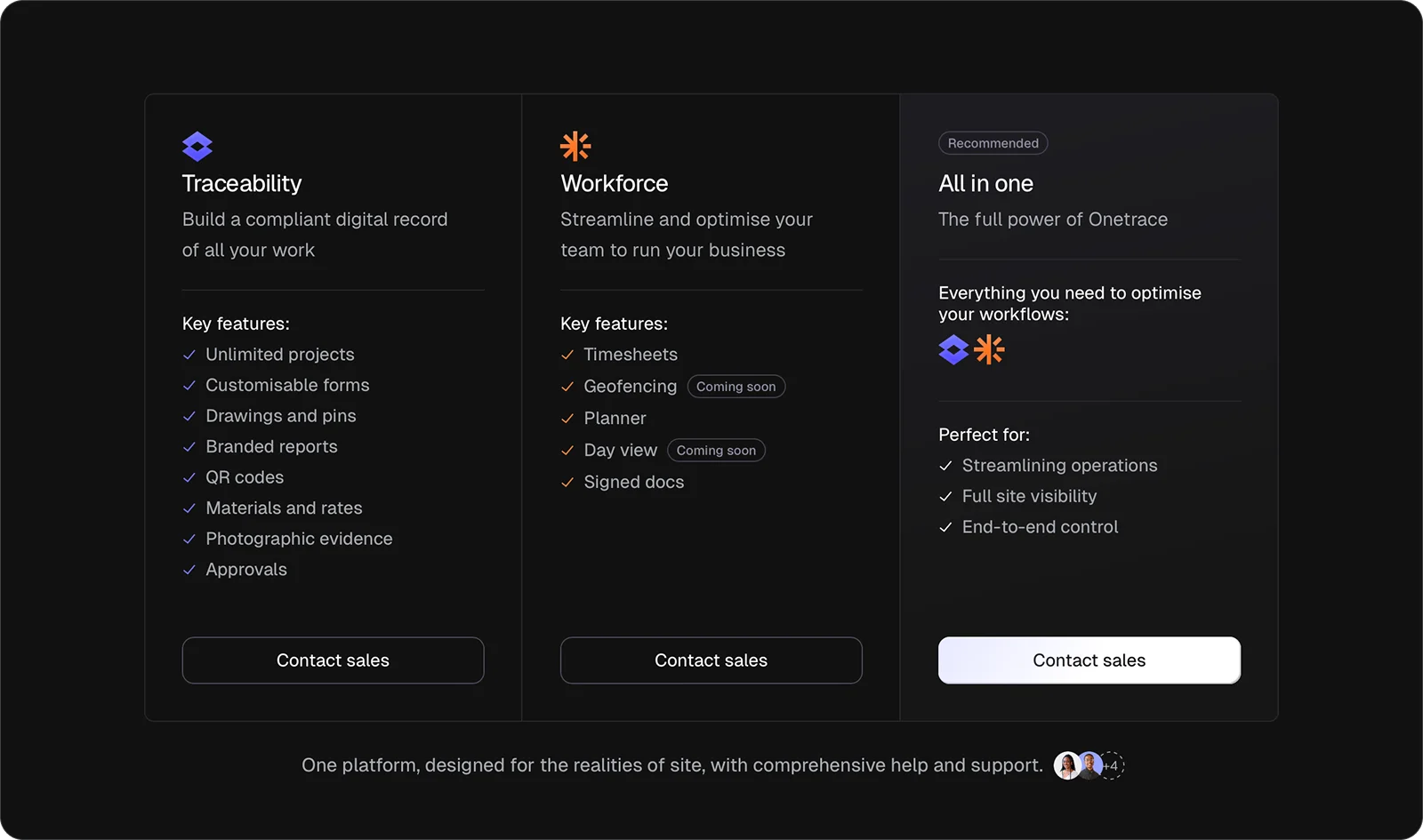
Onetrace is built around two products: Traceability, which creates a digital record of flooring work on site, and Workforce, which helps manage time, attendance, and documentation across teams. Specific features that flooring contractors can benefit from include:
Custom digital forms: Build flooring-specific forms with conditional questions and mandatory fields to capture consistent data on every job and avoid missing any critical details.
Material tracking with precise measurement inputs: Log flooring types, quantities, dimensions, and costs to support accurate flooring scopes and quantities and keep a clear record of what’s been laid and where.
Photo evidence: Capture before, during, and after photos to prove quality, flag defects, and record completed installs.
Drawing mark-ups with pins: Drop pins on plans to show exact locations of rooms, finishes, or remedial work.
Multi-stage approvals: Run structured quality checks so installs are reviewed, approved, or sent back with feedback.
Variation visibility: Track changes to the original flooring scope in real time, so they are captured, approved, and billed correctly.
Timesheets with GPS tracking: Monitor who’s on site, when work starts and finishes, and how long installs actually take.
Visual planner: Schedule flooring teams visually, move operatives between jobs quickly, and keep site coverage clear.
Branded reporting: Generate clear, professional handover packs and compliance reports for flooring work without manual admin.
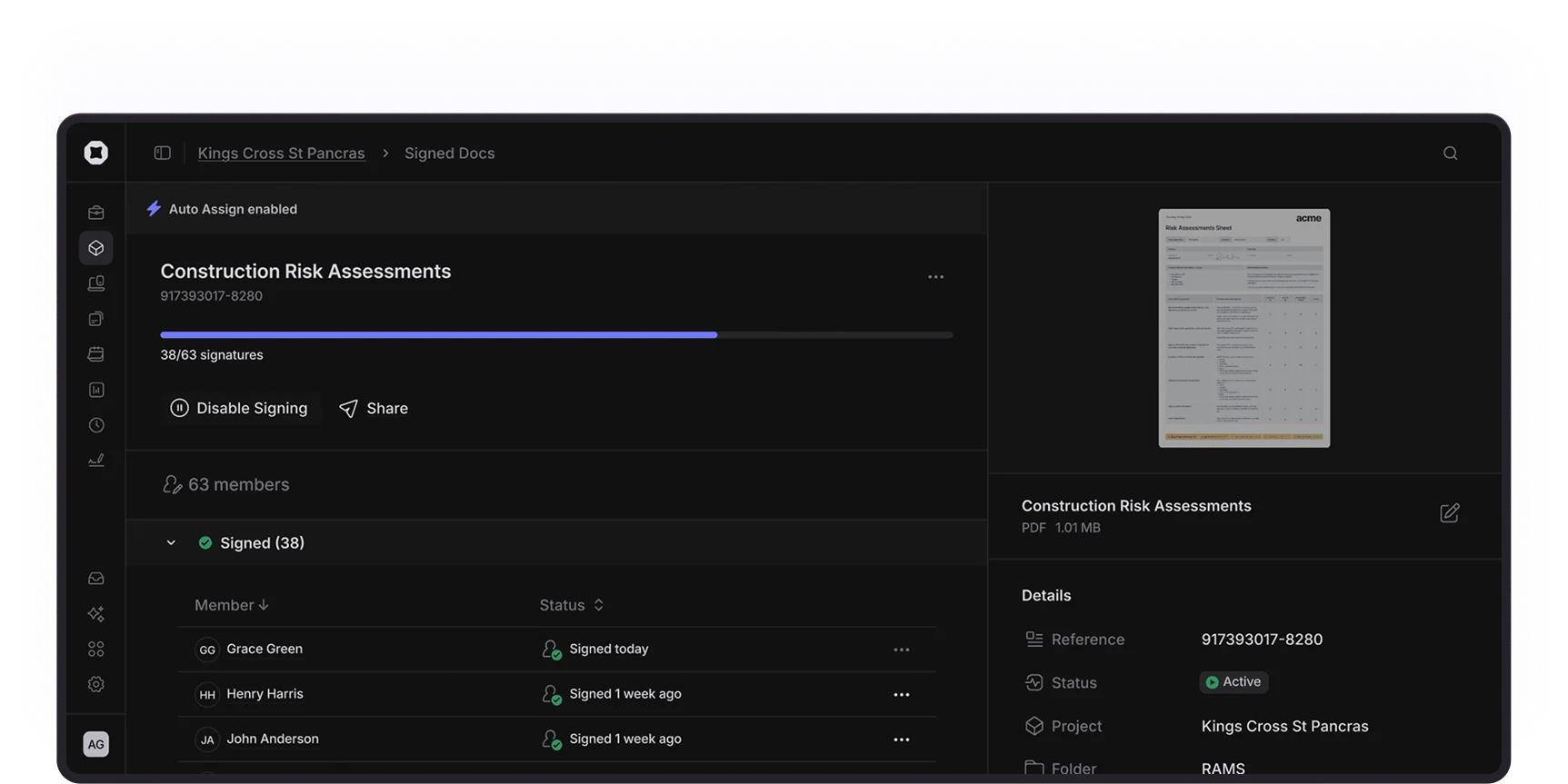
Signed documents: Collect and track RAMS, toolbox talks, and acknowledgements digitally, with full signature trails.
Onetrace benefits
Onetrace delivers practical benefits that matter on busy flooring projects, where time, accuracy, and proof of work directly affect margins and reputation. These include:
Stronger project planning: Maintain live visibility across sites to reduce missed details and improve resource decisions.
Accurate labour control: Track time and attendance reliably to achieve better job costing and productivity insight.
Clear proof of work: Show what was done, when, and to what standard—reducing disputes and friction at sign-off.
Faster payment cycles: Link completed work to approvals to achieve quicker sign-off and earlier invoicing.
More reliable work on site: Keep work moving with dependable on-site software to achieve consistent, complete records.
Onetrace pricing
Onetrace is priced on a flexible, per-user subscription, allowing flooring contractors to scale user numbers up or down as workloads change. Teams can choose Traceability, Workforce, or both, depending on their operational needs.
2. QFloors: Best for flooring retailers running inventory-driven showroom operations
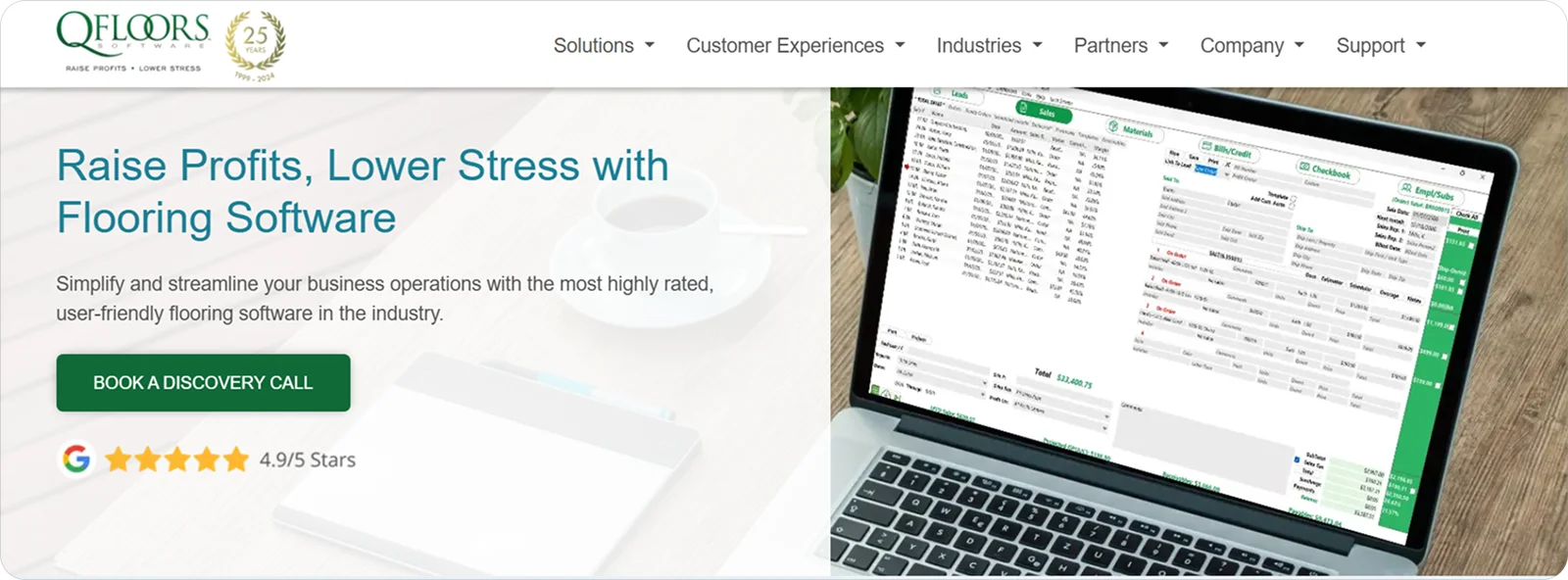
QFloors is a flooring-specific business management system that brings together sales processing, inventory control, accounting, and job management in one platform.
It’s well-suited for flooring retailers running inventory-driven showroom operations because it supports high volumes of products, samples, and supplier lines while keeping sales and fulfilment aligned.
QFloors features
QFloors centres its features on linking the showroom floor to back-office operations, through tools like:
Inventory and sample management: Keep stock, samples, and supplier details accurate so items sold match what’s available.
Sales orders and estimating: Convert quotes into live orders so work moves cleanly from sale to installation.
Job and install tracking: Track deliveries and fittings to keep schedules and customer updates accurate.
QFloors pricing
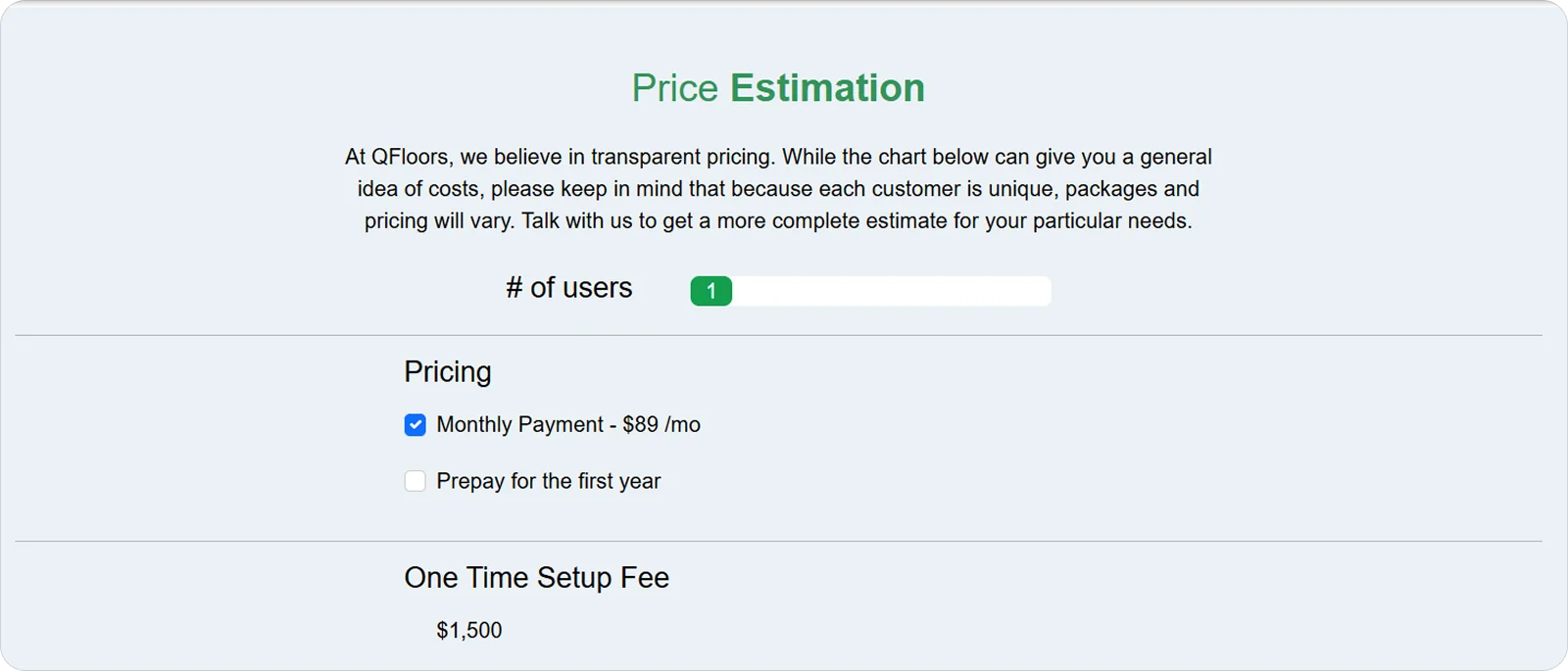
QFloors combines an upfront setup cost with ongoing per-user subscription pricing, reflecting its role as a long-term operational system.
3. Cyncly: Best for large, multi-location flooring and surface retailers
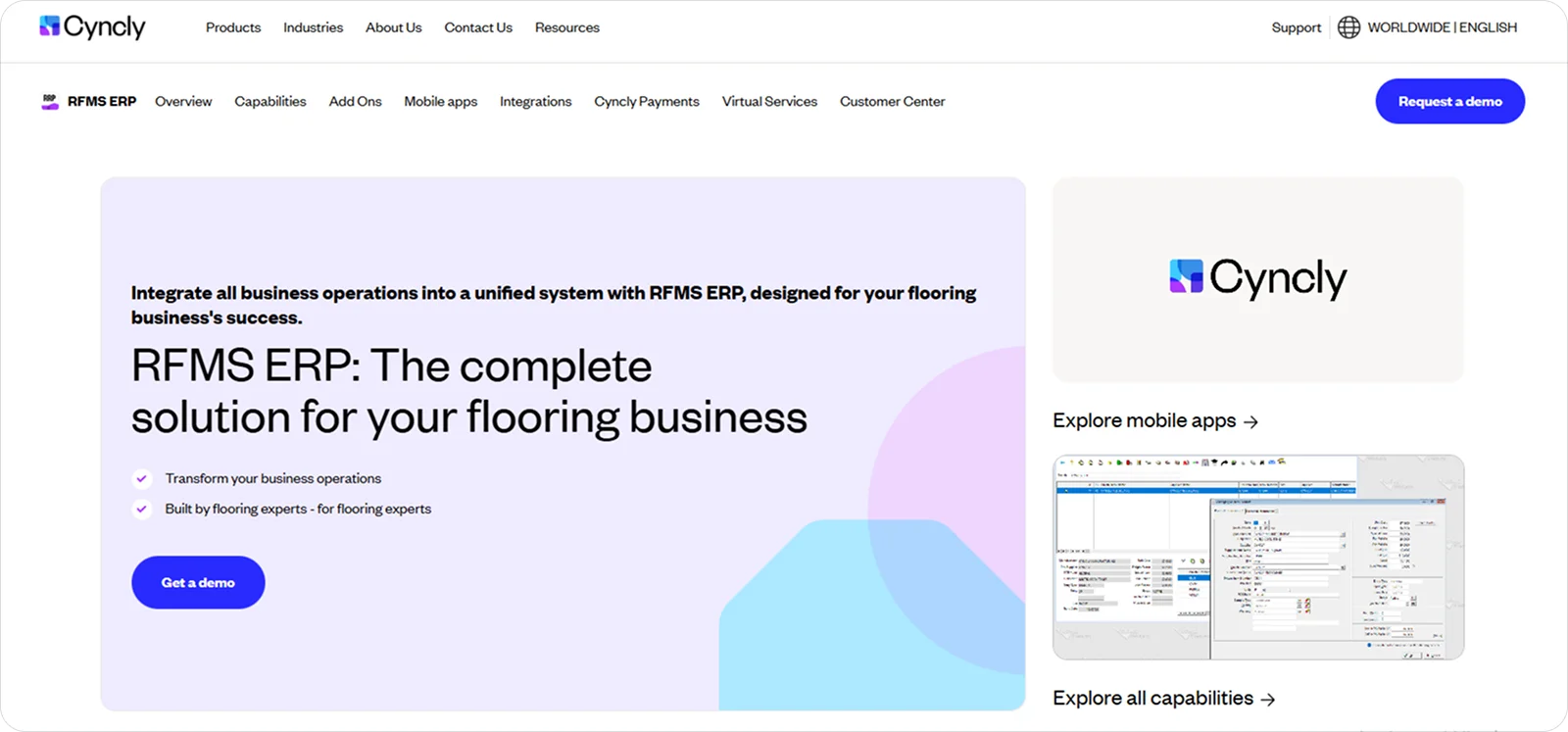
Cyncly delivers the RFMS ERP, a comprehensive enterprise system designed to manage accounting, inventory, order processing, and operations across complex flooring businesses.
It’s a solid choice for large, multi-location flooring and surface retailers because it supports high transaction volumes, shared inventory, and consistent processes across branches, warehouses, and teams.
Cyncly features
Cyncly’s RFMS ERP brings structure to large-scale flooring operations through features like:
Centralised inventory management: Coordinate stock across branches and warehouses to maintain control over availability and transfers.
Integrated accounting and job costing: Connect sales, purchasing, and installs so margins and performance stay visible.
Multi-location order processing: Manage orders across sites to keep fulfilment, delivery, and invoicing aligned.
Cyncly pricing
Cyncly’s RFMS ERP is priced as an enterprise platform, with costs structured around deployment scale and long-term operational use.
4. Floorzap: Best for small flooring and speciality trade contractors
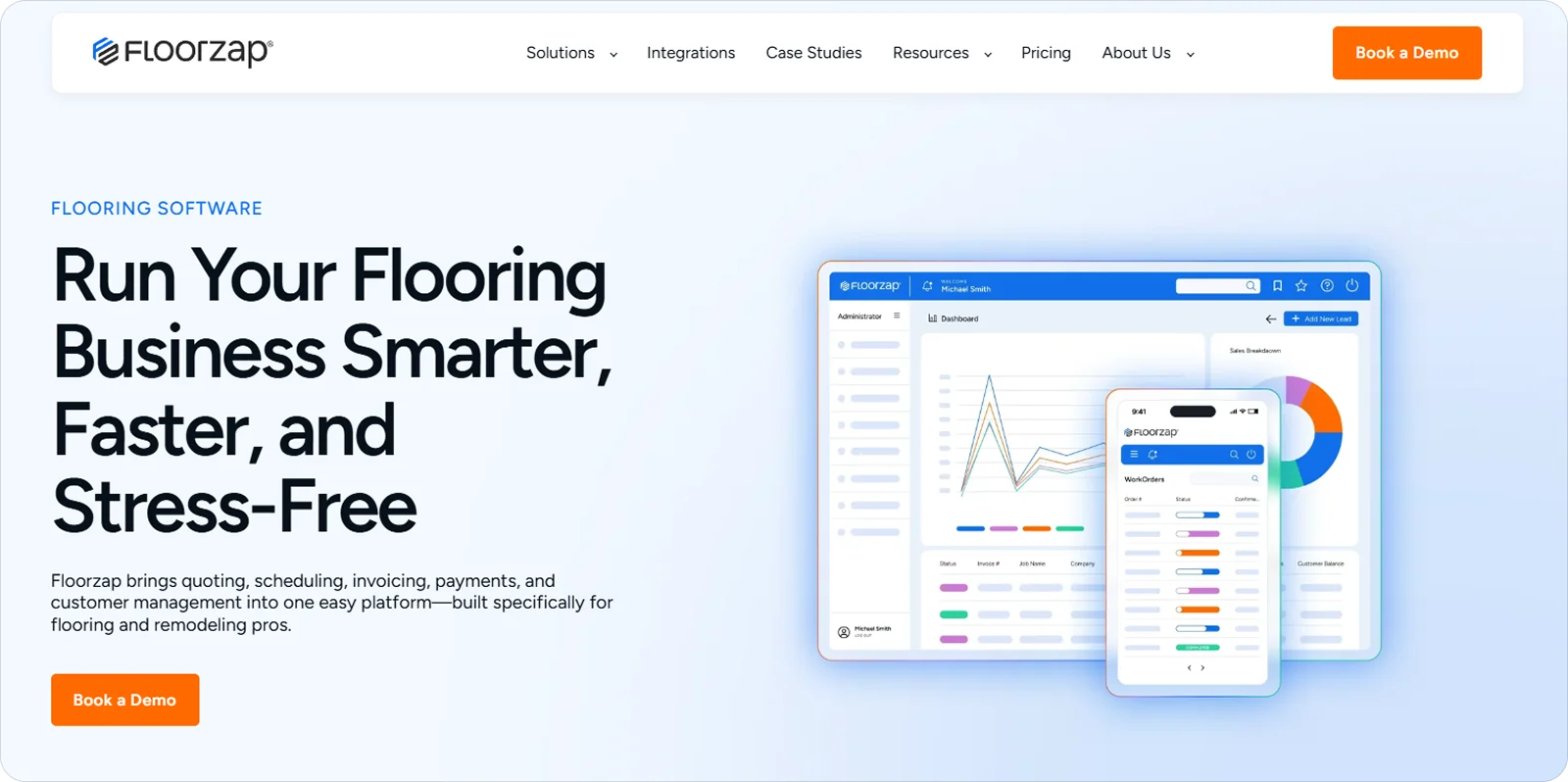
Floorzap is a cloud-based job management system that helps trade contractors manage jobs from first quote to final payment.
It suits smaller flooring and speciality contractors who need structure and visibility without the overhead of complex, multi-layered software.
Floorzap features
Floorzap focuses on turning everyday job details into simple, trackable records, with features like:
Job-based records: Store notes, photos, and documents against each job so information stays easy to find.
Simple scheduling views: See upcoming work in a clear timeline, making clashes and gaps easier to spot.
Integrated payments: Record invoices and payments against jobs to keep outstanding balances visible.
Floorzap pricing
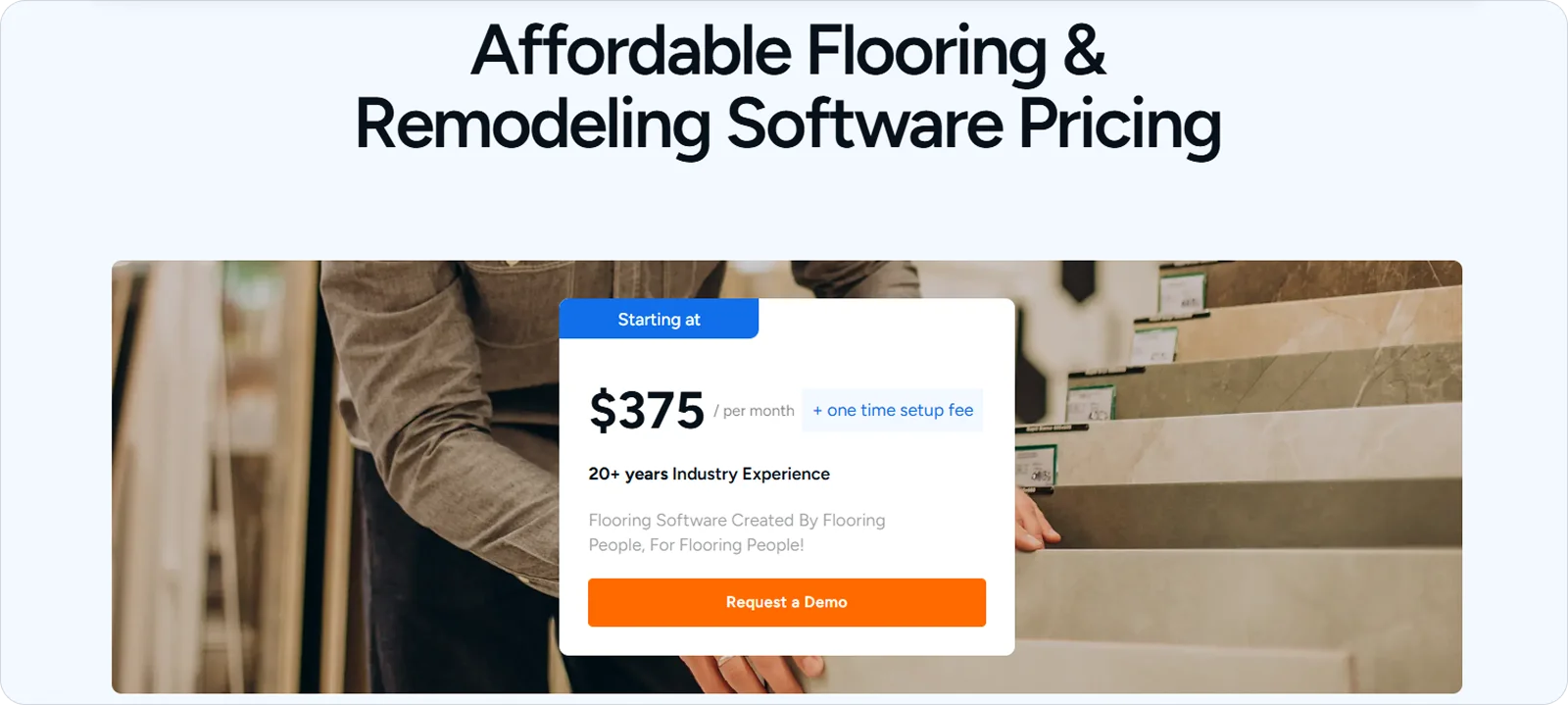
Floorzap uses a pricing model that includes an upfront setup fee alongside an ongoing monthly subscription.
5. Houzz Pro: Best for design-build remodelers and home improvement businesses
Houzz Pro is an all-in-one platform that combines client management, project tools, and marketing features for residential renovation work.
It fits design-build remodelers and home improvement businesses that value winning work, managing client decisions, and communicating progress as much as delivering the job itself.
Houzz Pro features
Houzz Pro brings client-facing work and internal job tracking together through tools like:
Client portal: Share selections, updates, and messages, so homeowners stay informed without constant follow-up.
Visual proposals: Present flooring options, pricing, and scope clearly so decisions are made earlier and with fewer revisions.
Centralised communication: Keep conversations, files, and approvals tied to each job so nothing gets lost across emails and calls.
Houzz Pro pricing
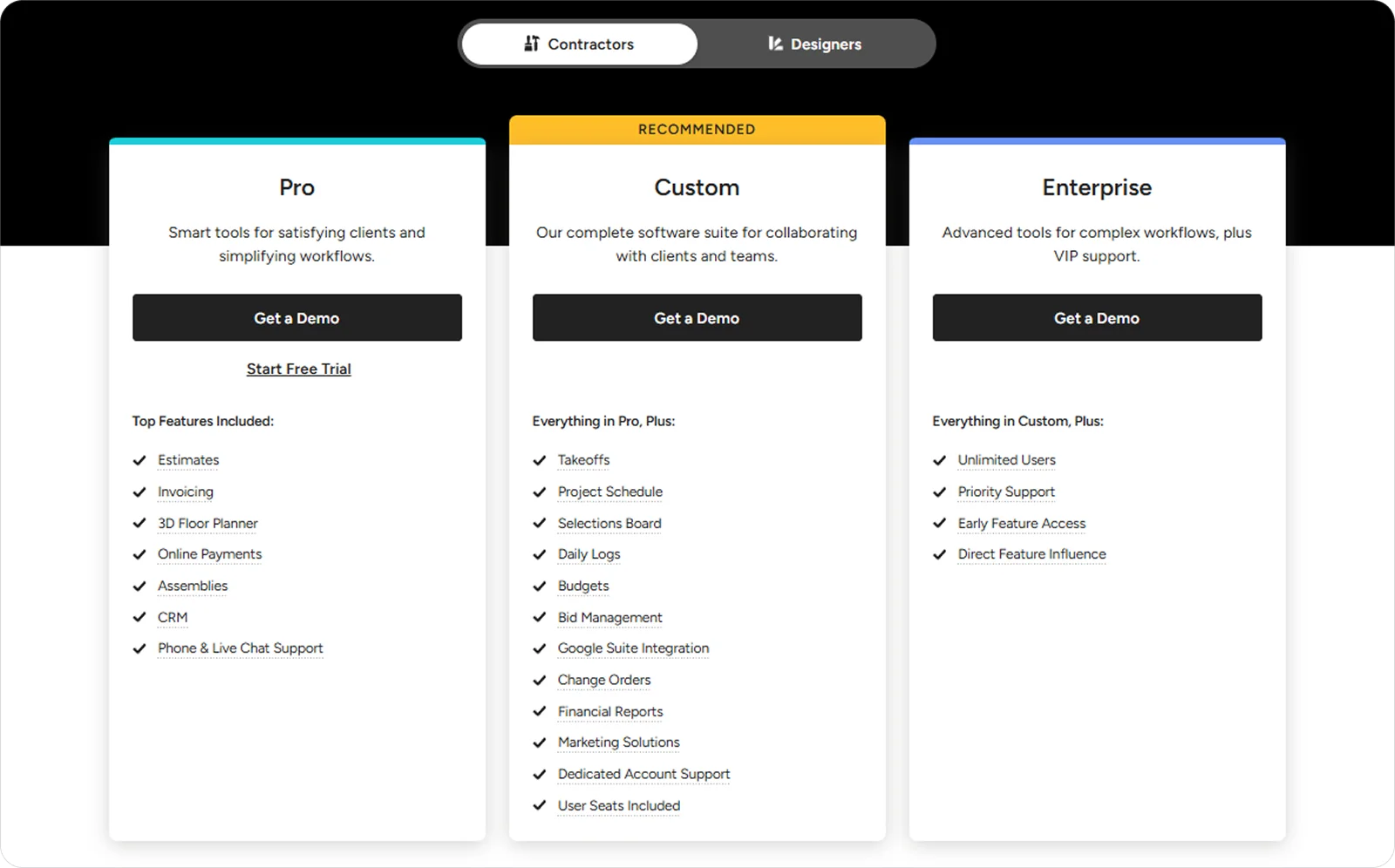
Houzz Pro is sold as a subscription service with three distinct plans you can choose from.
6. Buildxact: Best for residential builders and remodelers focused on cost control
Buildxact is a construction management platform centred on estimating, job costing, and project tracking for residential work.
For residential builders and remodelers, cost control depends on knowing what a job should cost before it starts and how it’s tracking as work progresses, which is where Buildxact fits naturally.
Buildxact features
Buildxact ties financial accuracy to day-to-day project activity through features like:
Detailed estimating: Build itemised estimates from plans and takeoffs to reflect real material and labour costs.
Live job costing: Compare budgeted vs actual spend so overruns are spotted early.
Purchase order tracking: Link orders to jobs so committed costs stay clear before invoices land.
Buildxact pricing
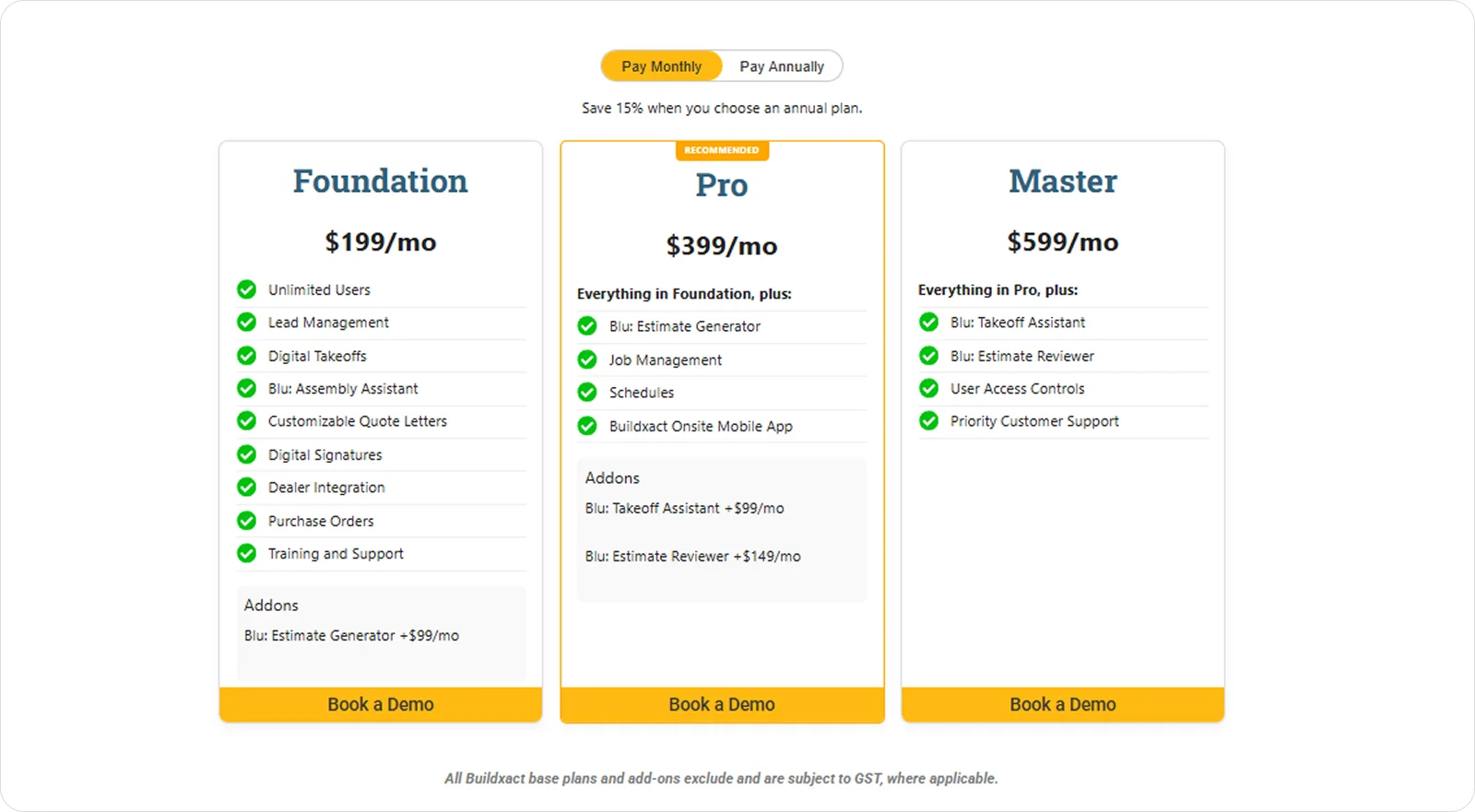
Buildxact follows a tiered subscription model, with three base plans and three add-on options.
7. MeasureSquare: Best for flooring professionals with high estimating and takeoff volume

MeasureSquare is a specialist takeoff and estimating platform designed specifically for flooring layouts, measurements, and quantities.
It supports teams handling large volumes of plans by reducing manual work and standardising how takeoffs are produced.
MeasureSquare features
MeasureSquare focuses on precision and repeatability, offering tools like:
Flooring-specific takeoff tools: Measure areas, perimeters, patterns, and waste so quantities reflect real installation conditions.
Reusable estimating templates: Apply saved assemblies and pricing structures to keep repeat work consistent.
Layout and visualisation tools: Map flooring designs directly onto plans so assumptions are clear before pricing is finalised.
MeasureSquare pricing
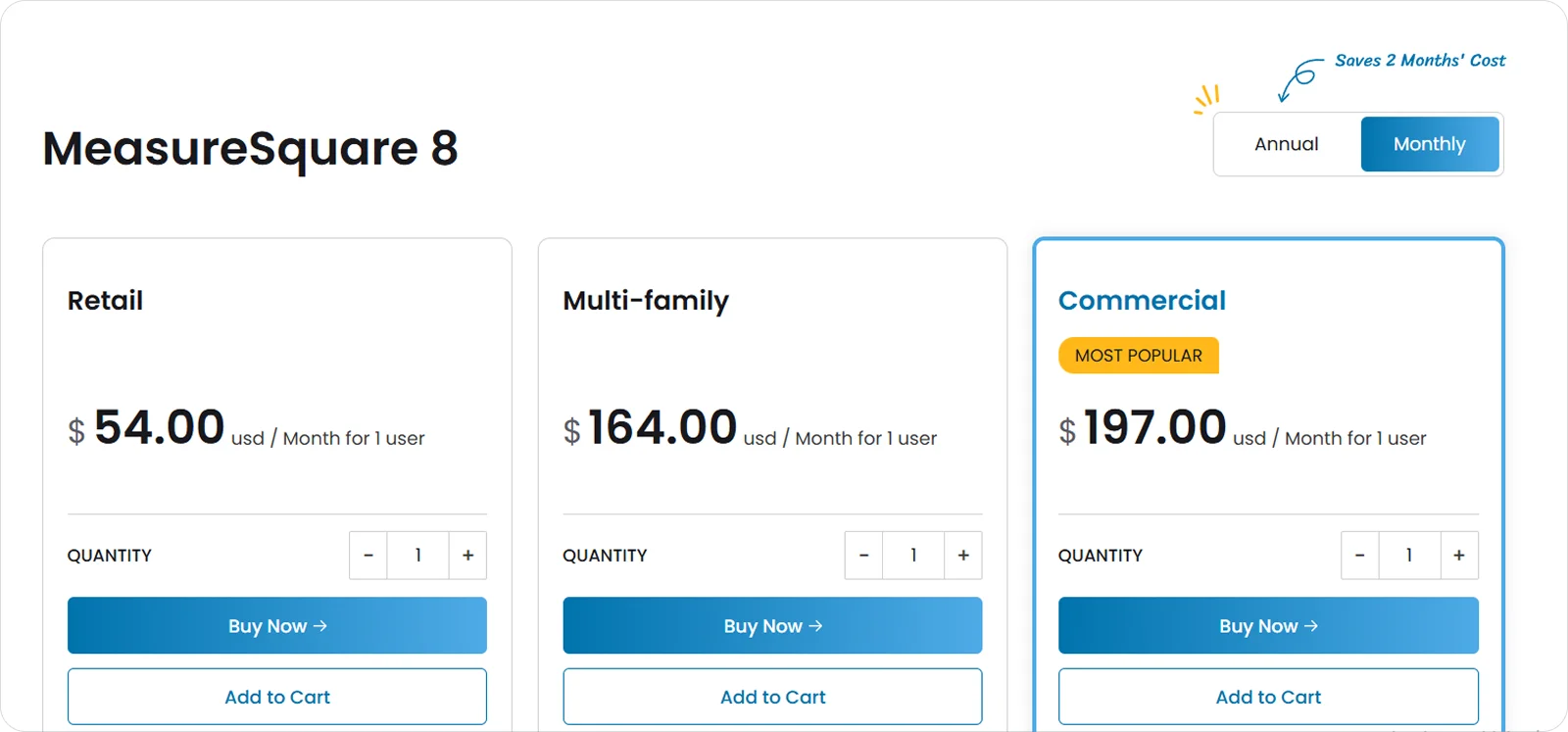
MeasureSquare offers multiple product options and bundles, with pricing structured to scale based on the tools and estimating depth a business needs.
8. Buildertrend: Best for growing residential contractors managing many concurrent projects
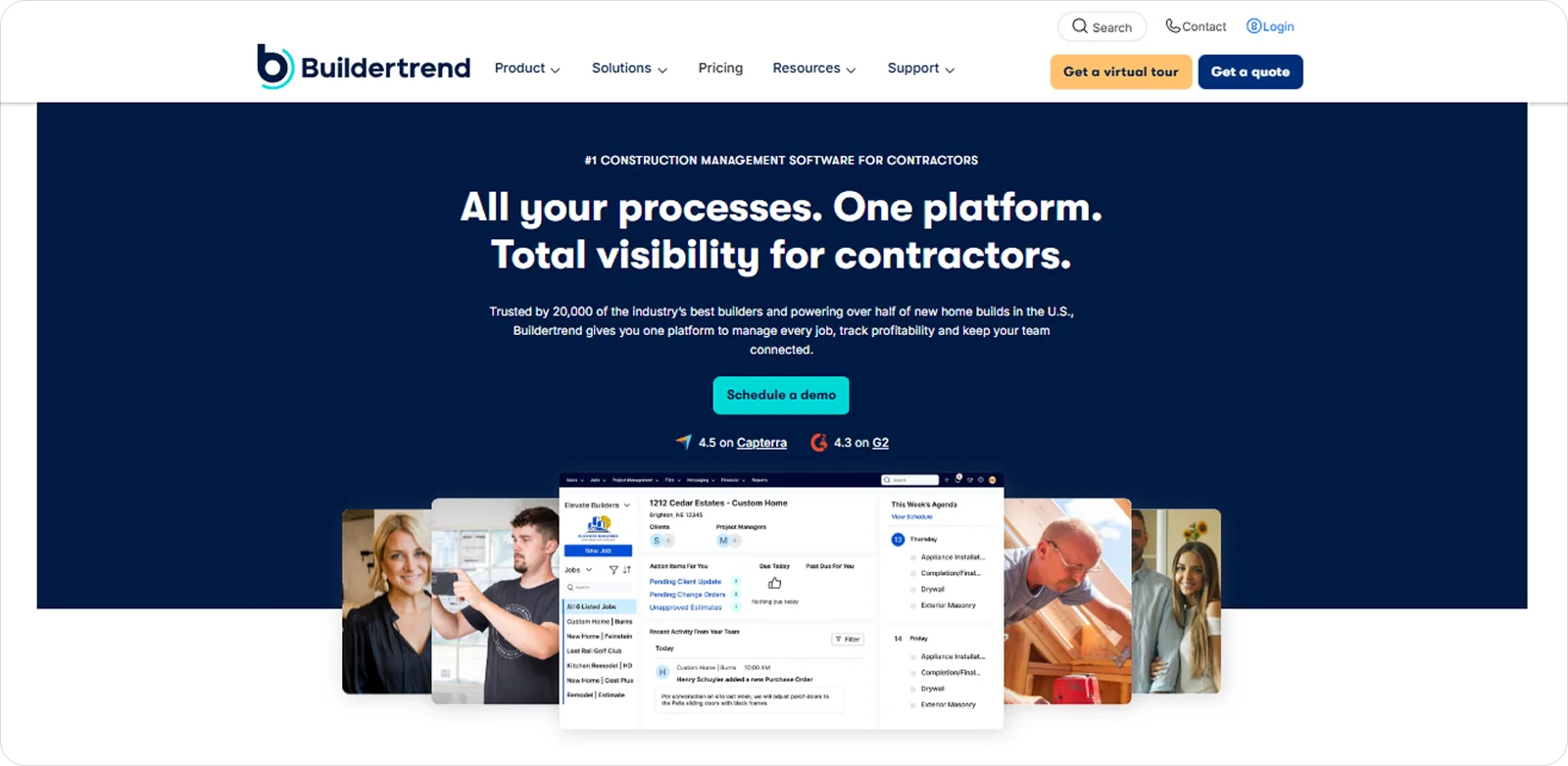
Buildertrend is a cloud-based construction project management platform that brings scheduling, project tracking, communication, and financial tools together for residential construction teams.
As project numbers increase, Buildertrend helps contractors keep multiple jobs moving at once without losing visibility or control.
Buildertrend features
Buildertrend allows teams to manage several active sites in parallel, thanks to features like:
Central project dashboards: View progress, schedules, and issues across all active jobs so nothing slips when workloads increase.
Shared scheduling tools: Coordinate trades, tasks, and timelines across multiple sites so clashes and gaps are easier to manage.
Unified communication threads: Keep messages, photos, and updates tied to each project so information doesn’t fragment as volume grows.
Buildertrend pricing
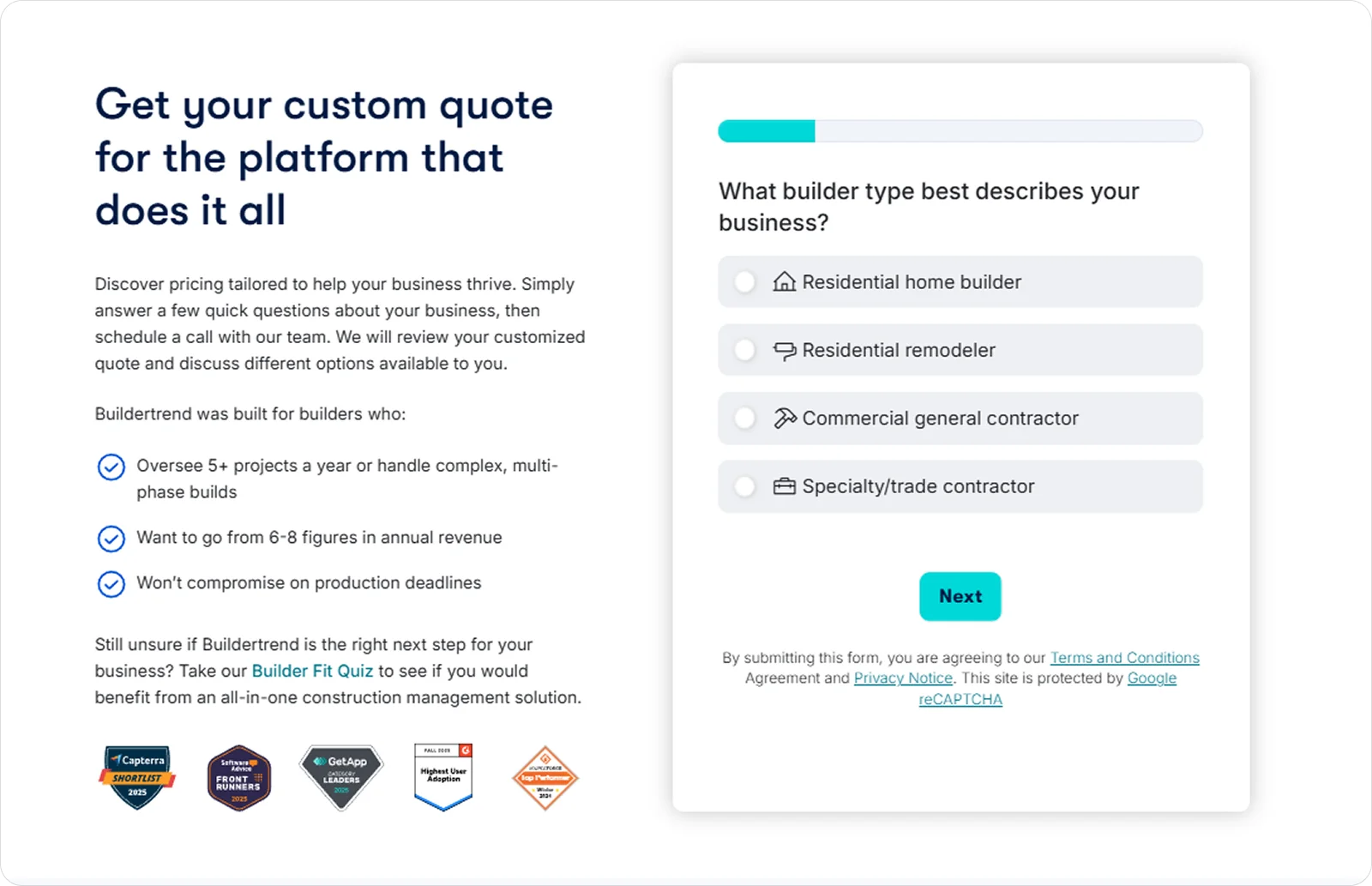
Buildertrend uses a custom pricing model primarily based on company size and revenue.
9. PlanSwift: Best for estimators handling detailed material takeoffs across trades

PlanSwift is a desktop-based takeoff and estimating tool used to measure quantities directly from digital plans.
It supports estimators who need depth, flexibility, and control at the takeoff stage, especially when projects involve multiple trades, materials, and measurement types.
PlanSwift features
PlanSwift gives estimators precise control over how quantities are measured, organised, and priced through tools like:
Custom measurement assemblies: Build trade-specific takeoff formulas so quantities reflect how work is actually installed.
Layered plan takeoffs: Separate materials and trades on the same drawing to keep measurements clear and organised.
Linked cost databases: Connect takeoffs to pricing tables so material and labour totals update as quantities change.
PlanSwift pricing
PlanSwift is sold on an annual subscription basis, with pricing based on continued access to the takeoff software rather than usage or project volume.

10. CoConstruct: Best for custom home builders and high-touch residential projects
CoConstruct is a residential construction management platform built around budgeting, tracking homeowner selections and changes, and managing client communication.
The platform is particularly well-suited for custom home builders working on residential projects where clients remain closely involved, as it keeps frequent client decisions and cost changes organised throughout the build.
CoConstruct features
CoConstruct is shaped around managing frequent client input without letting scope, cost, or communication drift. This is made possible by features like:
Client selections tracking: Record flooring choices, upgrades, and allowances so decisions stay visible and controlled
Budget change management: Log changes and cost impacts as they happen, so variations don’t get missed.
Shared client communication: Keep messages, approvals, and updates tied to the job so conversations remain traceable.
CoConstruct pricing
CoConstruct offers multiple monthly pricing plans, which start at £35.83 per user, according to third-party sources.
How to choose the best flooring software for you
Flooring software comes in different forms, and the right choice depends on how your business actually works.
Some tools are built for contractors, helping manage site activity, labour, and proof of work, while others lean more towards sales, quoting, and customer management. That’s why the first step is to be clear on what part of the business you need the software to support.
Once you’ve narrowed your options, it’s worth weighing a few practical factors:
Ease of use: Choose software that teams can pick up quickly so work doesn’t slow down during rollout.
Scalability: Consider whether the software can support more jobs, sites, or users as the business grows.
Reliability: Prioritise software that works in real site conditions, including occupied homes, commercial sites, and refits, with reliable performance even when connectivity is limited.
What is the best flooring software for your business?
The 10 software tools covered in this article each stand out in different ways, from site delivery and estimating to sales, planning, and financial control.
Comparing them across the most important deciding areas helps clarify which option is the best flooring software for your specific needs.
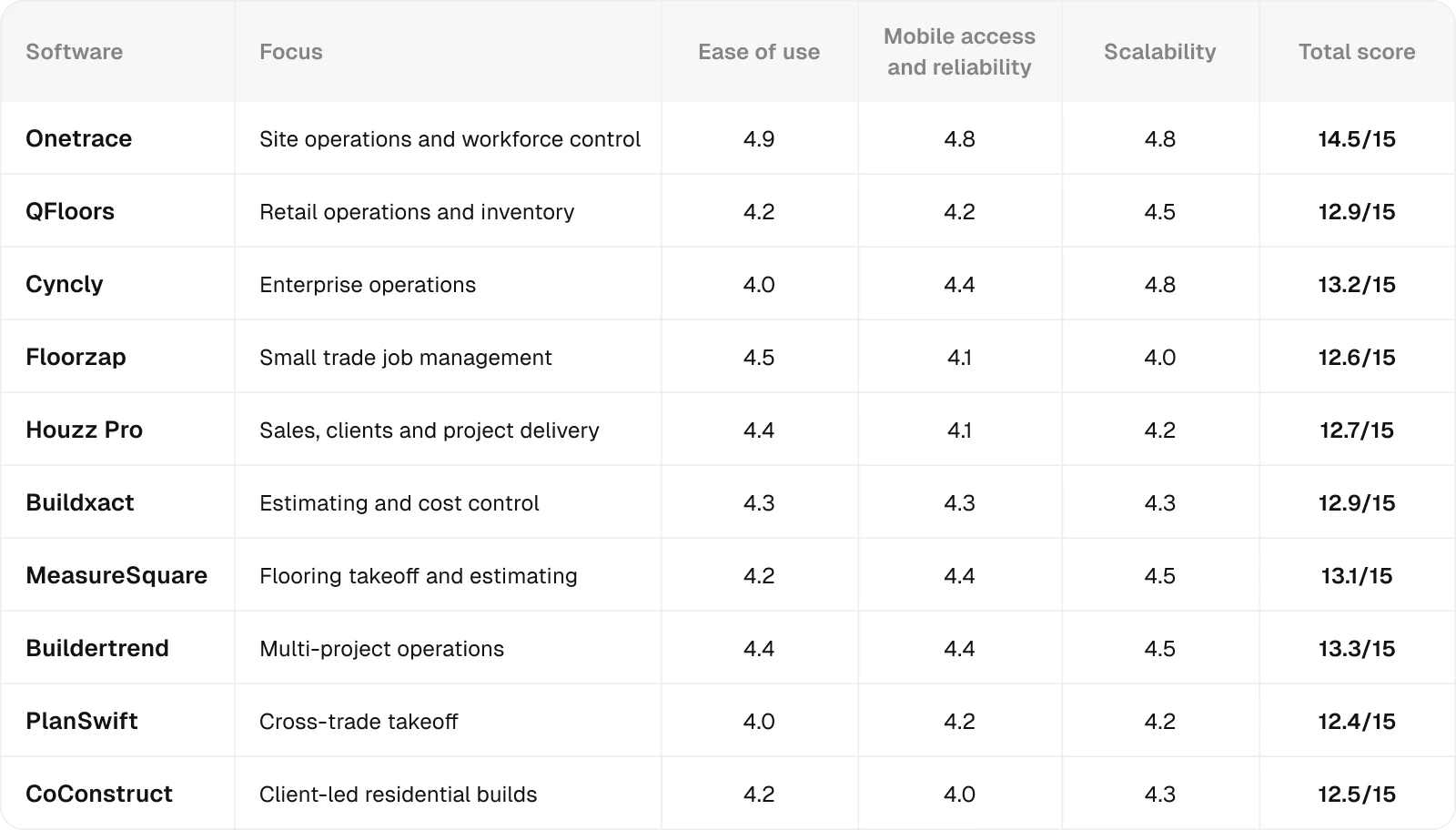
All ratings are relative to the scope of this analysis, meaning they measure how well each product performs in the specific context being evaluated, not in general.
Each score combines feature analysis, aggregated user feedback from major review platforms, and comparative AI-assisted evaluation to ensure internal consistency and eliminate outliers.
Ratings are synthesised from recurring performance patterns rather than raw averages, and minor decimal differences indicate subtle variations in relative strength within the same performance tier.
If you prefer flooring-specific software, Cyncly’s RFMS ERP scores strongly overall, particularly for businesses that value scalability and structured operations.
However, if an enterprise system feels too heavy for day-to-day delivery, Onetrace might be a more suitable choice, balancing ease of use, mobile reliability, and growth.
Despite not being focused solely on flooring, it can be configured around specialist trade workflows without locking businesses into rigid or retail-led systems.
Getting started with Onetrace
Onetrace gives flooring contractors a reliable way to stay organised on site, keep records consistent, and maintain control as jobs scale.
While flooring isn’t necessarily as tightly regulated as trades like electrical work or fire protection, clear evidence, structured workflows, and proper sign-off still matter, and Onetrace helps make sure nothing is missed when it counts.
Request a tailored walkthrough to see how Onetrace would support your flooring workflows day to day.
Marketing Team
@Onetrace
The Onetrace marketing team is passionate about sharing insights, ideas, and innovations that help construction businesses stay connected, compliant, and efficient. Combining industry expertise with a love for clear communication, we aim to deliver content that empowers professionals to work smarter and safer.